Multilingual Virtual Office for Remote Teams | VoicePing Skip to main content

Virtual office for multilingual remote teams

Make your remote team feel present, reachable, and included.

VoicePing gives HR and People Ops one daily workspace where employees can show availability, walk over for a quick conversation, and follow discussions in their chosen supported language.

VoicePing Virtual Office story showing a remote teammate checking availability, walking over to talk, following a translated conversation, and moving into a private room

From availability to a quick conversation

See when it’s a good time. Then walk over—or invite.

Check a teammate’s availability and current context, then choose Jump Closer or Invite to get closer without leaving the shared office.

Three-step VoicePing Virtual Office flow showing a user clicking Invite, the invited teammate moving closer after accepting, and both avatars starting a conversation with a visible speaking indicator.

One office, organized by floor

Give every department a place of its own.

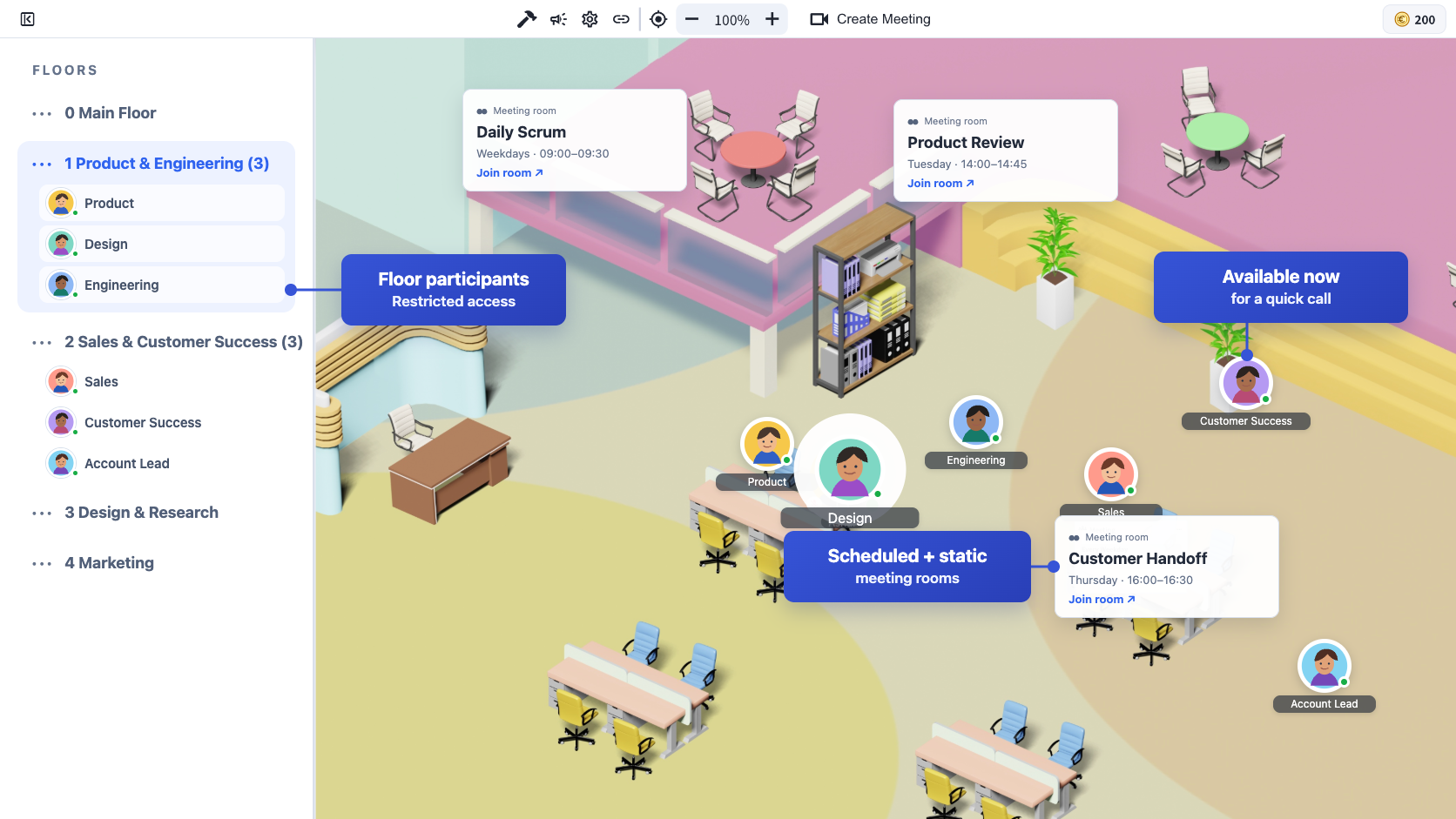
Organize teams, recurring meeting rooms, and shared spaces on separate floors. Assign members and restrict access where privacy matters.

VoicePing Virtual Office floor view annotated to show floor participants with restricted access, scheduled and static meeting rooms, and available members for quick calls

Remote manager visibility

See who’s available, who stepped away, and how project time adds up.

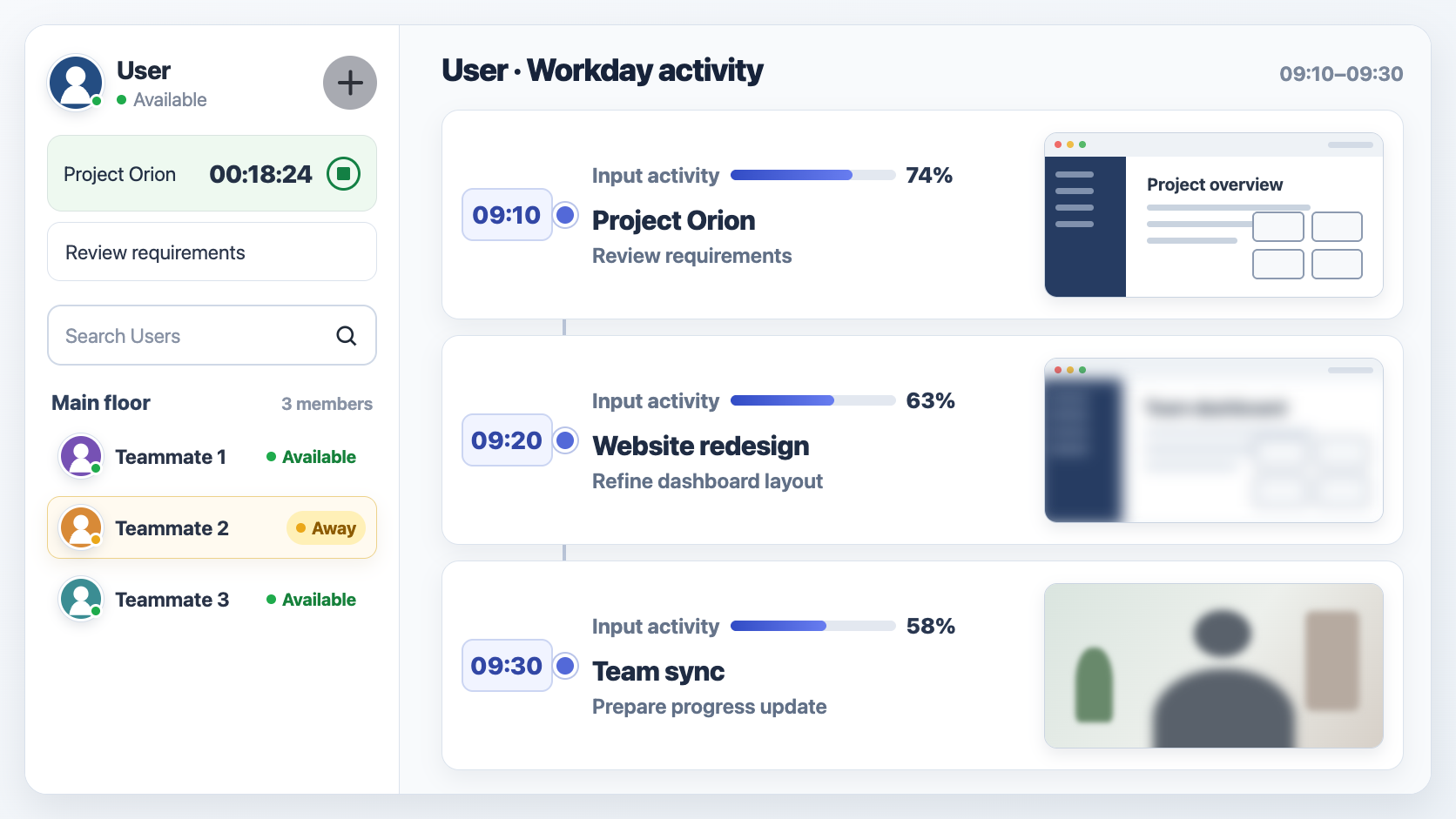
Check live status at a glance. When Online Log is enabled, review each member’s presence history; use Time Tracking separately for project hours and work memos.

Illustrated VoicePing manager view with a generic user sidebar, current project timer and availability beside a three-step workday activity timeline with desktop, privacy-blurred, and webcam evidence.

Multilingual assistance in the room

Let every participant follow the conversation in their chosen language.

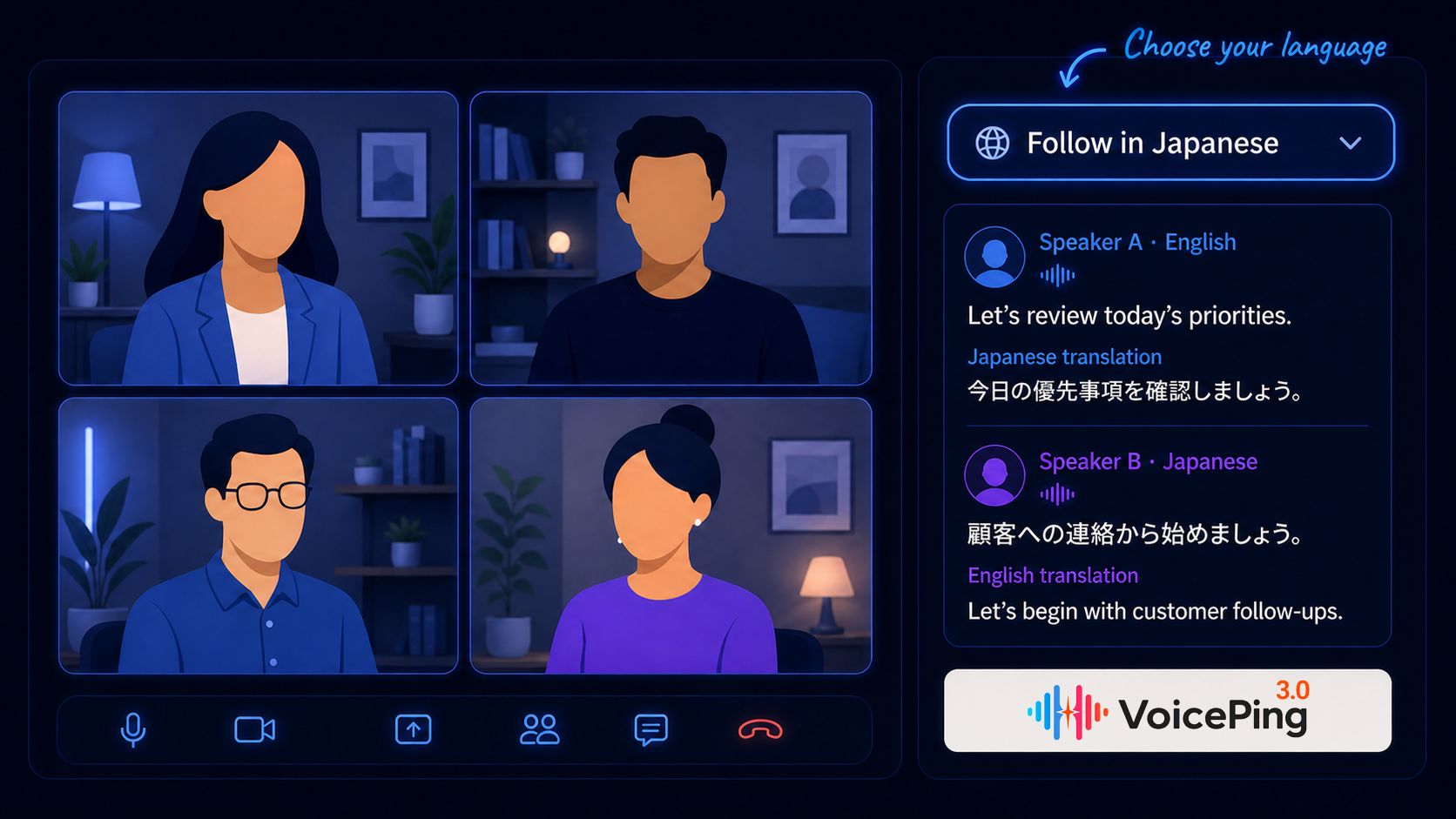
Each participant can select a supported language and follow speaker-by-speaker recognized speech and translation in one place. English- and Japanese-speaking teammates can stay in the same conversation without leaving the Virtual Office.

Workflow illustration of a four-person meeting with anonymous participants, a Follow in Japanese language selector, speaker-wise English and Japanese dialogue translations, and the VoicePing logo

Work together in the room

Discuss the trade-offs. Map the idea. Mark the screen together.

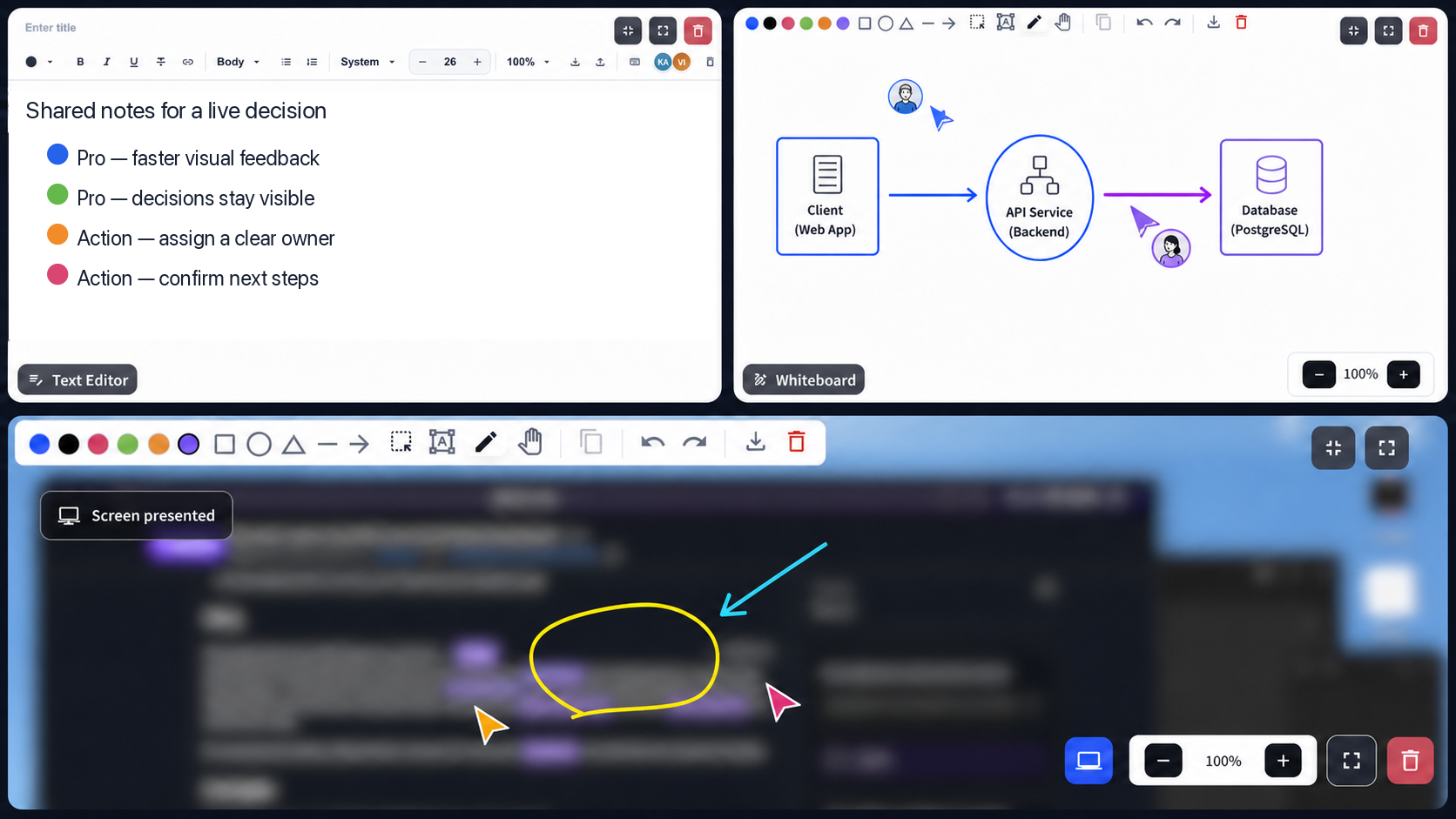
Use the shared editor to compare viewpoints, sketch the system on the whiteboard, and annotate a presented screen while the conversation is still live.

Privacy-edited collage based on VoicePing collaboration views, showing shared decision notes, two people marking an architecture whiteboard, and annotations on a presented screen

Peer-to-peer recognition in the Virtual Office

Make good work visible while the moment is still fresh.

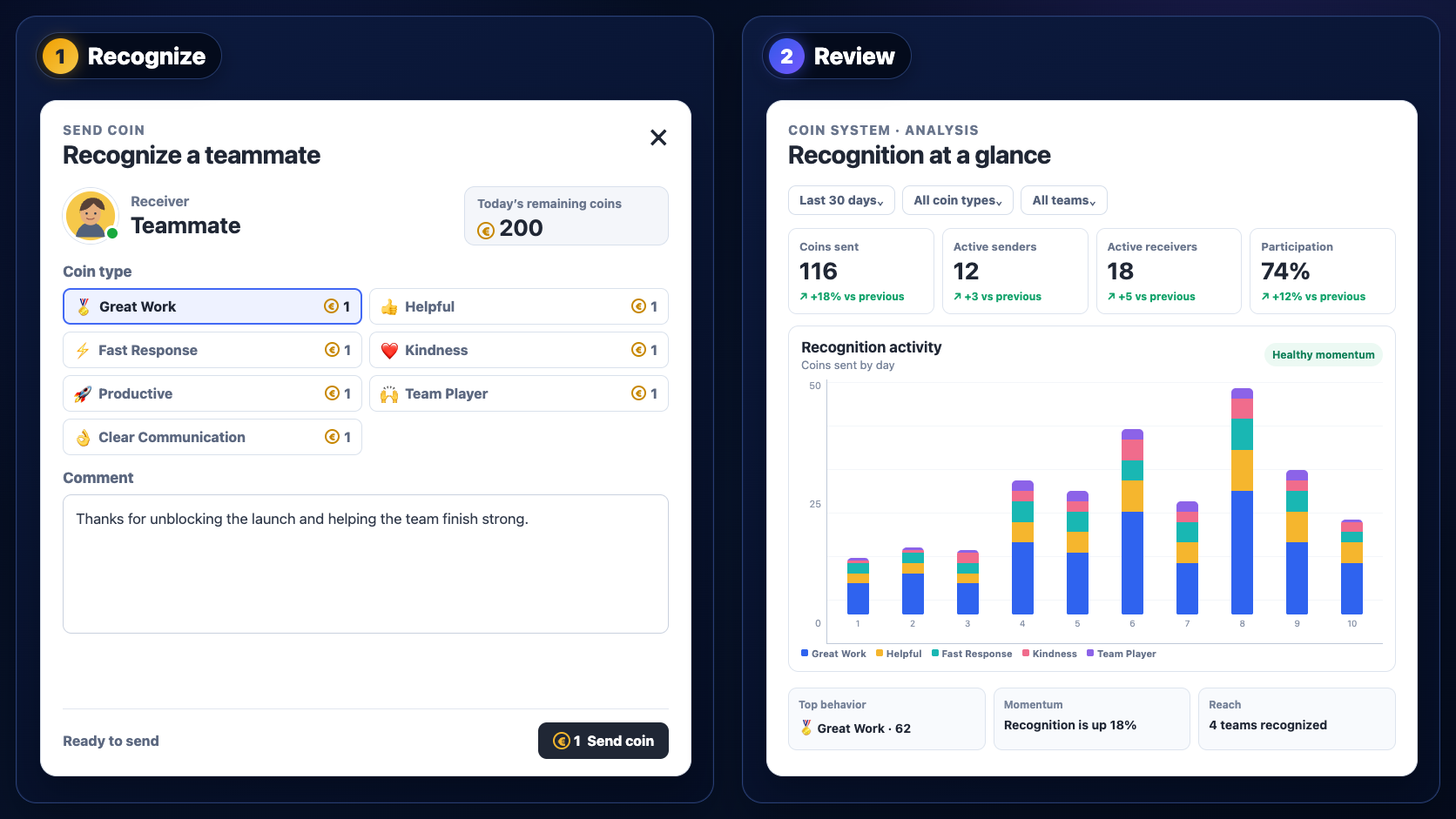
Send a recognition coin with a specific note, then review participation, top behaviors, and recognition trends in one clear analysis view.

Illustrated two-panel VoicePing workflow showing a populated recognition coin form and a sample Coin System analysis view with participation metrics, recognition activity, top behaviors, and team reach

Recording to follow-up

Turn each recorded conversation into a head start on next steps.

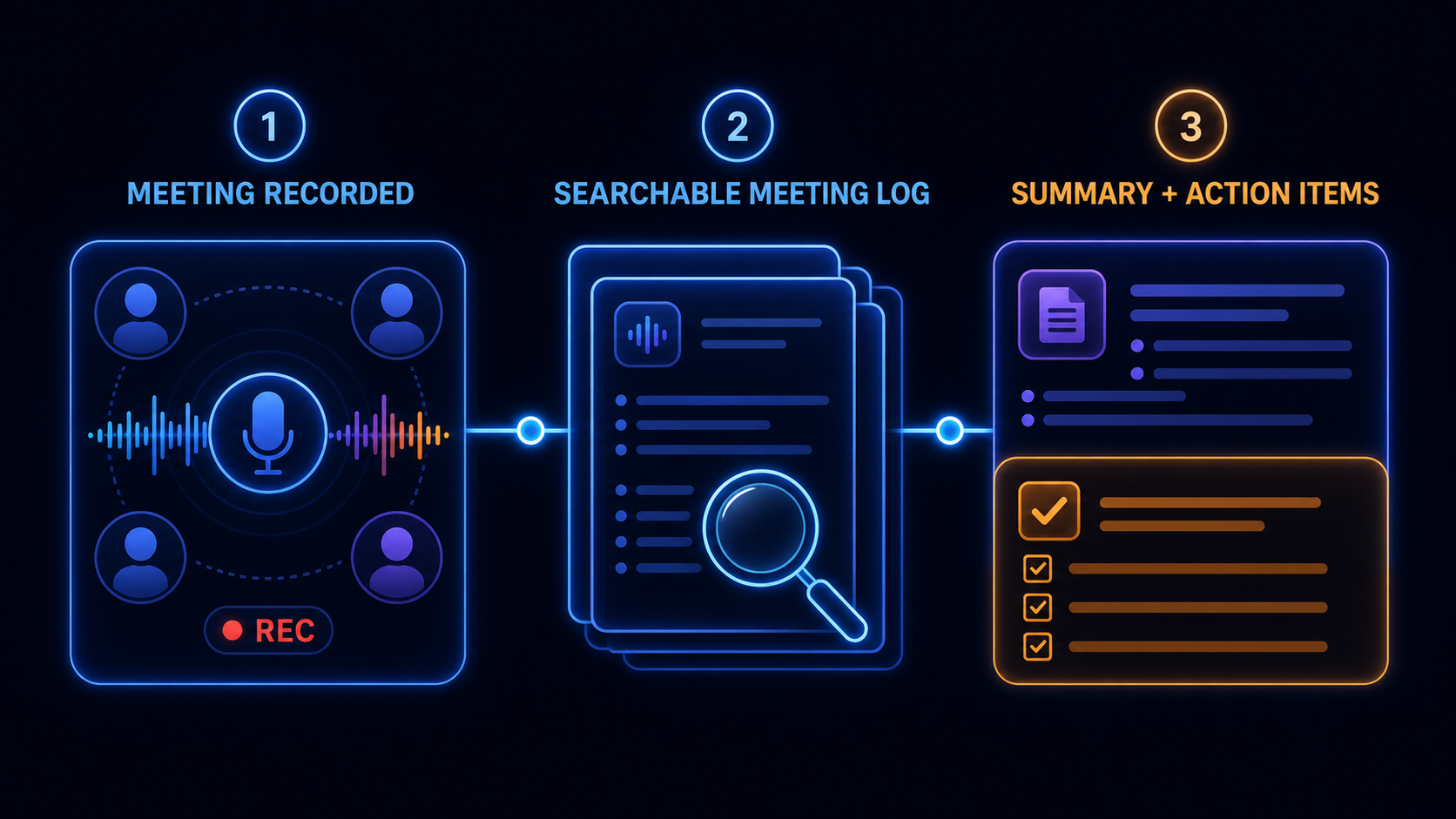
When recording is enabled, Virtual Office conversations can flow into searchable Meeting Logs. VoicePing organizes the record into a summary, key topics, and action items for the team to review before acting.

Illustrated workflow showing a recorded Virtual Office conversation becoming a searchable Meeting Log with a summary and action items for review

Designed for internal B2B teamwork

Where multilingual virtual presence has the most impact

Headquarters + overseas offices

Give regional teams one daily space while letting each person follow conversations in their preferred language.

Offshore product development

Resolve design and engineering questions immediately, then keep technical decisions searchable.

Remote-first operations

Replace repeated status-check messages with clear availability, working memos, and lightweight calls.

Global support and back office

Help cross-border teams hand off work with translated conversations and shared action records.

Proof from distributed teams

Different teams, the same need: an office people actually use.

Customers use VoicePing to make remote colleagues visible, reachable, and easier to coordinate across locations.

Shimauma Print customer story about bringing nationwide remote employees together in VoicePing 60–70 employees online
Shimauma Print

More remote employees gathered in one shared office

After earlier tools struggled to gain adoption, Shimauma Print used VoicePing to bring nationwide remote teams into one place.

Customer outcome

Previous tools typically had about 30 of 100 employees online; VoicePing consistently brought 60–70 employees into the shared office.

Mr. Sekine, Shimauma Print interview
Read the story
OriginTree customer story about everyday communication in the VoicePing virtual office Everyday virtual office
OriginTree

Quick conversations without another meeting link

OriginTree stays logged in throughout the workday so employees and contractors can start casual conversations and share current work.

Customer outcome

The team said VoicePing lowered the barrier to quick conversations and made contractors’ daily work easier to understand.
Mr. Kimoto, OriginTree interview
Read the story
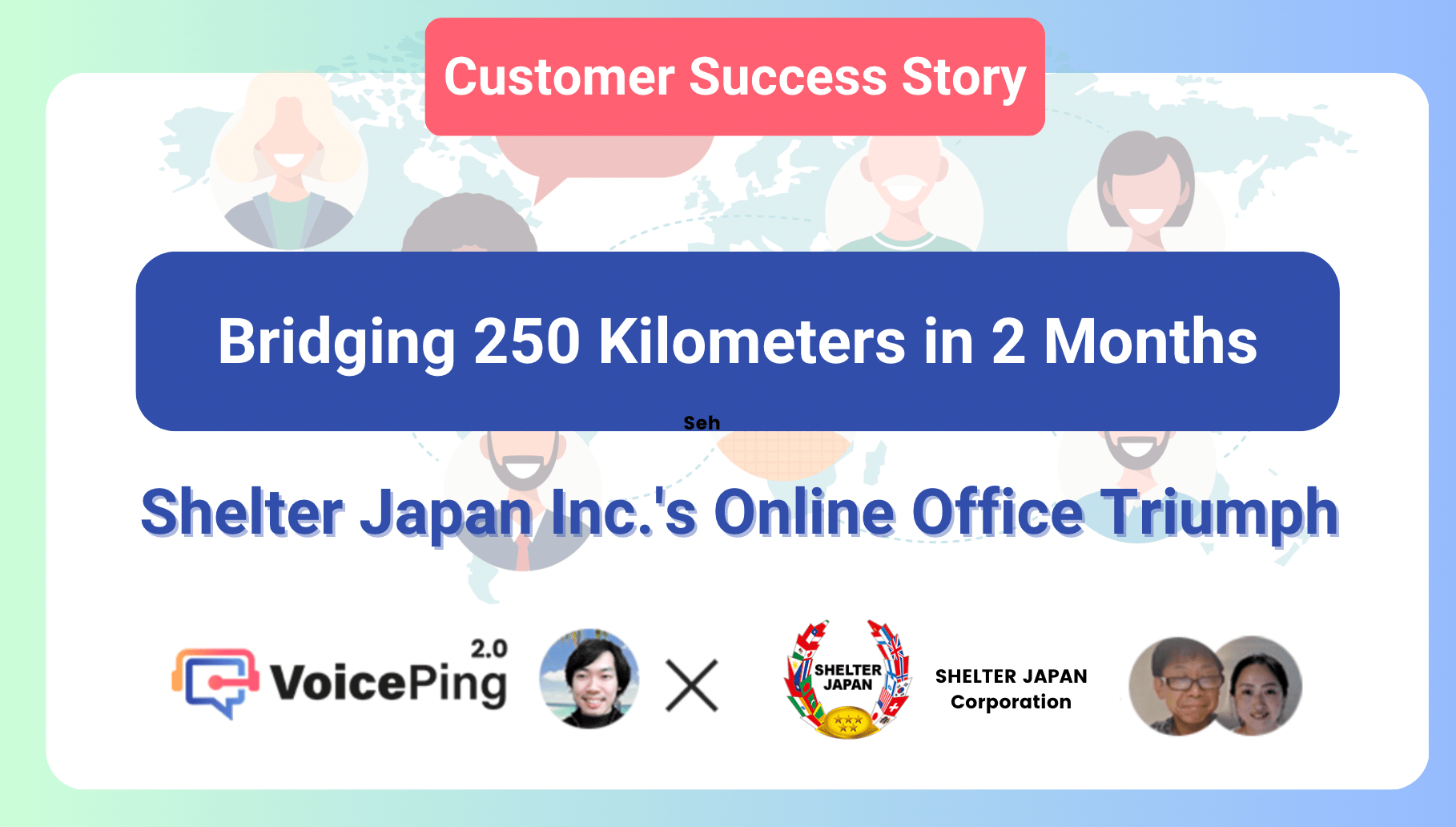
SHELTER JAPAN customer story about connecting teams across locations with VoicePing Teams 250 km apart
SHELTER JAPAN

One online office across branches, homes, and overseas teams

SHELTER JAPAN connects offices, home workers, contractors, and overseas teammates through one virtual workspace.

Customer outcome

Team members said status visibility and walk-up conversations made cross-location communication more efficient.

SHELTER JAPAN customer interview
Read the story
  • Denka
  • NEC
  • SCSK
  • Tekken Construction
  • Asahi Group
  • Tokyo Gas
  • Honda
  • Kobayashi Pharmaceutical
  • Living House
  • Menicon
  • Plug and Play Japan
  • Teijin

Questions before rollout

What HR teams ask before opening a Virtual Office

How do employees show whether now is a good time to talk?
Employees can use availability or focus status and add a short work memo. Teammates can review that context before starting a conversation.
Does VoicePing require employee monitoring?
No single monitoring configuration is forced. Workspace administrators can enable or disable time tracking and current-app visibility according to company policy.
Can multilingual employees choose their own language?
VoicePing supports 46 speech-recognition locales and 60 translated-caption target languages. Availability can vary by speech and output mode.
Can external guests join from a browser?
Yes, when browser-based Virtual Office access is enabled by a workspace admin. Guests can join through an invitation URL and optional password without installing the desktop app.
Can departments or confidential teams use separate spaces?
Yes. Multiple floors support member assignment and access restrictions, and recording visibility can be scoped to specific users or groups.
What is included in the Free plan?
The Free plan includes 1 user, 5 listeners, and 90 AI minutes per month. Free-plan data is not stored, so upgrade when retention is required.

Start with one team

Give your remote team one place to show up and work together.

Create a Virtual Office for a pilot team. See whether clearer availability, walk-up conversations, and multilingual assistance reduce the friction in everyday remote work.