One workspace instead of separate tools
Osintech replaced separate time-tracking and virtual-office tools with one shared workspace.
Osintech reported more comfortable quick catch-ups and increased communication after adopting VoicePing.
Time control for distributed teams
Employees start with a project and work memo. VoicePing applies your inactivity and evidence rules, then gives managers a clean, reviewable record.

Verify only when the record needs context
Time tracking works on its own. When policy requires more context, review activity and approved captures beside the relevant project, memo, and time slot.
Capture work screens at selected intervals.
Capture the member’s selected camera when required.
View keyboard and mouse activity by time slot.
Blur captured images at the level you choose.

Automatic inactivity handling
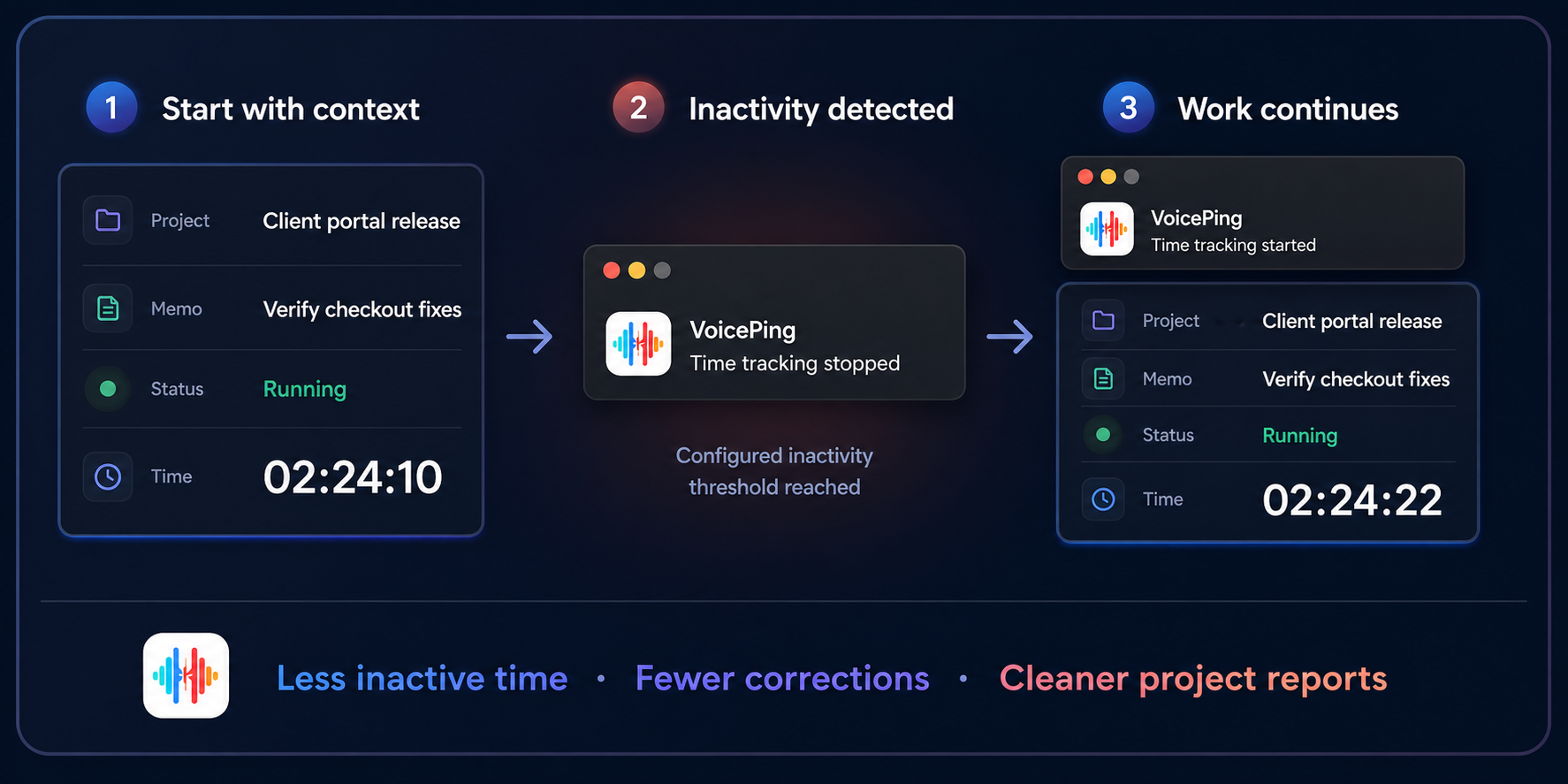
Employees start once. VoicePing stops tracking when the configured inactivity threshold is reached and restarts an automatically stopped session when work continues.

Time tracking inside the Virtual Office
Move from morning stand-up to delivery sync and client review in one shared office—while the active project, timer, and work memo stay close at hand.

Project estimates and team consistency
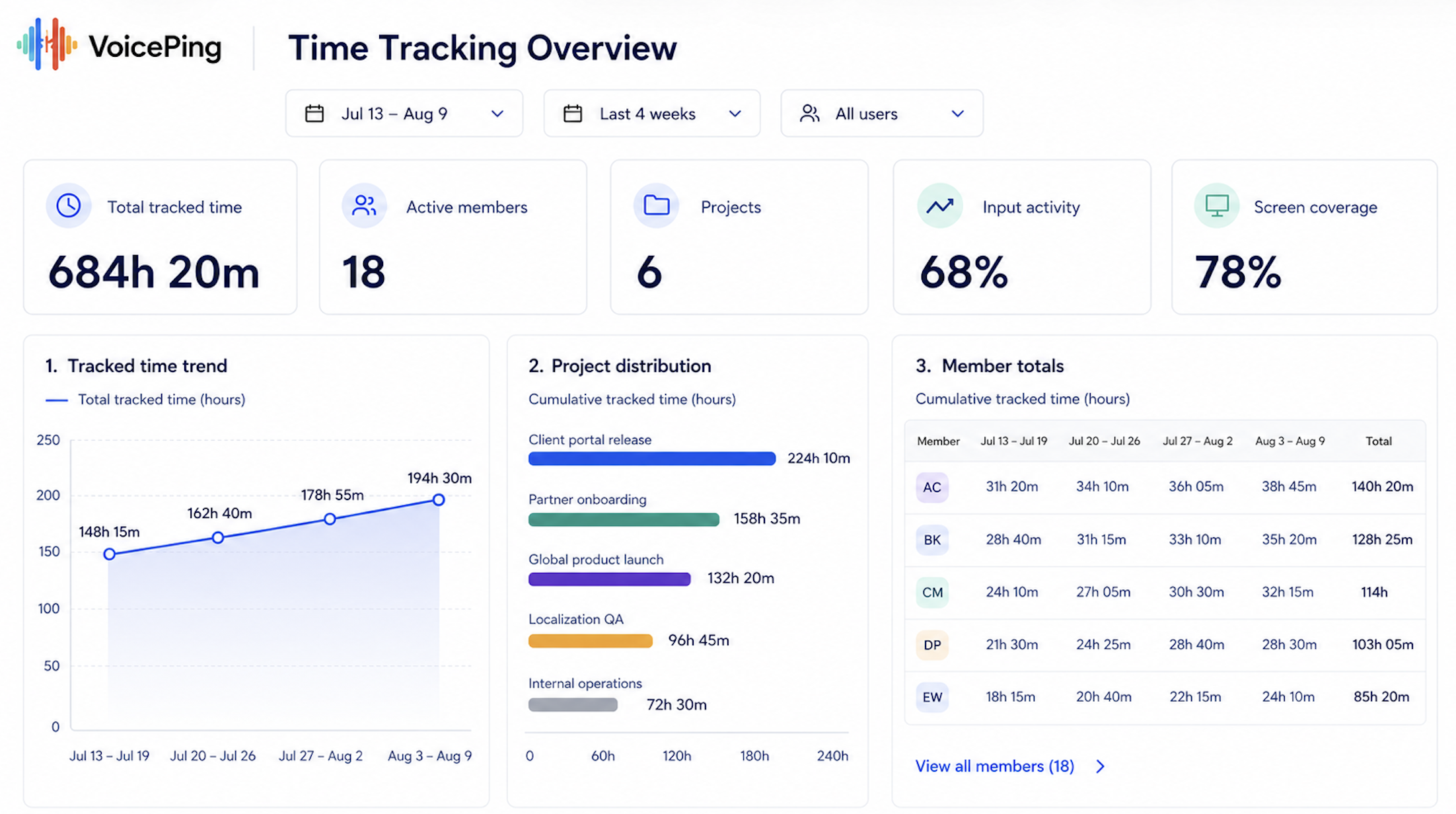
Compare four weeks of tracked time by project and employee to improve future estimates, balance workloads, and identify records that need review.

Use actual time from comparable work to plan more realistic delivery effort.
Review weekly member totals to spot sudden gaps, spikes, or uneven workloads.
Understand which projects consumed the team’s time across the selected period.
Move from the monthly overview to the relevant project, memo, and evidence when context is needed.
Proof from distributed teams
Customer interviews show how VoicePing supports day-to-day collaboration and remote operations without adding another disconnected tool.
Osintech replaced separate time-tracking and virtual-office tools with one shared workspace.
Osintech reported more comfortable quick catch-ups and increased communication after adopting VoicePing.
IROX chose a shared workflow for communication, remote management, and time tracking across Japan and overseas teams.
Employees described VoicePing as intuitive and easy to use while collaborating remotely.
YNS reported clearer task allocation and schedule management across teams in Japan and the Philippines.
Team members reported improved work efficiency, with time tracking making task allocation and schedule management easier.
Questions before rollout
Start with one controlled project
Define the policy, track real project work, and finish with one record your managers can review, export, or use for billing.
One workspace, not another disconnected tool
Bring project time, team presence, and important conversations into one shared operating workflow.
Combine presence, quick calls, live translation, and remote teamwork in one daily space.
Explore product Online meetingsCapture supported calls with live multilingual participation and a reusable record.
Explore product KnowledgeSearch, verify, and reuse meeting decisions, summaries, and action items.
Explore product