In this article
Compare Zoom language interpretation, translated captions, AI voice translator, and alternatives for multilingual meetings and events. Covers VoicePing, Google Meet, Microsoft Teams, Wordly, Interprefy, and KUDO.
Last updated: April 26, 2026. We checked current official Zoom, Microsoft, Google, VoicePing, Wordly, Interprefy, and KUDO pages, then rebuilt this guide around real meeting and event workflows.
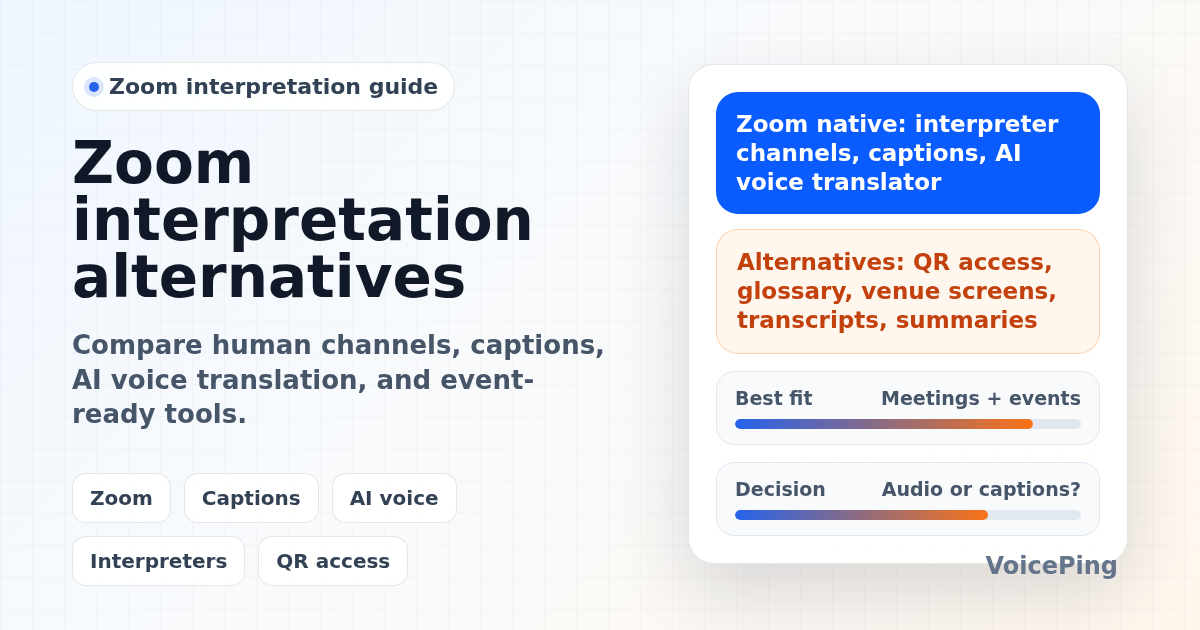
Zoom no longer has just one “translation” option. In 2026, there are at least three separate Zoom-native workflows:
- Language interpretation: human interpreters speak into dedicated audio channels.
- Translated captions: participants read AI-translated captions.
- Voice translator: Zoom’s AI processes speech, translates it, and generates synthetic translated speech in real time.
Those features solve different problems. A legal webinar may need human interpreters. A global team meeting may be fine with captions. A sales call may need translated speech. A conference may need QR access, venue screens, glossary prep, attendee support, transcripts, and post-event summaries, which often means using a dedicated event translation tool instead of only Zoom settings.
This guide separates researched platform facts from VoicePing’s product opinion.
Quick Recommendations
| Use case | Compare first | Why |
|---|---|---|
| Zoom webinar with professional interpreters | Zoom Language Interpretation , Interprefy, KUDO | Human interpreter channels are still the safer choice for legal, medical, diplomatic, investor, and high-risk events. |
| Zoom meeting where captions are enough | Zoom translated captions , Microsoft Teams captions, Google Meet translated captions | Captions are easier than audio interpretation when attendees can read while listening. |
| Zoom meeting that needs AI voice translation | Zoom Voice Translator , VoicePing, Wordly, Interprefy AI | Speech translation is better when participants need to listen, not just read subtitles. |
| In-person or hybrid events | VoicePing Event Translation , Wordly, Interprefy, KUDO | QR access, mobile attendee flow, venue screens, audio routing, glossary, and support matter more than the meeting platform alone. |
| Meetings outside Zoom | Google Meet speech translation , Microsoft Teams Interpreter , VoicePing | Choose the translation layer based on where people actually meet. |
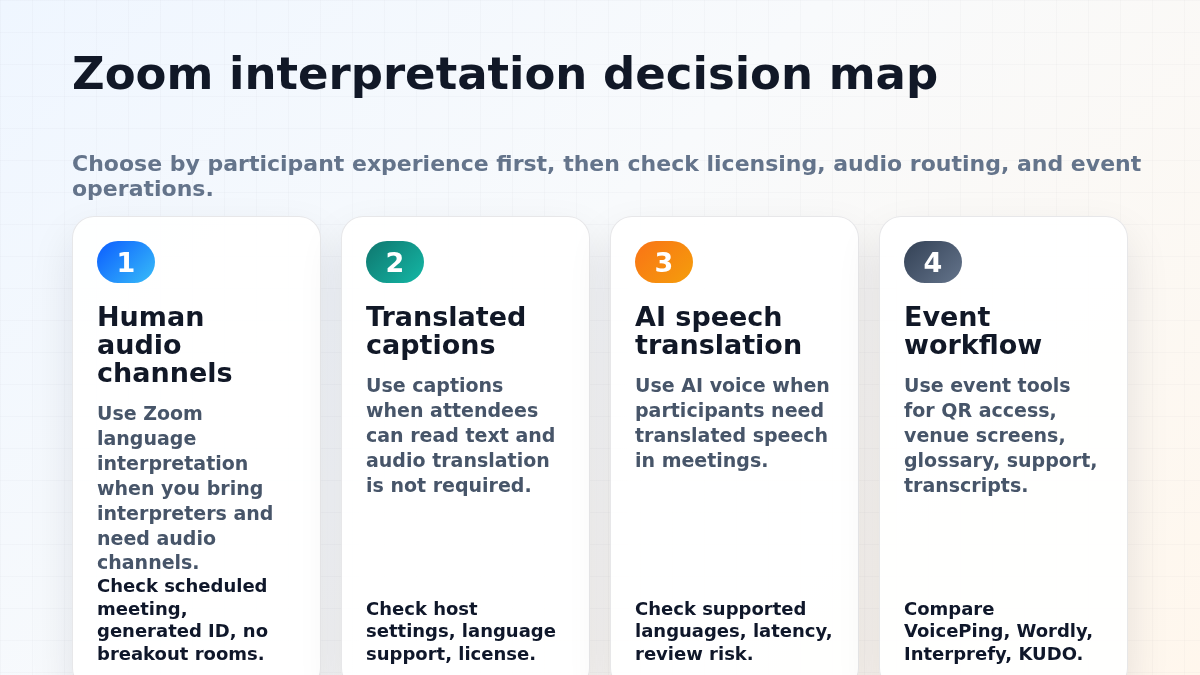
Zoom’s Native Interpretation Options
1. Zoom language interpretation
Zoom Language Interpretation lets hosts designate participants as interpreters for meetings or webinars. Zoom says the interpreters provide their own audio channels, and attendees choose the channel they want to hear. Attendees can also mute the original audio.
This is useful when you already have human interpreters. It is not automatic translation. You still need to hire, brief, schedule, and manage interpreters.
Important current limitations from Zoom’s support page:
- Language interpretation requires a Pro, Business, Education, or Enterprise account.
- The meeting must use an automatically generated meeting ID, not a Personal Meeting ID.
- It must be enabled for a scheduled meeting or webinar; it cannot be added to an instant meeting.
- Hosts cannot initiate or manage language interpretation from the Zoom mobile app or web app.
- Language interpretation cannot be used in breakout rooms.
- Interpreters cannot use dial-in or call-me phone audio for interpretation.
- Pre-assigned interpreters must join with the email address that was assigned, unless the host manually assigns them during the session.
Best for: webinars, public meetings, legal or medical sessions, board meetings, and high-stakes multilingual events where human interpreters are required.
Watch out for: interpreter staffing, relay interpretation, rehearsal, audio handoff, cloud recording behavior, and whether participants need access from mobile or breakout rooms.
2. Zoom translated captions
Zoom translated captions are for text captions, not human audio channels. Zoom’s accessibility page says AI Companion can detect and translate spoken language in real time with captions in 46 languages, and that translated captions are included with Zoom Workplace Enterprise plans or available as an add-on for other paid Zoom Workplace plans.
Best for: global team meetings, webinars, accessibility support, and meetings where reading captions is acceptable.
Watch out for: captions are not the same as simultaneous voice interpretation. Caption quality depends on audio, language detection, speaker behavior, accents, terminology, and the participant’s selected language.
3. Zoom Voice Translator
Zoom Voice Translator is Zoom’s newer AI speech translation workflow. Zoom says it is designed for real-time language interpretation in live multilingual meetings, using AI to process speech, translate content, and generate synthetic speech in real time.
Best for: multilingual Zoom meetings where participants need translated speech and where the supported language pairs fit the meeting.
Watch out for: verify supported languages, account requirements, host settings, latency, participant experience, and whether AI output is acceptable for the risk level of the meeting.
When Zoom Alone Is Not Enough
Zoom-native options can work well when the meeting format is simple. They become harder when the workflow expands beyond a single online meeting.
| Requirement | Why Zoom alone may be limited |
|---|---|
| QR access for hundreds or thousands of event attendees | Attendees may not be in the Zoom meeting, or you may not want everyone inside the meeting room. |
| Venue screen captions | In-person events need screen output, audio routing, and support staff. |
| Glossary and technical terminology | Product names, speaker names, medical terms, acronyms, and session titles need pre-event preparation. |
| Mobile browser access without app installs | Event attendees may resist downloading apps or joining a Zoom session. |
| Post-event transcripts and summaries | Organizers may need reusable records, multilingual summaries, or translation logs after the event. |
| Hybrid human + AI interpretation | High-risk events may require both professional interpreters and AI captions. |
For event-focused comparisons, see our AI event translation tools guide .
Best Zoom Interpretation Alternatives
1. VoicePing
VoicePing Event Translation is best for multilingual events, seminars, academic conferences, pitch events, international business meetings, and in-person events where participants need easy access.
VoicePing’s event translation page lists QR-code browser access, no app download for attendees, text-to-speech, 40+ languages, technical terminology support, live correction, post-event transcripts, AI summaries, and one-PC support for 2,000+ attendees in event setups.
VoicePing product fit note: choose VoicePing when translation is part of the event operation, not just a Zoom setting. That includes QR access, mobile attendee flow, venue screens, glossary setup, transcripts, summaries, and support for international attendees.
Watch out for: as with any AI interpretation system, translation quality depends on microphones, venue audio, speaker overlap, background noise, network conditions, and glossary preparation.
2. Wordly
Wordly provides AI translation and captioning for meetings and events. Its Zoom-related page says attendees can listen to translated audio, read translated subtitles, read same-language captions, and access text or voice transcripts and summaries. It also says Wordly works with Zoom, Teams, Cvent, Encore, and other platforms.
Best for: meetings and events where attendees need audio, captions, transcripts, and summaries from one AI translation vendor.
Watch out for: compare language support, event support, pricing model, glossary workflow, and whether AI-only translation is acceptable for your event risk level.
3. Interprefy
Interprefy for Zoom is best for organizations that need scalable multilingual support with human interpreters, AI speech translation, or translated captions. Interprefy’s Zoom page says professional interpreters can work on an Interprefy soft console while receiving the Zoom video and audio feed, and that Interprefy also supports AI speech translation and captions.
Best for: conferences, regulated events, hybrid human/AI workflows, and organizations that need professional interpreter operations.
Watch out for: production planning, interpreter staffing, audio routing, participant instructions, and the total cost of professional services.
4. KUDO
KUDO AI is relevant for teams watching Zoom-integrated AI interpretation. KUDO’s Zoom integration guide notes AI speech and captions or AI captions-only translation types, though the support page marks the integration as launching soon.
Best for: teams already evaluating KUDO for enterprise multilingual meetings or events.
Watch out for: check current integration availability before planning an event around it.
5. Microsoft Teams
Microsoft Teams language interpretation lets organizers assign interpreters, but Microsoft notes organizations need to hire their own interpreters. Teams also offers live translated captions in supported scenarios.
Microsoft’s Interpreter agent is a separate Copilot-era workflow. Microsoft says it helps participants speak and listen in preferred languages through real-time speech-to-speech interpretation, with 20 hours of interpretation included per person per month with a Microsoft 365 Copilot license.
Best for: Teams-first companies where Microsoft 365 licensing and admin policy are already in place.
Watch out for: licensing, organizer controls, whether every participant has the needed entitlement, and whether interpretation should be human, captions, or AI voice.
6. Google Meet
Google Meet translated captions are useful when participants can read subtitles during meetings. Google also announced that speech translation in Google Meet became generally available for businesses on January 27, 2026, for select Google Workspace plans. Google describes speech translation as audio translation dubbed over the original speech, unlike captions that only display text.
Best for: Google Workspace teams evaluating speech translation inside their normal meeting platform.
Watch out for: language availability, Workspace plan requirements, rollout status, latency, and whether the translated audio experience is acceptable for your meeting type.
A Practical Selection Checklist
Before choosing Zoom native interpretation or an alternative, answer these questions:
- Do attendees need translated audio, translated captions, or both?
- Is the session online, in-person, or hybrid?
- Are you using human interpreters, AI translation, or a hybrid model?
- Do attendees need to join Zoom, or should they scan a QR code from a phone?
- Will there be breakout rooms, multiple tracks, venue screens, or livestream overlays?
- Do you need glossary prep for names, product terms, medical terms, or technical vocabulary?
- Do you need post-event transcripts, translation logs, or summaries?
- What is the risk level: casual team sync, sales call, public event, legal, medical, investor, or contract-critical?
If the meeting is high-risk, use professional interpreters or a hybrid model with human review. If the goal is access and comprehension at scale, AI captions or AI speech translation may be enough after testing with real audio.
FAQ
Does Zoom provide automatic interpretation?
Zoom provides multiple translation-related features. Language interpretation uses human interpreters assigned by the host. Translated captions use AI captions. Zoom Voice Translator uses AI to translate speech and generate synthetic translated speech in real time. They are different products and should not be treated as the same workflow.
Can Zoom language interpretation be used in breakout rooms?
No. Zoom’s support page says language interpretation cannot be used in breakout rooms and only works in the main session of a meeting.
Are Zoom translated captions enough for multilingual events?
Sometimes. Captions are useful for accessibility and comprehension, but events often need venue screens, QR access, attendee support, glossary prep, transcripts, and summaries. For that workflow, compare event tools such as VoicePing, Wordly, Interprefy, and KUDO.
Should we use human interpreters or AI translation?
Use human interpreters for legal, medical, diplomatic, investor, HR, safety, and contract-critical sessions. AI translation can work well for internal meetings, webinars, lectures, expos, and many operational events after testing with real audio and terminology.
What is the best Zoom interpretation alternative?
For in-person and hybrid events, start with VoicePing, Wordly, Interprefy, and KUDO. For companies already standardized on Teams or Google Workspace, compare Microsoft Teams Interpreter and Google Meet speech translation. The best option depends on whether you need audio, captions, QR access, glossary, or post-event records.