In this article
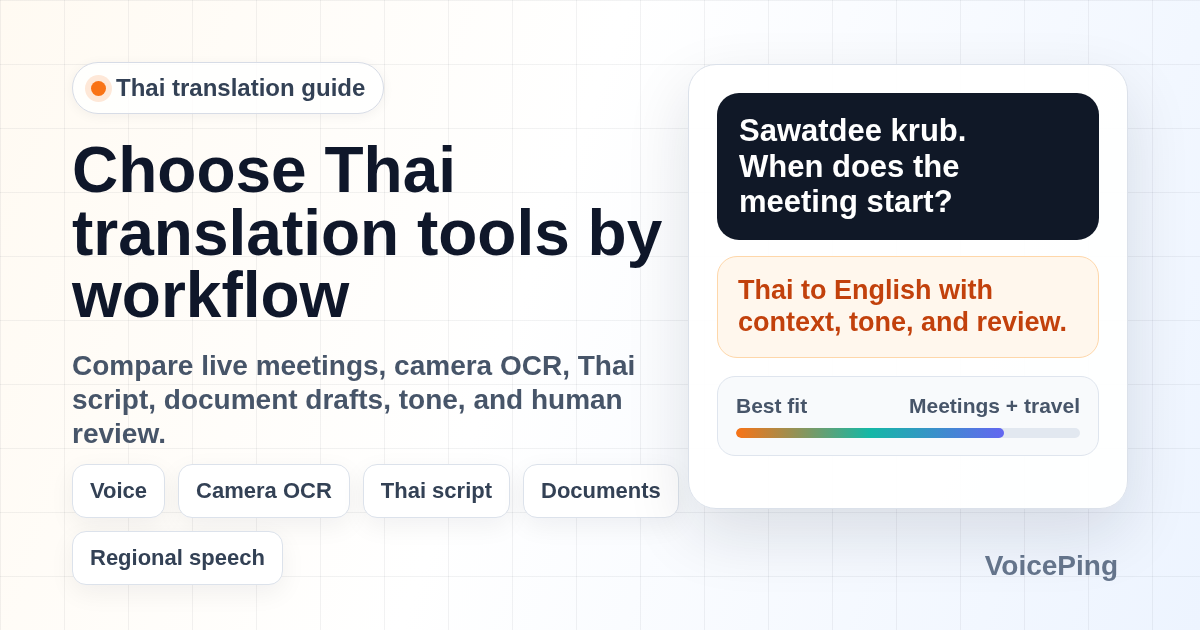
Compare Thai translation tools for business meetings, travel, Thai script OCR, documents, learning, and high-risk human review. Covers VoicePing, Google Translate, Microsoft Translator, Papago, DeepL, Thai2English, Thai-language.com, learning apps, and hardware translators.
Last updated: April 26, 2026.
Thai translation is not just “English in another script.” Thai has its own writing system, tone, politeness particles, regional speech, and context-heavy business phrasing. A tool that works for reading a menu may fail in a procurement meeting. A tool that produces a neat document draft may not be the right choice for a noisy factory visit.
This guide focuses on practical workflows: business meetings, travel, camera OCR, document drafts, learning, and high-risk review. We cite current vendor documentation where feature support changes, and we label VoicePing recommendations as product-fit guidance rather than independent benchmark results.
Quick Recommendations
| Job to be done | Start with | Why |
|---|---|---|
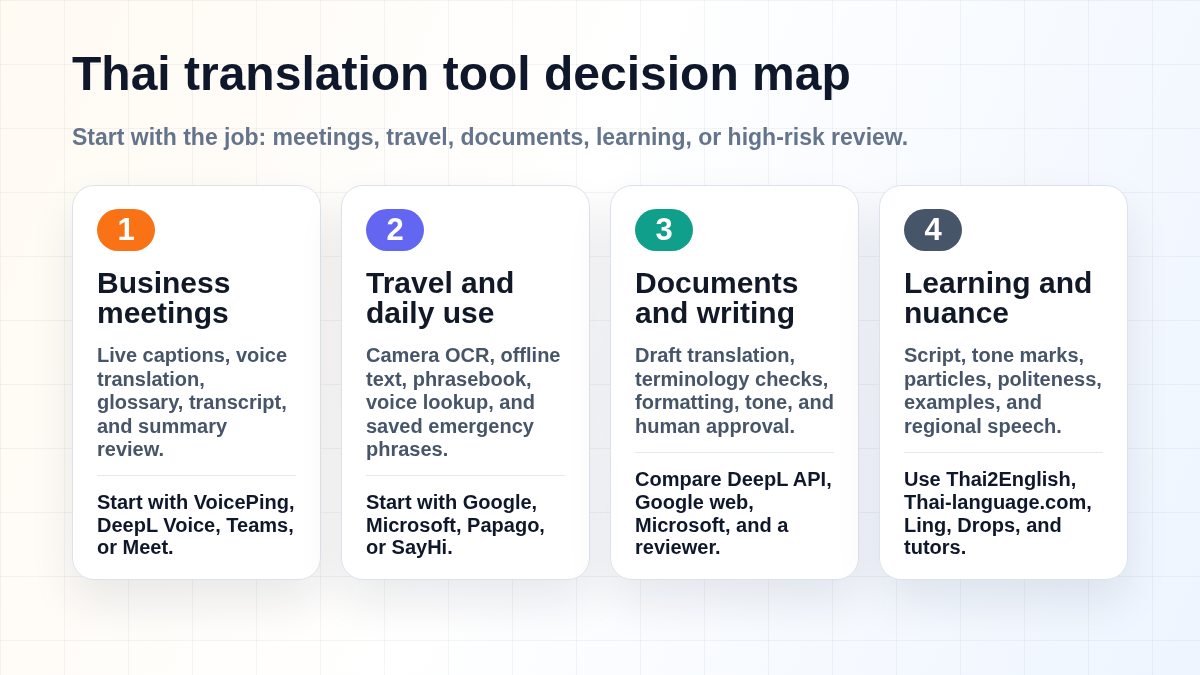
| Thai business meetings | VoicePing , DeepL Voice, Teams, Meet, or an interpreter | Live captions, transcript, glossary, and summary review matter more than a single translated phrase. |
| Travel and daily lookup | Google Translate , Microsoft Translator , Papago, or SayHi | Camera OCR, speech lookup, phrasebooks, and saved emergency phrases are the practical travel features. |
| Thai script OCR | Google Translate or Microsoft Translator | Reading signs, menus, forms, and product labels is often more urgent than typing Thai. |
| Documents and business writing | DeepL API, Google web, Microsoft Translator, and human review | Thai business documents need terminology checks, formatting review, and local tone approval. |
| Learning Thai | Thai2English, Thai-language.com, ThaiPod101, Ling, Drops, and tutors | Learners need script, tone marks, transliteration, particles, examples, and feedback. |
| Legal, medical, HR, contracts | Qualified human translator or interpreter | AI can support drafting, but final accountability should stay with a qualified reviewer. |
What Changed Since Older Thai App Lists
Older Thai translation app lists often rank tools by app-store score, list outdated prices, and make broad claims such as “AI handles tones well” without explaining the audio, script, or review workflow. That is not enough for 2026.
Three current realities matter:
- Camera translation is a first-class workflow. Google Translate highlights camera translation, offline language downloads, conversation, transcribe, document translation, and website translation. Google’s help page says downloaded languages can be used without an internet connection and may support camera translation.
- Microsoft lists Thai across several translation modes. Microsoft Translator’s language page lists Thai support for text, speech, image, text-to-speech, and multi-device conversation. Its Android FAQ also notes that offline packs support text, camera, phrasebooks, and pinned translations where available, but not live speech conversations.
- DeepL’s Thai support is still worth checking by product. DeepL announced Thai in June 2025 as early access through the DeepL API, while DeepL Voice documentation lists Thai as a caption language and as a spoken language transcribed through a third-party provider. Teams should verify the exact DeepL product and plan before building a Thai workflow around it.
The practical takeaway: choose by task, then test with your actual Thai speakers, documents, and devices.
How to Evaluate Thai Translation Tools
Use this checklist before adopting any Thai translation app for work.
| Area | What to check |
|---|---|
| Input mode | Text, camera OCR, speech, conversation, meeting captions, document upload, or API. |
| Thai script | Whether the tool reads Thai signs, menus, PDFs, screenshots, and handwriting well enough. |
| Tone and particles | Whether it preserves politeness, sentence endings, and formality in business context. |
| Regional speech | Whether speakers use Central Thai, Isan, Northern Thai, Southern Thai, or code-switching. |
| Audio quality | Microphone placement, background noise, overlapping speakers, and factory or event noise. |
| Terminology | Product names, customer names, acronyms, legal terms, technical terms, and glossary support. |
| Offline behavior | Whether offline mode covers text, camera images, phrasebook, or only specific language packs. |
| Review path | Who approves the final Thai before customers, employees, patients, or regulators see it. |
Best Thai Translation Tools by Use Case
1. VoicePing for Thai Business Meetings
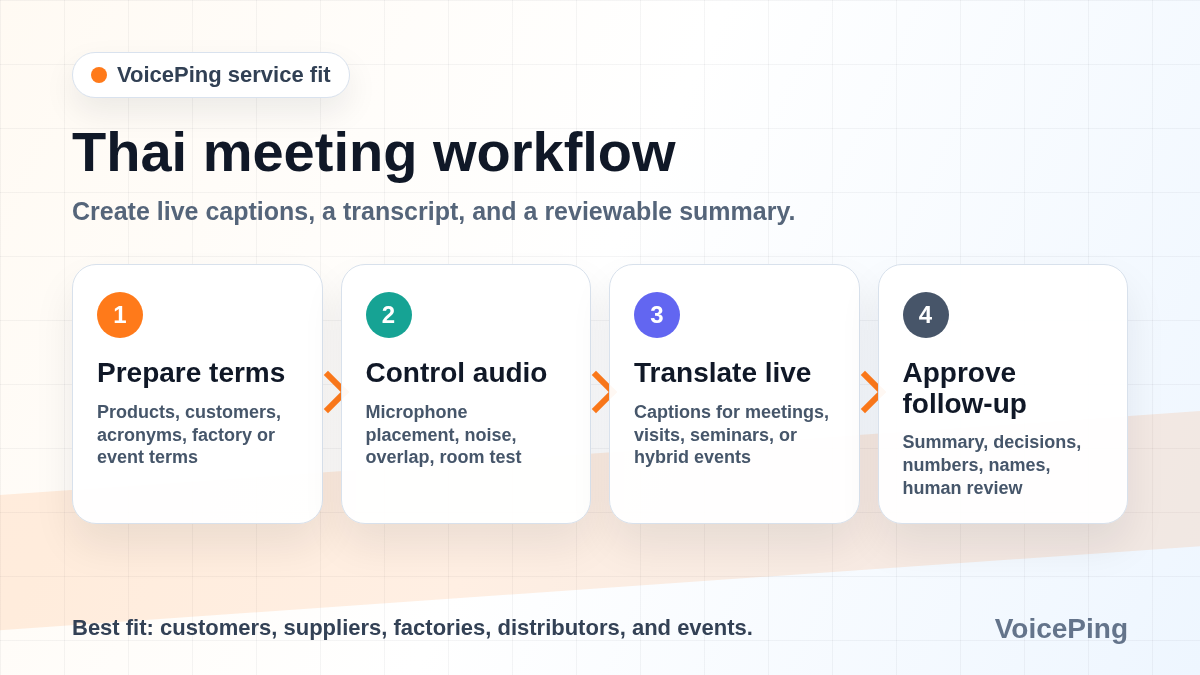
VoicePing fits Thai workflows where the output must become a usable business record: real-time interpretation, transcript, summary, and follow-up review. VoicePing’s site describes real-time voice translation, transcription, and AI meeting summarization, which is the right category for recurring meetings and events.
Use VoicePing for:
- Thai-English meetings with customers, distributors, suppliers, factories, or overseas teams.
- Calls where action items, decisions, and summaries need to be reviewed after the meeting.
- Hybrid seminars or events where attendees need translated captions from their own devices.
- Internal teams that need translation and meeting notes in the same workflow.
Product opinion: VoicePing is strongest when the meeting record matters. If you only need to ask for a receipt or read a street sign, a mobile travel app is faster.
2. Google Translate for Travel, Camera OCR, and Fast Lookup
Google Translate is the default first download for Thailand travel because it combines camera translation, conversation mode, speech, handwriting, saved phrases, document translation, and website translation. Its offline help explains that downloaded languages can be used without internet, and downloaded languages may support camera translation.
Use it for:
- Menus, signs, kiosks, temple notices, transport instructions, and product labels.
- Quick Thai-English phrase lookup.
- Camera OCR when typing Thai script is slow or impossible.
- Preparing emergency phrases before a trip.
Limitations: test offline mode before you rely on it. App behavior can vary by device, language pack, and feature mode. Do not assume live conversation, image OCR, and document translation all work the same way offline.
3. Microsoft Translator for Multi-Device Conversation
Microsoft Translator is useful when you need speech, image, text-to-speech, and multi-device conversation support in a Microsoft-friendly environment. Microsoft lists Thai across text, speech, image, text-to-speech, and multi-device conversation on its language page.
Use it for:
- Group conversations where participants join from their own devices.
- Thai image translation and speech lookup.
- Microsoft-centric teams that prefer Microsoft account and security controls.
- A backup app when Google Translate is unavailable or users prefer a different interface.
Limitations: offline capability is feature-specific. Microsoft’s Android FAQ says live speech conversations and microphone translation are not available offline, even though text, camera, phrasebooks, and pinned translations can work offline with downloaded packs where supported.
4. Papago for Asian-Language Travel and Backup Translation
Papago is useful as a backup translator for Thailand travel, especially for users who also move between Korean, Japanese, Chinese, Vietnamese, Indonesian, and Thai. NAVER’s public app listings and Papago materials list Thai among supported languages.
Use it for:
- A second opinion on short Thai phrases.
- Travel situations where the interface feels faster than a broader work tool.
- Asian-language pair workflows where Korean, Japanese, Chinese, Vietnamese, Indonesian, or Thai appear together.
Limitations: do not treat Papago as a specialist Thai business documentation tool. For contracts, HR, medical, or regulatory content, use a Thai reviewer.
5. DeepL for API and Meeting Caption Workflows
DeepL’s June 2025 announcement said Thai was being made available in early access through the DeepL API. DeepL Voice documentation currently lists Thai as a translation caption language and as a spoken language transcribed by a third-party provider.
Use it for:
- Teams already using DeepL for multilingual workflows.
- API-based Thai translation tests where early access status is acceptable.
- Meeting-caption comparisons when your procurement or security team allows the setup.
- Benchmarking Thai output against Google, Microsoft, and human review.
Limitations: verify Thai availability in the exact DeepL product you plan to use. Do not assume the web translator, mobile app, API, document translation, and voice products all support Thai in the same way.
6. SayHi and iTranslate for Simple Conversations
Conversation-first mobile apps can still be useful for low-risk travel. The advantage is speed: open the app, speak, play back the result, and move on.
Use them for:
- Ordering food, asking directions, and confirming pickup times.
- Casual one-to-one conversations where a transcript is not needed.
- A backup interface if another app is too complex for a quick exchange.
Limitations: travel apps are not business systems. They usually lack glossary control, transcript review, meeting summary, and admin governance.
7. Thai2English and Thai-Language.com for Dictionary Work
Machine translation can hide grammar mistakes because it outputs a fluent-looking sentence. Thai learners and editors should keep a dictionary and reference tool nearby.
Use Thai-focused dictionary tools for:
- Word segmentation when Thai text has no spaces between words.
- Transliteration and pronunciation clues.
- Tone mark and vowel-position checks.
- Example sentences and alternate meanings.
For learners, these tools are often more useful than a one-click translator because they explain what is happening inside the Thai phrase.
8. ThaiPod101, Ling, Drops, and Tutors for Learning
Learning apps are not translation tools, but they help you stop overusing translation tools. Thai requires script familiarity, tone listening, particles, and polite endings that an app translation may not explain.
Use learning tools for:
- Building phrase memory before travel.
- Learning the Thai script gradually.
- Practicing listening and tone differences.
- Getting feedback from a tutor or native speaker.
For business users, even a small set of Thai greetings and polite closings improves trust. For example, “sawatdee” for hello and “khop khun” for thank you can be enough to open a warmer exchange.
9. Pocketalk and Hardware Translators
Dedicated translation devices are useful when your staff cannot install apps, share phones, or manage mobile settings. They are also useful as a controlled device for reception desks, tours, clinics, and events.
Use hardware devices for:
- Front-desk or site-visit scenarios.
- Teams that need a shared device rather than personal phones.
- Travel where mobile data and battery management are concerns.
Limitations: check Thai support, connectivity, data plan, battery life, device management, and whether camera translation is included before buying. Do not rely on hardware translators for legal or medical final wording.
10. Human Translators and Interpreters
Human review remains the best option when misunderstanding has legal, financial, medical, or safety consequences. AI translation can reduce preparation time, but it should not own the final decision.
Use human review for:
- Contracts, employment documents, and compliance notices.
- Medical instructions, consent forms, and patient conversations.
- Public marketing claims, investor documents, and government filings.
- Factory safety training, emergency procedures, and technical specifications.
Thai-Specific Translation Risks
Thai Script and OCR
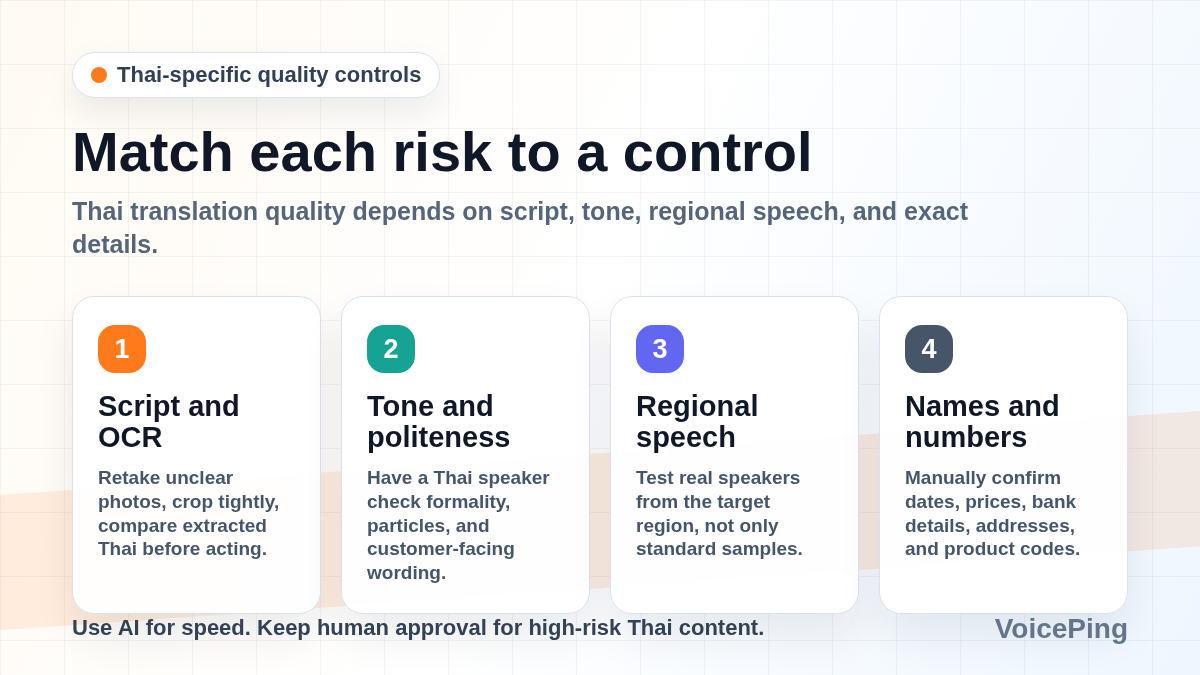
Thai script is compact and visually dense for non-readers. Camera translation is valuable because it avoids typing, but OCR can struggle with decorative fonts, low contrast, reflections, small menus, and screenshots. Take a clear photo, crop tightly, and compare with another tool when the result affects money, medical care, or transport.
Tone and Politeness
Thai is tonal, and polite speech often uses particles such as khrap and kha. A literal translation may miss formality, warmth, or hierarchy. In business writing, ask a Thai speaker to check whether the sentence sounds respectful and natural.
Regional Speech
Most translation tools target standard Central Thai. Regional speech such as Isan, Northern Thai, or Southern Thai may be harder for speech recognition and machine translation. If your team works outside Bangkok or with mixed regional teams, test audio from real speakers before rollout.
Names, Addresses, and Numbers
Translation tools are weakest when a single character or digit matters. Confirm names, phone numbers, dates, room numbers, prices, bank details, addresses, and product codes manually.
Best Tool Stacks
Thai Business Meeting Stack
Use VoicePing for live interpretation, transcript, and summary. Prepare a glossary for product names, customer names, and technical terms. Use a Thai reviewer for final external follow-up.
Thailand Travel Stack
Download Google Translate and one backup app before departure. Save hotel addresses, allergy notes, emergency phrases, and ride-share instructions. Test camera OCR on a Thai menu or sign while you still have connectivity.
Thai Document Stack
Use DeepL API, Google, or Microsoft for a draft, then review terminology in Thai-focused references. For contracts, HR, medical, or regulatory text, send the final version to a qualified Thai translator.
Thai Learning Stack
Use Thai2English or Thai-language.com for word lookup, a learning app for repetition, and tutor feedback for pronunciation and tone. Use machine translation to compare full sentences, not to replace study.
FAQ
What is the best Thai translation app?
For travel, start with Google Translate and keep Microsoft Translator or Papago as backup. For business meetings, use a meeting-focused workflow such as VoicePing, DeepL Voice, or your conferencing platform plus human review. For learning, use Thai dictionaries and tutor feedback.
Can translation apps read Thai menus and signs?
Yes, camera OCR is one of the most useful Thai translation workflows. Google and Microsoft both document image or camera translation features. Test with real photos because decorative fonts, glare, handwritten signs, and vertical layouts can reduce accuracy.
Can apps handle Thai tones?
They can handle many clear speech samples, but tone, background noise, speaker overlap, and regional speech still affect results. For meetings, test with your actual Thai speakers and microphones before relying on live captions.
Is offline Thai translation enough for travel?
Offline text is useful, but offline behavior differs by app and feature. Download packs in advance, then test text, camera, and speech separately. Keep key addresses and emergency phrases saved as text and screenshots.
Should I use a human translator for Thai contracts?
Yes. Use AI for drafting or comparison, but have a qualified Thai translator or legal reviewer approve contracts, compliance notices, medical instructions, and employment documents.
Related Guides
- Best Voice Translation Apps in 2026
- Best Automatic Meeting Transcription Tools
- AI Event Translation Tools
- Best English Translation Tools
- Thai Event Translation with VoicePing