In this article
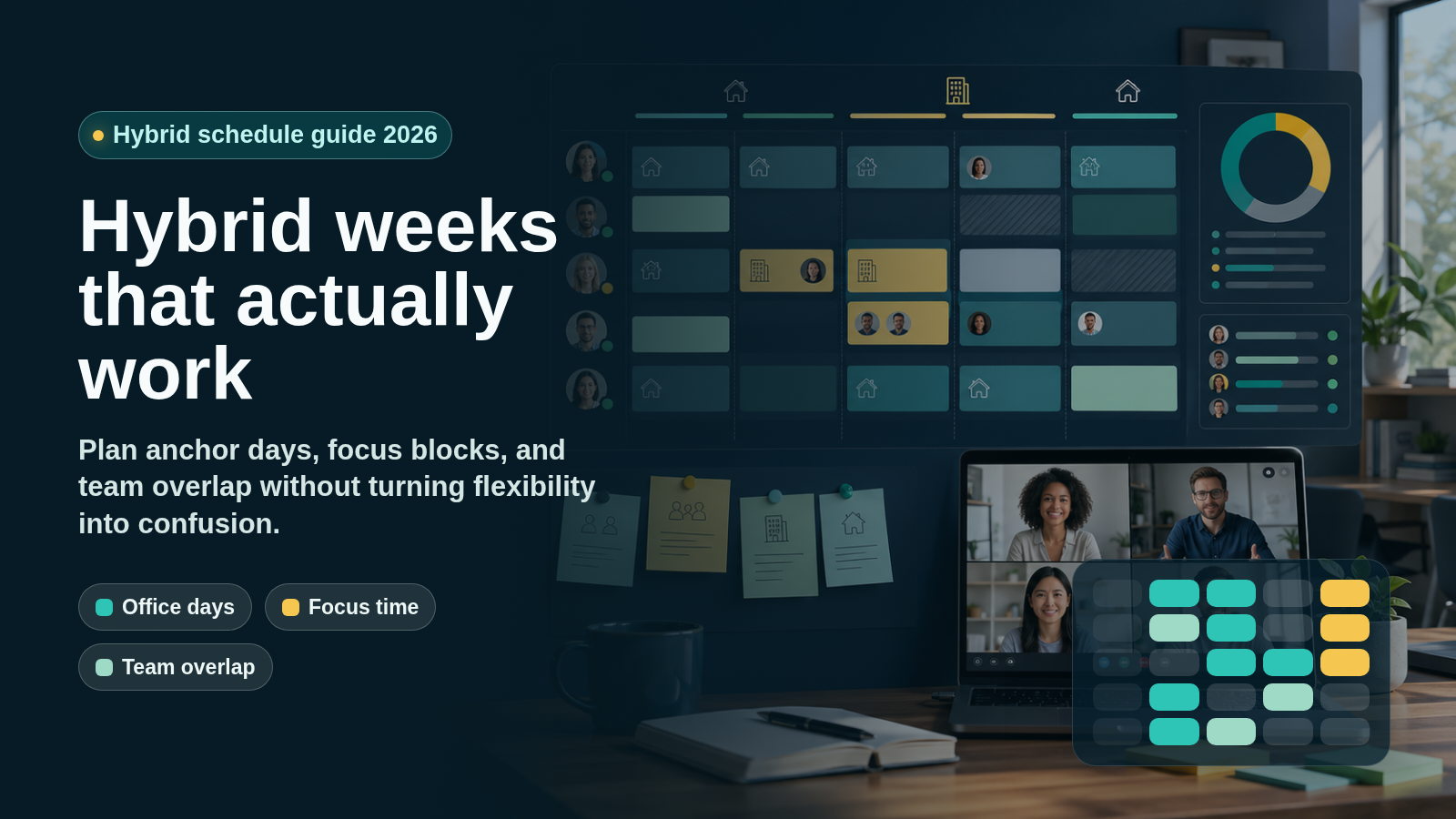
Learn how to design a hybrid work schedule around anchor days, focus time, team overlap, fairness, and clear communication rules for 2026.
Last updated: April 26, 2026. This guide was refreshed with current hybrid work, work-from-home, team agreement, and VoicePing documentation sources. Pricing, plan limits, and vendor feature availability change often, so verify official pages before purchasing or changing policy.
A hybrid work schedule is a working agreement that lets employees split time between remote work and on-site work. The useful question is not simply “how many days in the office?” It is “which work is better together, which work needs focus, and how will the team coordinate fairly?”
In 2026, hybrid work is no longer a temporary pandemic workaround for remote-capable jobs. Gallup’s current Hybrid Work indicator shows that, among U.S. employees in remote-capable roles, hybrid work remains the largest group at 52%, with 26% exclusively remote and 22% on-site. WFH Research’s January 2026 update also reports that 27% of full-time U.S. wage and salary employees were hybrid in 2025, while 12% were fully remote and 61% were fully on-site.
The lesson for managers is straightforward: hybrid work can work well, but only when it is designed. A vague “come in sometimes” rule creates confusion. A rigid mandate can waste commute time. A strong hybrid schedule gives people clear anchor moments, protected focus time, reliable collaboration windows, and fair exception rules.
What Is a Hybrid Work Schedule?
A hybrid work schedule is a planned mix of remote and on-site work. It can be fixed by company policy, decided by a manager, designed by each team, or partly self-directed by employees.
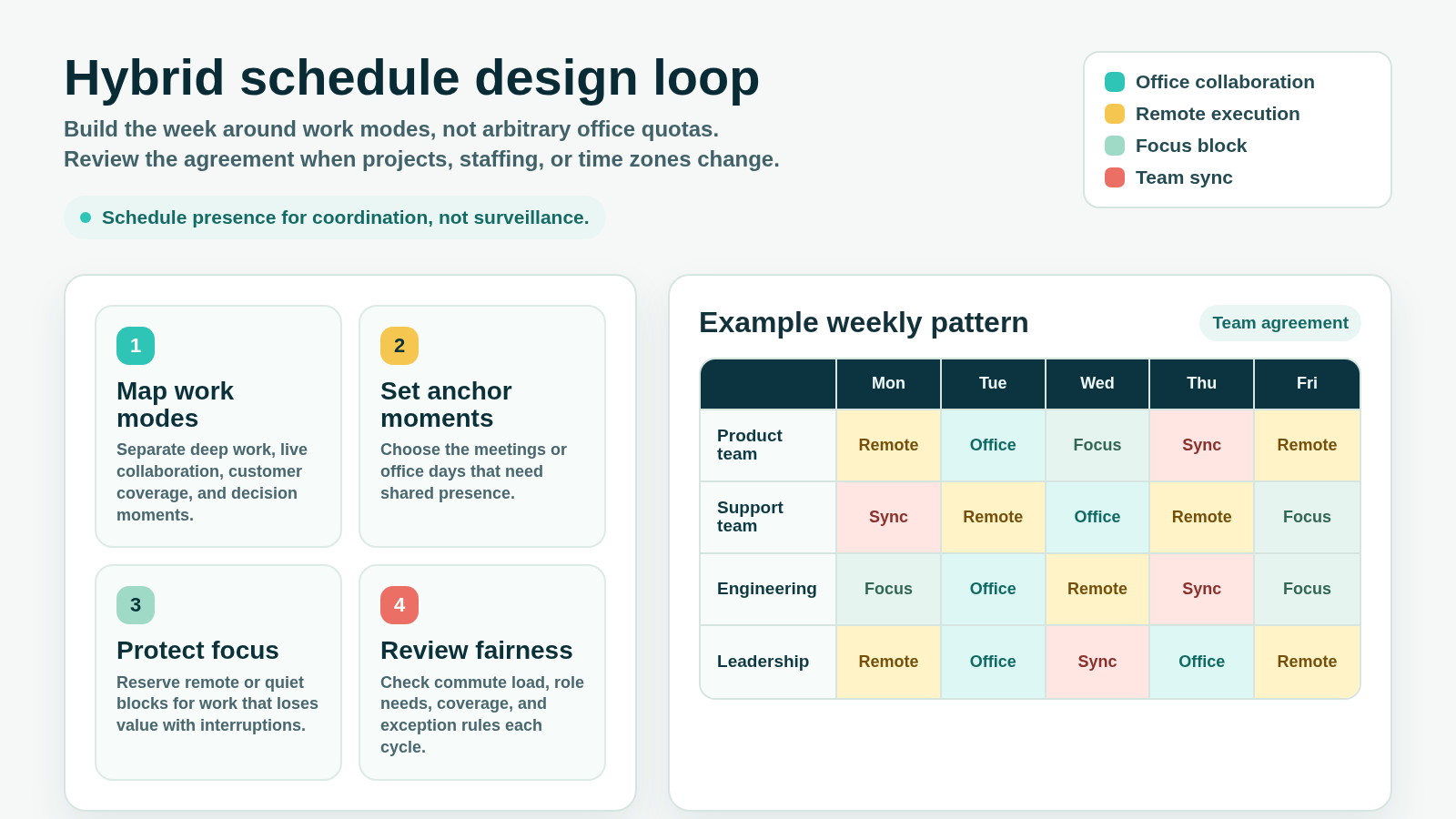
The best schedules are usually built around work modes:
- Collaboration that benefits from shared presence
- Focus work that benefits from quiet time
- Customer coverage that needs predictable availability
- Cross-time-zone work that needs explicit overlap windows
- Coaching, onboarding, and feedback that need intentional connection
- Sensitive work that may require office equipment, secure rooms, or approved networks
That work-mode framing is more useful than copying a generic “three office days, two remote days” template. Teams have different roles, customer obligations, commute burdens, security needs, and time zones.
Why Hybrid Schedules Need More Structure in 2026
Hybrid work has stabilized, but coordination has become harder. Gallup reports that hybrid workers spend about 46% of the workweek on-site, or roughly 2.3 days per week, and that hybrid schedule control is split across employees, managers or teams, and leadership mandates.
The strongest pattern is team-level coordination. In Gallup’s 2025 analysis, employees whose team decides the hybrid schedule are more likely to see the policy as fair than employees whose employer or leadership decides it. Gallup also notes that self-determined schedules can create tradeoffs when everyone chooses independently: burnout, reduced work-life balance, and difficulty meeting customer needs can rise when team coordination is weak.
Microsoft’s 2025 Work Trend Index follow-up highlights the same coordination problem from another angle: ad hoc meetings, cross-time-zone meetings, after-hours messages, and late meetings are increasing for many knowledge workers. A hybrid schedule should reduce that sprawl, not make every day feel like a rolling set of last-minute calls.
Common Hybrid Work Schedule Models
| Model | How it works | Best fit | Watch out for |
|---|---|---|---|
| Fixed office days | Everyone comes in on the same days each week | Teams that need regular live collaboration | Office days can become crowded meeting days with little focus |
| Team anchor days | Each team chooses shared office or sync days | Product, operations, engineering, and client teams with different rhythms | Cross-team dependencies need a shared calendar |
| Role-based hybrid | Office expectations differ by role or workflow | Companies with support, sales, security, or lab-based work | Employees may see the policy as unfair if the reason is not clear |
| Flexible hybrid | Employees choose remote and office days within guardrails | Experienced teams with high trust and clear outputs | Coordination can suffer if no one knows when others are available |
| Remote-first with event days | Most work is remote, with planned workshops or team days | Distributed teams or companies hiring across regions | New hires and early-career employees may need extra connection |
| Split-day hybrid | A day is split between office collaboration and remote focus | Teams with nearby offices and short commutes | Long commutes can make this impractical and exhausting |
No model is universally best. Choose the lightest structure that makes collaboration predictable.
How to Build a Hybrid Work Schedule
1. Start With Work Modes
List the work your team actually does, then mark where each activity works best.
Use categories such as:
- Deep focus work
- Brainstorming and design critique
- Customer meetings or support coverage
- Planning, review, and decision meetings
- Onboarding, coaching, and career conversations
- Security-sensitive or equipment-dependent work
- Social connection and team rituals
If an activity can happen asynchronously, do not force it into an office day. If an activity depends on fast discussion, shared context, or high trust, it may deserve a shared anchor moment.
2. Set Anchor Moments, Not Just Anchor Days
An anchor day is a shared day when the team expects people to be in the office or available for live collaboration. An anchor moment is more specific: a planning workshop, customer handoff, design review, sprint planning session, onboarding block, or leadership decision window.
Anchor moments are easier to defend because they answer “why are we together?” A strong schedule might include one shared office day, one remote team sync, and two protected focus blocks instead of a blanket rule that everyone commutes three times a week.
3. Protect Focus Time
Hybrid work fails when remote days become meeting overflow and office days become noisy desk time. Design focus blocks into the schedule:
- No-meeting half days for deep work
- Async status updates before live meetings
- Meeting-free recovery windows after travel-heavy office days
- Local-time boundaries for teams across regions
- Clear response-time expectations for chat and email
Microsoft’s 2025 analysis of the “infinite workday” found more after-hours messages and late meetings for many workers. Hybrid schedules should create boundaries around availability so flexibility does not become always-on work.
4. Make Availability Visible
People do not need surveillance, but they do need enough context to collaborate. Document:
- Which days or hours are office, remote, focus, or unavailable
- Which channels are urgent, normal, or asynchronous
- Expected response windows by channel
- Meeting room and video-call norms
- How to handle schedule changes
- Who owns customer coverage or operational handoffs
This is where a virtual office or presence layer can help. The schedule gives the rules; the communication tool helps people see who is available right now.
5. Write a Team Agreement
Atlassian’s Working Agreements Play frames working agreements as shared norms for how a team communicates and collaborates. It also recommends revisiting agreements when teams move into hybrid or fully distributed work because rituals, geography, time zones, and technology needs change.
Your hybrid work agreement should cover:
- Office days or anchor moments
- Remote work expectations
- Core collaboration hours
- How meetings are scheduled
- When asynchronous updates are preferred
- How exceptions are requested
- How new hires are supported
- How fairness is reviewed
The agreement should be short enough for people to remember and specific enough to settle common conflicts.
6. Decide How Exceptions Work
Hybrid schedules need exceptions. Employees may have caregiving needs, health constraints, travel delays, bad weather, client work, visa appointments, or project emergencies. A fair policy explains how exceptions are requested, approved, and documented.
Avoid handling exceptions through favoritism or informal manager preference. If two people in similar roles receive different flexibility, the reason should be clear.
7. Review the Schedule Regularly
A hybrid schedule is not permanent infrastructure. Review it when:
- A project starts or ends
- A team adds new members
- Time zones change
- Customer coverage changes
- People report burnout or meeting overload
- Office days have low collaboration value
- Remote days become fragmented by calls
For most teams, a quarterly review is enough. Fast-changing teams may need a monthly review until the rhythm settles.
Hybrid Schedule Examples
Example 1: Product and Engineering Team
| Day | Pattern | Purpose |
|---|---|---|
| Monday | Remote | Planning prep, async updates, individual focus |
| Tuesday | Office anchor day | Sprint planning, design review, stakeholder decisions |
| Wednesday | Remote focus | Engineering, writing, analysis, no-meeting blocks |
| Thursday | Hybrid sync | Customer feedback review and cross-functional handoffs |
| Friday | Remote | Documentation, retrospectives, lighter meetings |
This model works when Tuesday has real collaboration value and Wednesday is protected from meeting creep.
Example 2: Customer Support Team
| Day | Pattern | Purpose |
|---|---|---|
| Monday | Team sync | Coverage plan, incident review, escalation risks |
| Tuesday | Remote | Ticket work and customer follow-ups |
| Wednesday | Office or live overlap | Training, coaching, process improvement |
| Thursday | Remote | Coverage and documentation |
| Friday | Focus block | Knowledge-base updates and weekly review |
Support teams often need more coverage structure than product teams. The goal is predictable service, not identical office days for everyone.
Example 3: Distributed Leadership Team
| Day | Pattern | Purpose |
|---|---|---|
| Monday | Async updates | Metrics, risks, written decision memos |
| Tuesday | Live decision block | Budget, hiring, priorities |
| Wednesday | Regional focus | Local team work and customer meetings |
| Thursday | Cross-time-zone overlap | Dependencies and executive decisions |
| Friday | Async wrap-up | Decisions, owners, next-week priorities |
For leadership teams, the most important schedule habit is decision hygiene: fewer status meetings, clearer owners, and written outcomes.
Metrics to Track
A hybrid schedule should be judged by outcomes and team health, not by desk occupancy alone.
Useful metrics include:
- Customer response time or service coverage
- Delivery reliability
- Meeting load by person and team
- Time spent in focus blocks
- Employee engagement and burnout signals
- New-hire ramp time
- Cross-team dependency delays
- Office-day attendance compared with collaboration value
- Fairness feedback across roles and locations
Do not optimize for a single number. A team can have strong office attendance and weak collaboration, or high remote flexibility and poor customer coverage. The schedule should balance business needs with sustainable work.
Common Mistakes
Copying Another Company’s Policy
Hybrid schedules are context-dependent. A policy that works for a sales team in one city may fail for a multilingual engineering team across three time zones.
Treating Office Time as Proof of Productivity
Presence is not performance. Use office time for work that gains value from shared presence: decisions, trust-building, creative collaboration, onboarding, and conflict resolution.
Letting Every Person Optimize Alone
Individual choice can feel flexible, but the team still needs predictable overlap. A schedule where no one is available at the same time increases coordination costs.
Ignoring Commute Burden
A two-hour commute changes the real cost of an office day. Review commute load, caregiving constraints, disability accommodations, and safety considerations before setting rigid rules.
Forgetting New Hires
People who joined after a team became hybrid may have fewer informal relationships. Build intentional onboarding blocks, manager check-ins, and mentoring time into the schedule.
Leaving Tools Out of the Policy
A hybrid schedule depends on tooling: calendars, meeting rooms, chat, documentation, video, transcription, recording, and status visibility. If tools are fragmented, the schedule will be harder to follow.
Where VoicePing Fits in a Hybrid Work Schedule
VoicePing is not an HR policy engine or a workforce scheduling system. It supports the communication layer around remote and hybrid work.
VoicePing’s virtual office page currently describes features such as instant communication, speech recognition, automatic meeting minutes, voice translation, attendance management, customizable floors, cloud recording, team status visibility, productivity management, workspace feature settings, and event logs.
For hybrid teams, that can help with:
- Seeing who is available without scheduling every conversation
- Starting quick voice conversations when chat is too slow
- Keeping meeting minutes, transcripts, and recordings for people who were remote or in another time zone
- Supporting multilingual collaboration with transcription and voice translation
- Making team status and workspace context more visible
- Enabling managers to configure presence and time-tracking features according to company policy
Use these features to reduce coordination friction, not to replace trust. A healthy hybrid schedule should make expectations clear enough that people do not need constant checking.
Pricing and included allowances can change. The VoicePing pricing manual currently says both voice translation and virtual office are included in each plan and lists account limits, translation minutes, cloud recording, time tracking, trial availability, and enterprise options. Verify the current pricing page before rollout.
Hybrid Work Schedule FAQ
How many days per week should employees be in the office?
There is no universal number. Gallup’s 2025 analysis found hybrid employees average about 2.3 office days per week, but that should not be treated as a rule. Choose office time based on collaboration value, customer needs, role requirements, and fairness.
Is a fixed hybrid schedule better than a flexible one?
A fixed schedule is easier to coordinate. A flexible schedule can improve autonomy. Many teams use a mixed model: fixed anchor moments for collaboration and flexible remote days for focus work.
Should managers track remote employees differently?
Managers should track outcomes, expectations, availability, and support needs. Avoid replacing unclear management with surveillance. Clear goals, regular feedback, and documented working agreements are usually more useful.
How do hybrid teams avoid too many meetings?
Move status updates into written async channels, reserve live meetings for decisions or discussion, create no-meeting focus blocks, and review meeting load by team. Hybrid work should not mean every collaboration becomes a video call.
What should be included in a hybrid work policy?
Include eligibility, office expectations, core hours, communication norms, equipment rules, security requirements, exception handling, performance expectations, manager responsibilities, and review cadence.
Related Reading
- Virtual Office Tools: 2026 Comparison Guide
- Project Management Schedule: How to Build a Practical Plan in 2026
- Resource Capacity Planning: How to Balance Team Demand in 2026
- Role and Responsibility of Project Managers: A Complete Guide
Sources Checked
- Gallup: Hybrid Work indicator
- Gallup: Hybrid Work in Retreat? Barely.
- Gallup: How to Manage Hybrid and Remote Teams
- WFH Research: SWAA January 2026 update
- Stanford SIEPR: Working from Home in 2025: Five Key Facts
- Microsoft WorkLab: Breaking down the infinite workday
- Atlassian Team Playbook: Working Agreements
- VoicePing: Virtual Office with Transcription and Voice Translation
- VoicePing Docs: Plans and Pricing