In this article
Learn how to monitor remote work in 2026 with transparent policies, privacy safeguards, outcome metrics, workload signals, and ethical workforce analytics.
Last updated: April 26, 2026. This guide was refreshed with current remote-work, privacy, employment-law, employee-monitoring competitor, and VoicePing documentation sources. Monitoring laws, vendor pricing, feature packaging, screenshots, data retention, and AI analytics change often, so verify official pages and get legal review before changing policy.
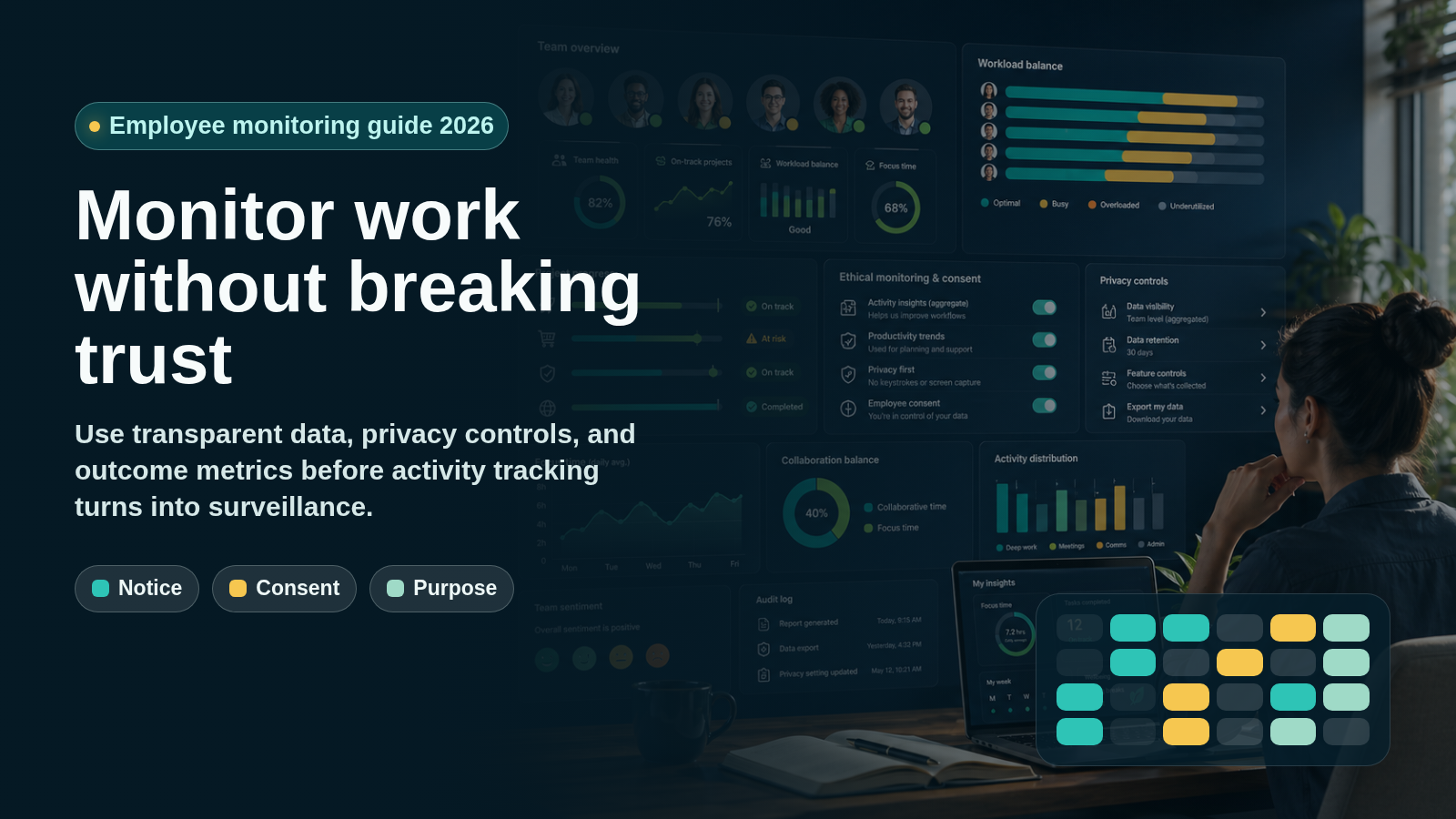
Remote employee monitoring in 2026 is not about watching people all day. It is about giving managers enough work visibility to protect customers, security, billing, workload balance, and delivery without turning a flexible work model into surveillance.
That distinction matters. WFH Research’s January 2026 update shows work from home remained a durable part of the U.S. labor market through 2025, with hybrid and fully remote work concentrated in information, finance, and professional services. For many teams, remote visibility is now a permanent management system, not a temporary pandemic workaround.
The right question is no longer “how do we keep an eye on employees?” It is “what is the least invasive data that helps us make a fair business decision?”
What Remote Employee Monitoring Means
Remote employee monitoring is the collection and review of work-related data from employees who are not always in the same physical office. It can include low-risk signals such as project progress, workload, attendance, status updates, and time entries. It can also include high-risk signals such as screenshots, keystrokes, email content, location, video, webcam use, or screen recordings.
Use the same phrase carefully. A project board that shows completed work is not the same as software that records every screen. A time tracker used for client billing is not the same as keystroke logging used to score productivity. The business purpose, data type, employee notice, access controls, and retention period determine whether monitoring is reasonable.
Good monitoring should help answer a specific question:
- Is the project on track?
- Is someone blocked?
- Is workload balanced?
- Are billable hours accurate?
- Are security controls working?
- Are customer commitments being met?
- Are managers creating unhealthy work pressure?
Bad monitoring tries to replace management judgment with raw activity data. Mouse movement, online status, message volume, or the number of screenshots reviewed per day rarely tells you whether meaningful work is happening.
Why Old Monitoring Advice Is Stale
Early remote-work advice often treated monitoring as a discipline tool. That approach is risky in 2026 for four reasons.
First, remote and hybrid work have stabilized. Monitoring is now part of normal operating policy, which means employees will judge it as part of the employment deal.
Second, privacy expectations are higher. The UK Information Commissioner’s Office says workplace monitoring should be lawful, transparent, and fair. Even outside the UK, that is a useful operating standard.
Third, U.S. state rules are more specific than old generic advice suggests. New York Civil Rights Law Section 52-C*2 requires prior written notice for employers that monitor employee telephone, email, or internet usage by electronic device or system. California’s CCPA/CPRA information page also highlights notice, access, deletion, correction, sensitive-information limits, and other privacy rights for covered businesses.
Fourth, AI and algorithmic tools create new fairness risks. The EEOC’s AI and Algorithmic Fairness Initiative warns that AI, machine learning, and other software used in employment decisions can create discrimination risk if employers use them without controls.
This is not legal advice. The practical takeaway is simple: if monitoring creates individual employee records, influences pay or discipline, reads communications, captures images, or uses algorithmic scoring, treat it as a policy and compliance project before treating it as a software rollout.
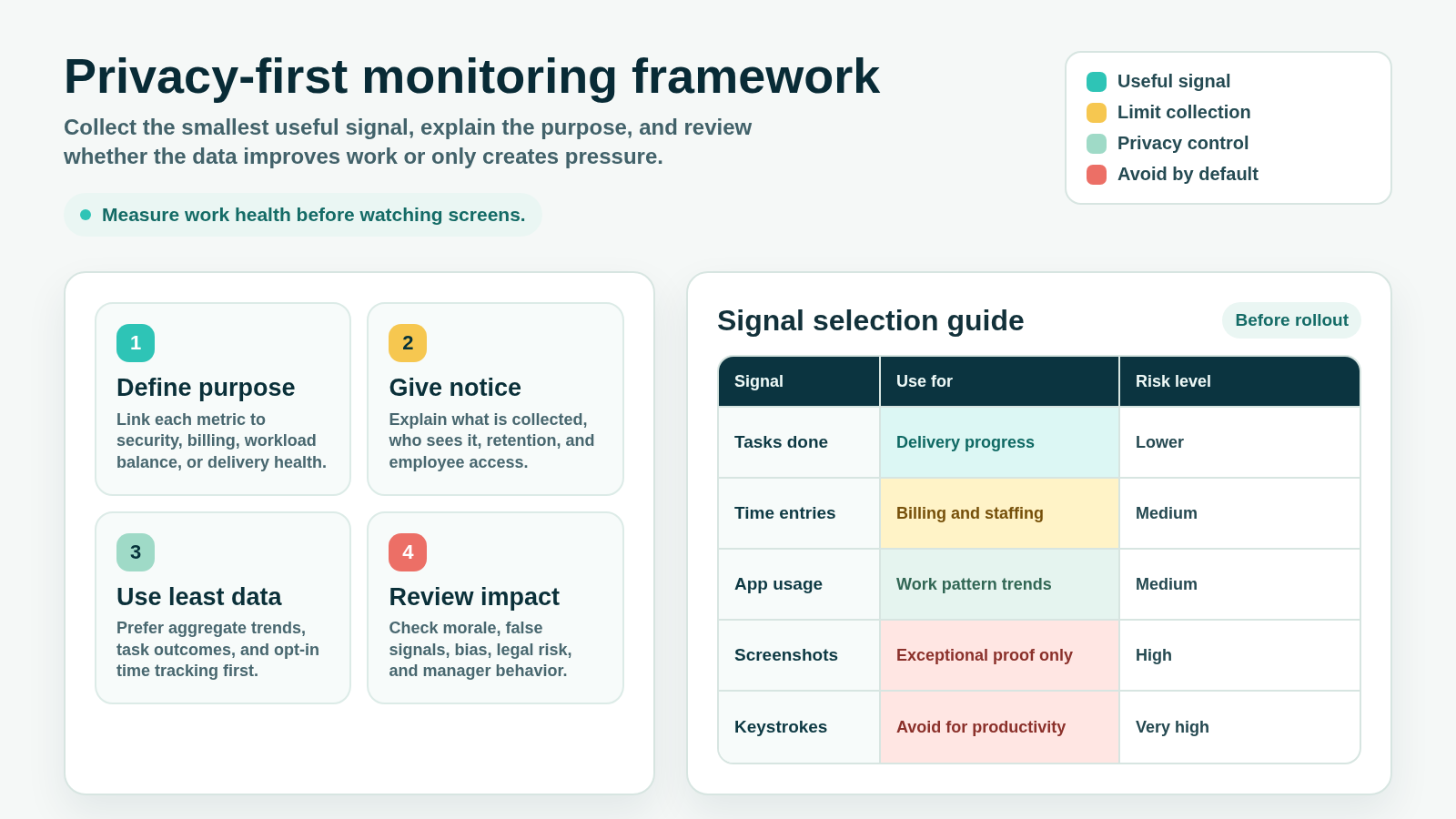
A Privacy-First Monitoring Framework
Use monitoring only when it passes four tests.
1. Define the Purpose
Write down the business reason before choosing a tool. Examples include client billing, project delivery, security investigation, regulated audit trails, workload balance, attendance, equipment use, or support coverage.
Avoid vague purposes such as “increase productivity” or “make sure people are working.” Those goals invite overcollection because almost any signal can be justified after the fact.
2. Give Notice Before Collecting Data
Employees should know:
- What data is collected
- When collection starts and stops
- Whether collection applies to work devices, personal devices, or both
- Whether screenshots, app usage, URLs, GPS, audio, video, or message content are included
- Who can view the data
- How long records are retained
- Whether data affects pay, performance reviews, discipline, or security investigations
- How employees can see, correct, or challenge records
Do not rely on surprise monitoring. Covert monitoring can damage trust and may create legal exposure, especially when it touches communications, personal data, or jurisdictions with notice requirements.
3. Use the Least Invasive Signal
Start with outcomes and operational signals before collecting detailed activity traces.
| Business question | Lower-risk signal | Higher-risk signal to avoid by default |
|---|---|---|
| Is work moving? | Completed tasks, pull requests, shipped deliverables, demo notes | Screen recordings as a default proof of work |
| Is workload balanced? | Capacity plan, assigned work, blocked-work log, meeting load | Continuous desktop observation |
| Is time billable? | Time entries tied to projects and approvals | Always-on app and URL monitoring |
| Is data secure? | Access logs, DLP alerts, role permissions, audit trails | Reading employee messages without clear cause |
| Is attendance accurate? | Clock-in/out, schedule adherence, status changes | Webcam checks or location tracking for desk workers |
| Is a policy violation suspected? | Targeted investigation with legal and HR review | Blanket keystroke capture for everyone |
If a lower-risk signal answers the question, use that. If it does not, document why the higher-risk method is necessary and how you will limit it.
4. Review the Impact
Monitoring can create false confidence. A high activity score can hide poor judgment. Low keyboard activity can reflect deep thinking, calls, design work, mentoring, or reading. A screenshot can capture private information that the company never needed.
Review monitoring quarterly:
- Are managers using the data for coaching or punishment?
- Are some roles penalized because their work is less keyboard-heavy?
- Are employees avoiding breaks because they fear activity scoring?
- Are screenshots or URL logs collecting sensitive personal information?
- Are access permissions too broad?
- Are retention settings longer than necessary?
- Are AI scores explainable enough to challenge?
Monitoring should improve the work system. If it mostly creates anxiety, it is probably measuring the wrong thing.
Monitoring Methods Ranked by Privacy Risk
| Method | Useful for | Privacy risk | 2026 guidance |
|---|---|---|---|
| Project outcomes | Delivery, quality, ownership, blockers | Low | Use first. Tie goals to deliverables and review cadence. |
| Workload and capacity data | Burnout risk, staffing, overload, underload | Low to medium | Use aggregate trends where possible and discuss exceptions with context. |
| Attendance and status | Coverage, availability, work-hour compliance | Medium | Define work-hour expectations and avoid treating status as performance by itself. |
| Time tracking | Client billing, payroll support, project costing | Medium | Tie entries to projects and let employees review records. |
| App and URL usage | Security, software cost, workflow patterns | Medium to high | Prefer team-level trends; avoid judging knowledge work by website categories alone. |
| Screenshots | Exceptional proof, regulated workflows, disputed billing | High | Disable by default unless a strong business reason exists. Blur, limit, and retain briefly if used. |
| Keystrokes | Security incident response in narrow cases | Very high | Avoid for productivity management. Require legal, HR, and security approval. |
| Email or message content | Legal hold, insider-risk investigation, compliance | Very high | Do not use casually. Require policy, notice, need-to-know access, and legal review. |
| GPS or webcam monitoring | Field safety, dispatch, physical security | Very high | Do not use for desk-worker productivity. Limit to roles where location or visual proof is necessary. |
The more personal, continuous, or content-rich the signal is, the stronger the justification should be.
Competitor Landscape in 2026
Employee monitoring tools now span several categories. Some emphasize time tracking and billing. Some emphasize workforce analytics. Some focus on insider risk, DLP, and security. Others position themselves as non-invasive alternatives.
| Vendor | Current positioning checked in 2026 | Monitoring signals to evaluate | Buyer caution |
|---|---|---|---|
| ActivTrak | Workforce analytics and work-intelligence platform for productivity, performance, capacity, tool use, and AI ROI | Activity summaries, utilization, productivity trends, schedules, websites, analytics add-ons | Confirm plan packaging, retention, and whether the organization wants analytics rather than surveillance tooling. |
| Hubstaff | Time tracking with optional screenshots, app and URL tracking, activity levels, GPS for field teams, and payroll/client-billing workflows | Time, projects, screenshots, app/URL usage, keyboard/mouse activity levels, GPS for mobile use | Configure screenshots and app/URL data transparently. Hubstaff says tracking stops when the timer is off. |
| Time Doctor | Employee monitoring for time tracking, web/app usage, reports, optional screenshots, alerts, and dashboards | Attendance, time, web/app usage, productivity reports, screenshots, activity levels | Time Doctor support listed Basic, Standard, and Premium monthly pricing on April 1, 2026; verify current plan limits before rollout. |
| Teramind | Employee monitoring, workforce analytics, insider threat, DLP, behavioral analytics, and compliance | Screenshots, screen recording, keystrokes, app/URL usage, email, instant messages, file transfers, remote control | Powerful controls may be necessary for security use cases but are high-risk for ordinary productivity management. |
| Insightful | Employee monitoring and workforce analytics with visible and stealth modes, screenshots, attendance, apps/websites, and project tracking | Real-time monitoring, screenshots, apps/websites, attendance, project tracking | Treat stealth mode as a legal and trust-risk decision, not a default setup choice. |
| WorkTime | Non-invasive employee monitoring focused on numerical productivity, attendance, active time, and screen productivity instead of screenshots | Active/idle time, attendance, app/website categories, screen productivity metrics, reports | Non-invasive does not remove the need for notice, purpose limitation, and manager training. |
| VoicePing | Virtual office, communication, transcription, translation, attendance, team status, productivity management, time tracking, and event logs | Presence/status, time tracking, projects, work logs, optional screenshots, event logs, meetings and communication context | Best fit when monitoring is part of a broader virtual-office operating model, not when a company needs dedicated insider-risk surveillance. |
Do not buy monitoring software from a feature checklist alone. Ask whether the organization needs workforce visibility, billable time records, security investigation controls, or virtual-office coordination. Those are different jobs.
How to Implement Monitoring Without Breaking Trust
1. Start With a Policy, Not a Tool
A monitoring policy should be short enough for employees to understand and specific enough for managers to follow. Include purpose, scope, data types, devices, employee rights, access controls, retention, escalation, and prohibited uses.
For example: “We use time tracking for client billing and capacity planning. We do not use keyboard activity as a performance metric. Screenshots are disabled except for approved billable-work projects where the customer contract requires evidence.”
2. Separate Security Monitoring From Performance Management
Security monitoring and performance management have different standards.
Security data may include access logs, data transfers, suspicious login activity, DLP alerts, or unusual administrative changes. Performance data should focus on outcomes, quality, collaboration, reliability, and role expectations.
Do not turn a security tool into a general productivity scoreboard without a separate policy review.
3. Give Employees Access to Their Own Data
Employees should be able to see time entries, work logs, project assignments, and any metrics used in coaching or reviews. This helps catch mistakes early and reduces the feeling that data is being collected behind a wall.
If a metric is too fragile to show employees, it is probably too fragile to use for management decisions.
4. Train Managers on Interpretation
Monitoring data is context, not a verdict.
A manager should know why activity may drop during design work, customer calls, research, reading, mentoring, travel, or personal emergency time. They should also understand that activity data can be gamed. If managers reward keyboard movement, employees will optimize for keyboard movement.
Use data to start better conversations:
- “This project has more after-hours work than usual. What is driving it?”
- “Your active time looks high but delivery is blocked. What support do you need?”
- “The team spends a lot of time in meetings. Which recurring meetings can we remove?”
- “This app is used heavily by only one workflow. Is it essential or replaceable?”
5. Limit Access and Retention
Monitoring data should not be open to every manager by default. Use role-based access, audit logs, and retention rules.
Set shorter retention for sensitive records such as screenshots, URL logs, chat metadata, and investigation exports. Keep longer records only when required for payroll, billing, security, or compliance.
6. Pilot Before Broad Rollout
Run a limited pilot with a clear review date. Measure whether monitoring improved the stated business purpose and whether it created side effects.
During the pilot, ask:
- Did managers make better decisions?
- Did employees understand what was collected?
- Were false positives common?
- Did the data reduce meetings or add more reporting?
- Did the policy need changes?
- Were any data categories unnecessary?
Roll out only what proved useful.
Where VoicePing Fits
VoicePing should not be positioned as a dedicated surveillance suite. It is a virtual office and communication platform for distributed teams that also includes productivity-management features.
VoicePing’s virtual office page currently describes instant communication, speech recognition, automatic meeting minutes, voice translation, attendance management, app usage display, customizable floors, cloud recording, team status visibility, productivity management, workspace feature settings, and event logs.
For monitoring-related workflows, the useful distinction is control and transparency:
- Time tracking can show projects, tasks, and hours.
- Members can review their own time-tracking logs.
- Managers can turn member time tracking on or off.
- Screenshot capture is configurable and tied to the work timer.
- Event logs record security-related operations such as member changes, permissions, password settings, and external app integration status.
- Workspace feature settings let teams decide whether app usage display and time tracking fit their culture.
The VoicePing pricing manual lists current plan limits, trial availability, account counts, translation minutes, storage periods, virtual office inclusion, and enterprise options. The time tracking management guide also describes work-hour limits and screenshot settings. Verify the current manuals before rollout because pricing, plan limits, and product behavior can change.
Use VoicePing when you want remote teams to communicate faster, understand availability, record meetings, translate across languages, and add lightweight work visibility. If the business problem is insider threat, DLP, forensic screen recording, or covert investigation, evaluate a dedicated security platform and legal process instead.
Remote Employee Monitoring Checklist
Before enabling any monitoring feature, answer these questions.
| Question | Minimum answer before rollout |
|---|---|
| What business problem does this solve? | A written purpose tied to security, billing, delivery, workload, attendance, or compliance |
| Is there a less invasive signal? | Outcome and workload metrics reviewed first |
| What data is collected? | Specific list of time, app, URL, screenshot, location, message, or device data |
| When does collection happen? | Work hours, timer-on only, company devices only, or defined investigation window |
| Who can see it? | Named roles with need-to-know access |
| How long is it kept? | Retention period by data type |
| What decisions will use it? | Clear rules for coaching, billing, payroll, security, or discipline |
| Can employees review it? | Access or correction process documented |
| Are laws and notices covered? | HR, legal, privacy, and local-country review complete |
| When will it be reviewed? | Pilot date and quarterly audit cadence |
Remote Employee Monitoring FAQ
Is it legal to monitor remote employees?
It depends on the jurisdiction, data type, notice, consent, device ownership, employment contract, collective agreement, and purpose. Many monitoring practices are legal only when handled transparently and proportionately. Get legal review before enabling screenshots, keystrokes, location tracking, communication monitoring, or AI-based employee scoring.
What is the least invasive way to monitor remote work?
Start with outcomes: completed work, project progress, blockers, quality, customer response, and workload. Add time tracking only when needed for billing, payroll support, or staffing. Avoid screenshots, keystrokes, and message-content review unless there is a strong, documented reason.
Should managers use screenshots for productivity?
Usually no. Screenshots are high-risk because they can capture private messages, passwords, customer data, personal information, and unrelated websites. If screenshots are necessary for a narrow workflow, use clear notice, timer-based capture, low frequency, blur settings if available, short retention, and restricted access.
Is keyboard and mouse activity a good productivity metric?
No. It measures device interaction, not business value. It can also penalize thinking, reading, calls, mentoring, meetings, design work, travel, and accessibility needs. Use activity data only as limited context, not as a performance score.
How can monitoring improve trust?
Monitoring improves trust only when it is transparent, limited, useful, and fair. Employees should understand what is collected, see their own data, know how managers use it, and have confidence that the company is not collecting more than necessary.
Related Reading
- Remote Work Management Best Practices for 2026
- Hybrid Work Schedule Guide: Build a Fair Week in 2026
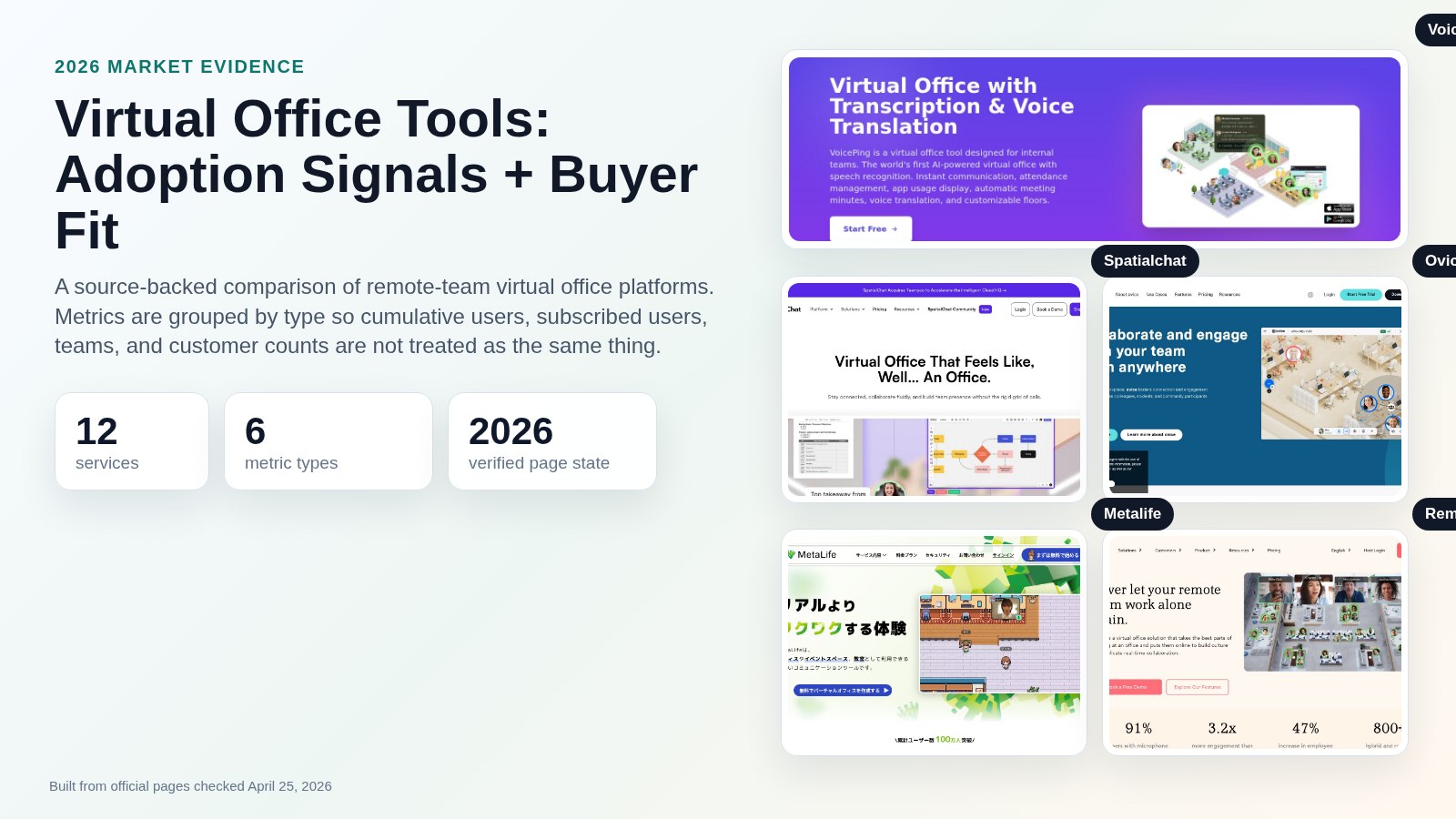
- Virtual Office Tools: 2026 Comparison Guide
- Resource Capacity Planning: How to Balance Team Demand in 2026
Sources Checked
- WFH Research: SWAA January 2026 update
- Stanford SIEPR: Working from Home in 2025: Five Key Facts
- ICO: Guidance to ensure lawful monitoring in the workplace
- New York Civil Rights Law Section 52-C*2
- California DOJ: California Consumer Privacy Act
- U.S. Government Publishing Office: 18 U.S.C. 2511
- EEOC: Artificial Intelligence and Algorithmic Fairness Initiative
- ActivTrak pricing
- Hubstaff employee monitoring
- Time Doctor employee monitoring
- Time Doctor pricing support
- Teramind employee monitoring
- Insightful employee monitoring
- Insightful pricing
- WorkTime employee monitoring
- VoicePing: Virtual Office with Transcription and Voice Translation
- VoicePing Docs: Plans and Pricing
- VoicePing Docs: Time Tracking Management
- VoicePing Docs: Time Tracking
- VoicePing Docs: Event Log