In this article
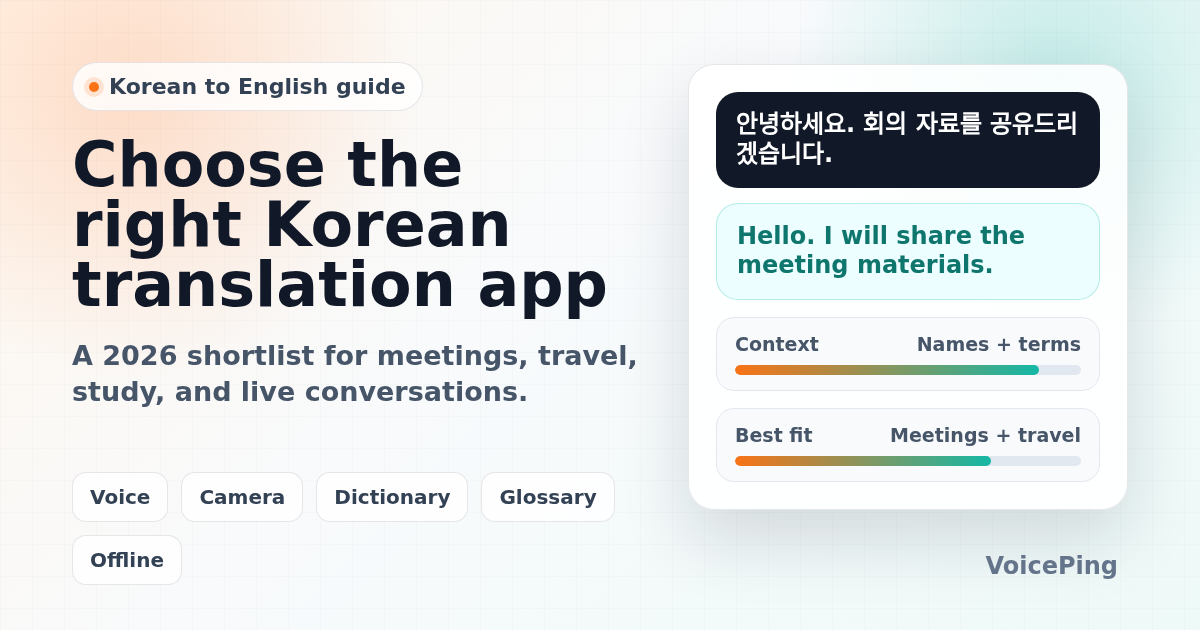
Compare Korean to English translation apps for business meetings, travel, learning, documents, and live conversations. Covers VoicePing, Papago, Google Translate, DeepL, Microsoft Translator, Apple Translate, NAVER Dictionary, and more.
Last updated: April 26, 2026. We checked official product and help pages for major translation tools, then rebuilt the recommendations around practical use cases instead of a long, undifferentiated app list.
Korean to English translation is harder than swapping words between two languages. Korean often omits the subject, changes tone through speech levels and honorifics, and uses company names, product names, surnames, titles, and borrowed English terms in ways that generic translators can misread.
That means the best Korean translation app depends on the job. A tourist reading a menu, a student checking sentence examples, a support team handling Korean customer calls, and a company running bilingual meetings need different tools.
This guide separates researched product facts from VoicePing’s own product perspective. Official sources are linked inline where a feature or limitation matters.
Quick Recommendations
| Use case | Start with | Why |
|---|---|---|
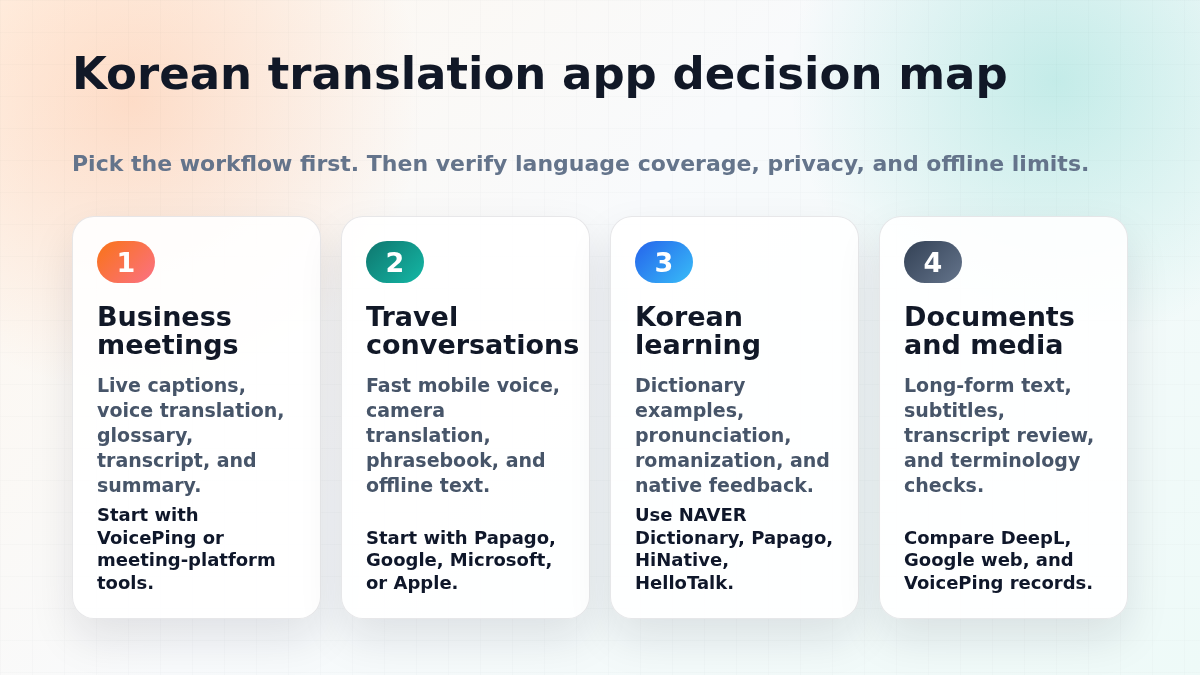
| Korean business meetings | VoicePing , DeepL Voice , Microsoft Teams or Google Meet workflows | Live captions, meeting translation, terminology handling, transcripts, and summaries matter more than a simple mobile dictionary. |
| Travel in Korea | Papago , Google Translate , Microsoft Translator | Fast mobile voice, camera translation, phrasebook, and offline text support are useful on the move. |
| Korean study and nuance checks | NAVER Dictionary , Papago, HiNative, HelloTalk, Tandem | Learners need dictionary examples, pronunciation, romanization, and native-speaker context. |
| Long documents and polished English | DeepL Translator , Google Translate web, human review | Machine translation can draft quickly, but formal documents still need review for tone, names, legal terms, and implied subjects. |
| Events or seminars with Korean speakers | VoicePing Event Translation , Wordly, Interprefy, KUDO | Attendee access, captions, audio routing, venue Wi-Fi, glossary setup, and post-event records become the main buying criteria. |
How to Choose a Korean Translation App
Do not choose only by the biggest language count on an app store page. For Korean-English work, compare these points first:
| Checkpoint | Why it matters for Korean |
|---|---|
| Voice recognition | Korean syllables, names, numbers, and mixed English/Korean terms need clean audio and strong speech recognition. |
| Honorifics and tone | The same idea can sound casual, polite, or business-formal depending on endings and context. |
| Proper nouns | Company names, product names, people names, and event names should be added to a glossary when the tool supports it. |
| Conversation flow | Push-to-talk tools are fine for travel. Meetings need continuous captions, transcripts, or summaries. |
| Offline limits | Offline translation usually covers text first. Voice and live conversation features often still need a network connection. |
| Data handling | Business teams should review retention, admin controls, recording policy, and whether confidential audio is stored. |
For a broader shortlist beyond Korean, see our 2026 voice translation apps guide .
Best Korean to English Translation Apps and Tools
1. VoicePing
VoicePing is best for Korean-English business meetings, multilingual events, internal discussions, and follow-up notes. It is not just a phrase translator; it is built around real-time voice translation, transcription, AI meeting summaries, and business workflows.
VoicePing’s event translation page lists 40+ languages, QR-code browser access, no app download for attendees, technical terminology support, post-event transcripts, and AI summaries. It also says one PC can support 2,000+ attendees for event interpretation setups. For a company running Korean-English seminars, conferences, sales calls, or internal meetings, those workflow details are more important than app-store convenience.
VoicePing product fit note: choose VoicePing when the conversation needs to become a record. Examples include bilingual meetings with Korean partners, Korean customer calls, overseas hiring interviews, technical seminars, or events where translated captions and summaries are needed afterward.
Watch out for: all live speech translation depends on microphone quality, speaker overlap, background noise, network conditions, and glossary preparation. Test with real meeting audio before using any tool for critical business discussions.
2. Papago
Papago is one of the first apps to test for Korean travel, daily conversation, and quick Korean-English checks. Because it is made by NAVER, it is widely used by Korean speakers and pairs naturally with NAVER’s dictionary ecosystem.
Papago is especially useful when you want quick Korean text, image, or conversation translation on a phone. It is also a practical second opinion when another translator gives an awkward Korean sentence. If a translation feels too literal, compare it in Papago and NAVER Dictionary before using it in a message.
Best for: travel, casual conversation, Korean menus, signs, mobile chat, and quick checks.
Watch out for: do not assume the output is business-ready just because it sounds fluent. Korean politeness level, implied subject, and honorifics still need human judgment in important messages.
3. Google Translate
Google Translate is the most versatile default option for travelers. Google’s help page says the app can translate text, handwriting, photos, and speech in over 200 languages. It also documents offline language downloads, while warning that unsupported offline languages will show as unavailable.
For Korea travel, Google Translate is strong for camera translation, web pages, quick speech, and cross-language lookup when you do not know which language you will encounter. It is also useful on desktop for pasting text, translating sites, and checking alternate phrasing.
Best for: broad language coverage, travel, camera translation, web translation, and quick everyday lookups.
Watch out for: broad coverage does not mean every Korean sentence will preserve tone. Check business-formal messages before sending.
4. DeepL Translator and DeepL Voice
DeepL Translator supports Korean in its translator language list. DeepL is often useful for drafting more natural English from Korean text, especially for longer paragraphs that need a polished tone.
DeepL Voice is relevant for live communication. DeepL’s help center says DeepL Voice supports real-time communication in virtual meetings and face-to-face conversations, and lists Korean among supported spoken languages for meetings and among caption translation languages.
Best for: polished written translation, business drafts, meeting captions in supported workflows, and second-opinion checks.
Watch out for: check the exact product plan, meeting platform, language pair, admin settings, and data policy before treating DeepL Voice as a drop-in meeting interpretation solution.
5. Microsoft Translator
Microsoft Translator is useful for mobile translation, Microsoft ecosystem users, and classrooms or small groups that want QR-code conversation access. Microsoft’s Android FAQ says multi-device conversations can be joined by scanning a QR code or entering a conversation code, and that Translator automatically translates comments into each user’s language.
The same FAQ is important for offline expectations: offline language packs support text, camera, phrasebooks, and pinned translations, but live conversation and microphone speech translation are not available offline.
Best for: Microsoft users, group conversations, education, travel text and camera translation, and cross-device conversations.
Watch out for: if you need offline Korean voice interpretation, verify the exact mode. Offline text does not mean offline live speech.
6. Apple Translate
Apple Translate is convenient for iPhone users who want simple text and voice translation without installing another app. It is a good quick option for short travel conversations, simple phrases, and on-device iOS workflows.
Best for: iPhone-first travel, quick phrase translation, and casual voice use.
Watch out for: businesses should still verify language availability, device requirements, privacy requirements, and whether the workflow fits meetings or only short interactions.
7. NAVER Dictionary
NAVER Dictionary is not just a translator. It is often the better tool when you need to understand a Korean word, compare examples, hear pronunciation, or decide whether a word is too casual, too formal, or too narrow for your sentence.
Use it alongside machine translation. Paste the Korean output, check key words, review examples, and compare alternate English meanings. This is especially helpful for learners and for business messages where one term can change the tone.
Best for: learning, dictionary lookup, pronunciation, Korean examples, and checking nuance.
Watch out for: dictionary lookup is slower than one-click translation, but it catches mistakes that fluent-looking machine translation can hide.
8. SayHi Translate
SayHi is built around spoken conversation. It is useful when the main job is a quick face-to-face exchange, not document translation or meeting records.
Best for: casual travel conversations and simple spoken exchanges.
Watch out for: it is not a replacement for a meeting platform, transcript workflow, or business glossary.
9. iTranslate
iTranslate is a general consumer translation app with text and voice use cases. It can be useful for travelers who want a familiar mobile interface and multiple language pairs in one app.
Best for: travel phrases, mobile voice translation, and quick everyday translation.
Watch out for: check the free vs paid feature split before travel, especially offline mode and voice features.
10. HiNative
HiNative is not a machine translator. It is a language Q&A community where native speakers can help with phrasing, naturalness, pronunciation, and cultural context.
Best for: learners and anyone asking “Does this sound natural in Korean?” or “What does this phrase imply?”
Watch out for: it is not instant enough for live meetings or urgent travel exchanges.
11. HelloTalk
HelloTalk is a language exchange app. It helps learners practice with Korean speakers and ask for corrections in a real social context.
Best for: language practice, cultural context, and conversational feedback.
Watch out for: use it for learning, not confidential business translation.
12. Tandem
Tandem is another language exchange app for finding Korean language partners. It is useful when you want feedback from people rather than only machine output.
Best for: Korean study, speaking practice, and real-person correction.
Watch out for: it does not replace professional review for contracts, HR documents, medical content, or customer-facing copy.
Accuracy Tips for Korean to English Translation
Add context before translating
Short Korean fragments often omit the subject. Instead of translating one sentence in isolation, include the previous sentence, speaker role, and purpose when possible.
Watch speech level
Korean endings can signal casual, polite, deferential, or formal tone. A sentence that is technically correct can still sound too blunt for a customer, executive, professor, or older colleague.
Check names and titles
Korean names, company names, product names, and job titles are frequent failure points. For business meetings, add names and terminology to a glossary before the call if your tool supports it.
Confirm numbers and dates
Machine translation can mishandle quantities, currencies, time zones, and dates. Read those out slowly in meetings and verify them in the transcript afterward.
Back-translate important messages
For important Korean messages, translate English to Korean, then translate the Korean result back to English with a second tool. If the meaning shifts, rewrite the source sentence more clearly.
Use human review for high-risk content
Legal, medical, financial, HR, immigration, and contract-critical Korean-English content should be reviewed by a qualified human translator or domain expert. Apps can speed up drafting, but they should not be the final authority.
A Simple Buyer Checklist for Teams
Before adopting a Korean-English translation tool at work, run a short pilot:
- Test real meeting audio, not a perfect demo sentence.
- Add Korean and English names, product terms, acronyms, and customer names to the glossary if available.
- Try one native Korean speaker, one non-native speaker, and one noisy room.
- Check caption delay, transcript quality, and summary accuracy.
- Review whether audio, transcripts, and summaries are stored, deleted, exported, or used for training.
- Confirm guest access for Korean partners who are outside your company.
- Decide when machine translation is acceptable and when human review is mandatory.
FAQ
What is the best Korean to English translation app?
For travel and quick mobile translation, start with Papago and Google Translate. For business meetings, start with VoicePing or a meeting-native translation workflow. For Korean study, use NAVER Dictionary, Papago, and native-feedback apps together.
Is Papago better than Google Translate for Korean?
Papago is often a strong first choice for Korean because it is widely used in Korea and pairs well with NAVER language tools. Google Translate is broader for global travel, camera translation, web translation, and many language pairs. The practical answer is to use both for important Korean-English checks.
Can free apps handle Korean business meetings?
Free apps can help with short phrases, but business meetings need continuous audio handling, speaker context, terminology, transcripts, summaries, access control, and data review. Test with real meeting audio before relying on any free app for work.
Do Korean translation apps work offline?
Sometimes, but offline support varies by feature. Google documents offline language downloads for the Translate app. Microsoft says offline packs support text and camera translation, while live conversation and microphone speech translation are not available offline. Always test the exact Korean-English feature before traveling.
What is the safest workflow for important Korean messages?
Write clear source text, avoid idioms, translate with two tools, check key terms in NAVER Dictionary, back-translate, and ask a native speaker or professional translator to review high-risk content.