In this article
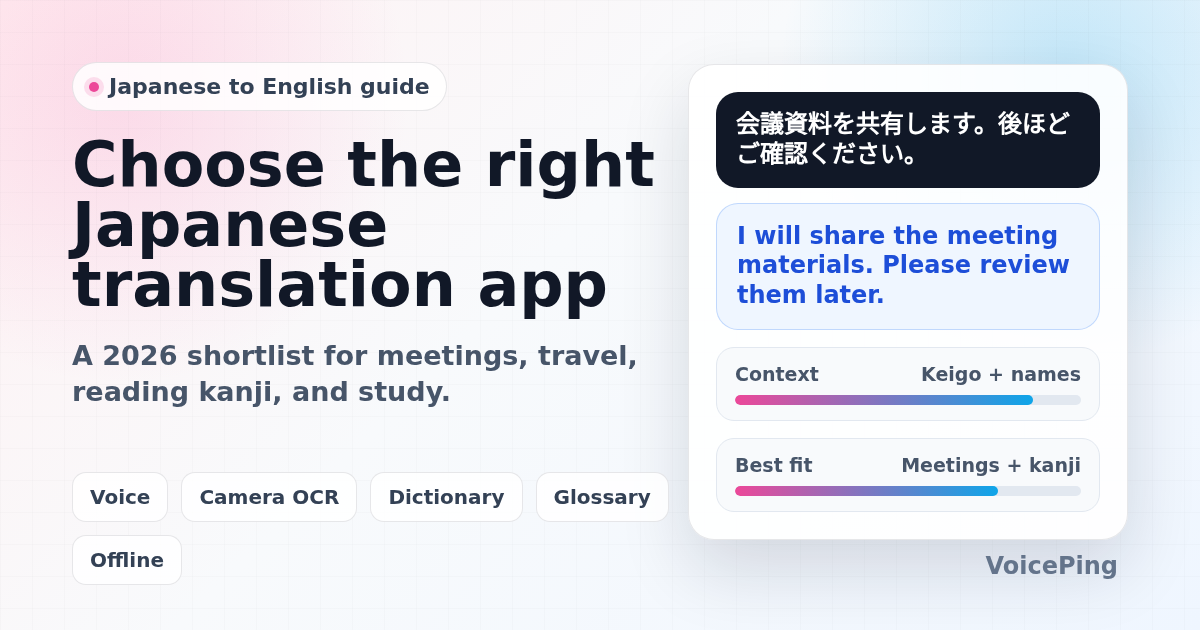
Compare Japanese to English translation apps for business meetings, travel, kanji reading, study, documents, and live conversations. Covers VoicePing, Google Translate, DeepL, Microsoft Translator, Apple Translate, VoiceTra, Yomiwa, Takoboto, Jisho, and more.
Last updated: April 26, 2026. We checked official product pages, help centers, and app documentation, then rebuilt this guide around practical workflows instead of a thin “Top 20 apps” list.
Japanese to English translation has a few traps that generic translation lists often ignore. The same sentence can change tone through keigo, the subject is often omitted, names may appear before roles or titles, and kanji can be hard to read even before translation begins. A good app for a train-station sign is not always a good app for a board meeting.
This guide separates researched product facts from VoicePing’s product opinion. Official sources are linked inline when a claim depends on current product behavior.
Quick Recommendations
| Use case | Start with | Why |
|---|---|---|
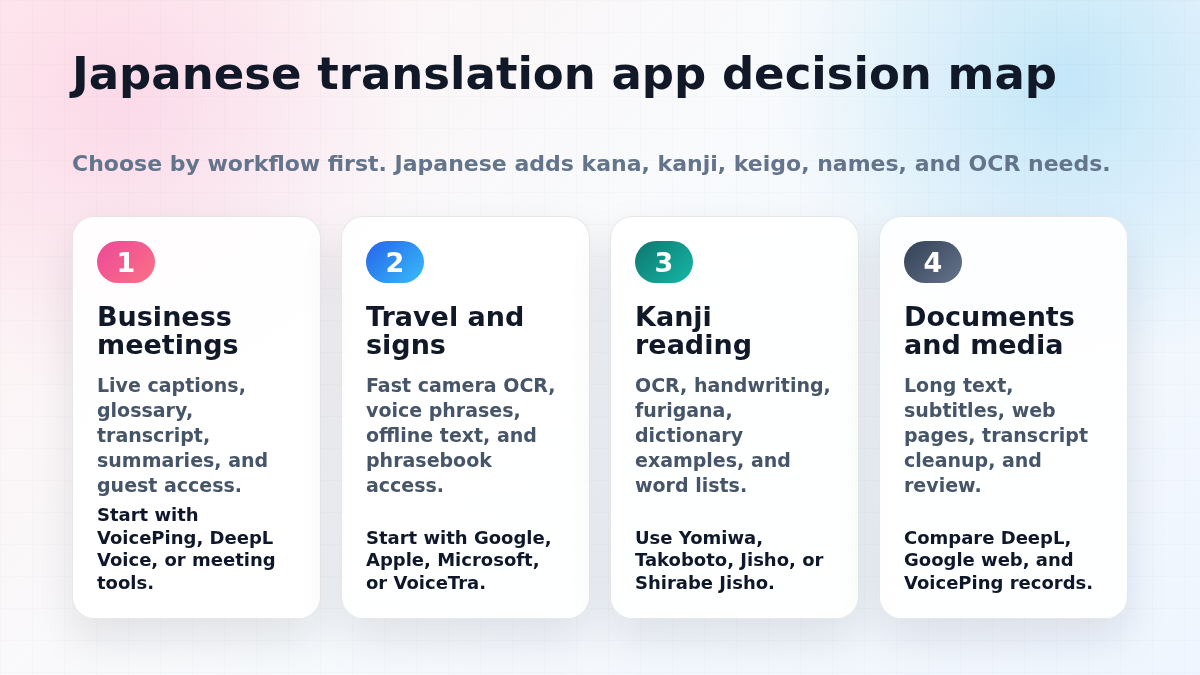
| Japanese-English business meetings | VoicePing , DeepL Voice , Microsoft Teams or Google Meet workflows | Live captions, glossary support, transcripts, summaries, and guest access matter more than a phrasebook. |
| Travel, menus, and signs in Japan | Google Translate , Apple Translate , Microsoft Translator , VoiceTra | Camera OCR, mobile speech, phrasebook, and offline text support are the practical features to check. |
| Kanji reading and Japanese study | Yomiwa , Takoboto , Jisho , Shirabe Jisho | Learners need OCR, furigana, handwriting search, example sentences, kanji details, and word lists. |
| Long documents and polished English | DeepL Translator , Google Translate web, human review | Machine translation can draft quickly, but formal documents still need review for tone, implied subjects, names, and technical terms. |
| Events or seminars with Japanese speakers | VoicePing Event Translation , Wordly, Interprefy, KUDO | Attendee access, venue audio, QR codes, captions, terminology, and post-event records become the main buying criteria. |
How to Choose a Japanese Translation App
Do not compare translation apps only by language count. For Japanese-English use, compare these points first:
| Checkpoint | Why it matters for Japanese |
|---|---|
| Voice recognition | Japanese speech often includes particles, clipped endings, borrowed English terms, names, and honorific titles. Clean audio matters. |
| Keigo and tone | A sentence can be correct but too casual, too stiff, or too direct for a customer, professor, or executive. |
| Kanji and kana support | Travelers and learners often need OCR, furigana, handwriting search, romaji, and kanji details before translation. |
| Meeting workflow | Push-to-talk apps are fine for travel. Business meetings need continuous captions, transcripts, summaries, and review. |
| Offline limits | Offline mode usually covers text first. Live voice and conversation modes often still need a network connection. |
| Data handling | Companies should check recording, retention, admin controls, guest access, and whether confidential audio is stored or reused. |
For a broader category view, see our 2026 voice translation apps guide . For a nearby language-pair article, see Korean to English translation apps .
Best Japanese to English Translation Apps and Tools
1. VoicePing
VoicePing is best for Japanese-English business meetings, seminars, conferences, customer calls, and follow-up records. It is built around real-time voice translation, transcription, AI meeting summaries, and business communication workflows.
VoicePing’s event translation page lists QR-code browser access, no app download for attendees, text-to-speech, 40+ languages, technical terminology support, post-event transcripts, AI summaries, and one-PC support for 2,000+ attendees in event setups. The broader VoicePing product page describes real-time voice translation, transcription, meeting summarization, and meeting data notifications.
VoicePing product fit note: choose VoicePing when the conversation needs to become a reliable business record. Examples include Japanese-English internal meetings, sales calls, overseas partner discussions, technical seminars, and events where translated captions and summaries are needed afterward.
Watch out for: all live speech translation depends on microphone quality, speaker overlap, background noise, network stability, and glossary preparation. Test with actual Japanese meeting audio before using any tool for critical work.
2. Google Translate
Google Translate is the default general-purpose travel app. Google’s help page says the app can translate text, handwriting, photos, and speech in over 200 languages. It also documents offline setup and notes that unsupported offline languages show as unavailable.
For Japan travel, Google Translate is strongest for camera translation, quick phrase lookup, web translation, and broad language coverage. It is useful for signs, menus, product labels, and simple conversations.
Best for: travel, camera translation, broad coverage, web pages, and everyday quick checks.
Watch out for: broad coverage does not guarantee the right business tone. Check customer-facing or executive messages before sending.
3. DeepL Translator and DeepL Voice
DeepL Translator supports Japanese and is often useful for longer Japanese-to-English drafts that need a more natural written tone.
DeepL Voice is relevant for live communication. DeepL’s help center says DeepL Voice supports real-time communication in virtual meetings and face-to-face conversations, and lists Japanese among the spoken languages for DeepL Voice for Meetings and among caption translation languages.
Best for: polished written translation, document drafts, meeting captions in supported workflows, and second-opinion checks.
Watch out for: verify the exact product plan, meeting platform, language pair, glossary behavior, and data policy before treating it as a meeting interpretation system.
4. Microsoft Translator
Microsoft Translator is useful for Microsoft ecosystem users, small group conversations, education, and travel translation. Microsoft’s Android FAQ says offline packs support text, camera, phrasebooks, and pinned translations. The same FAQ says live conversation and microphone speech translation are not available offline, and that speech translation works only online.
Best for: group conversations, travel text and camera translation, classrooms, and Microsoft users.
Watch out for: offline text support does not mean offline live Japanese voice interpretation. Test the exact Japanese-English mode before travel or field work.
5. Apple Translate
Apple Translate is convenient for iPhone users who want built-in text and voice translation. Apple also documents Live Translation with AirPods for Apple Intelligence-enabled iPhones, and its support page lists Japanese among beta-supported Apple Intelligence languages.
Best for: iPhone-first travel, short text and voice translation, and users who prefer built-in iOS workflows.
Watch out for: some Apple translation features depend on device, OS, region, AirPods, and Apple Intelligence availability. Confirm requirements before relying on it for a trip or business use.
6. VoiceTra
VoiceTra is a speech translation app from Japan’s National Institute of Information and Communications Technology. The official page says VoiceTra translates speech into different languages, supports 33 languages, is free to download and use, and requires internet data communication. It also lists current supported OS versions as iOS 17 or later and Android 11 or later.
Best for: speech translation practice, public-sector or research-backed Japanese translation workflows, and travelers who want a Japan-developed option.
Watch out for: because internet communication is required, it is not an offline travel fallback.
7. Yomiwa
Yomiwa is an all-in-one Japanese dictionary, translator, and optical recognizer. It is useful when the hard part is reading Japanese text in the first place, such as menus, signs, packages, manga, printed notices, or handwritten-looking kanji.
Best for: kanji OCR, Japanese learners, dictionary lookup, and reading support.
Watch out for: OCR and dictionary tools are excellent for comprehension, but they are not a full business meeting translation workflow.
8. Takoboto
Takoboto describes itself as a Japanese-English dictionary and Japanese learning tool. Its official page says it can search Japanese or English with kanji, kana, romaji, or Latin alphabets, and provides example sentences and kanji information.
Best for: learners, word lookup, kanji details, example sentences, and checking meaning beyond a single machine-translated sentence.
Watch out for: dictionary lookup takes more effort than one-tap translation, but it catches nuance that fluent-looking machine translation can hide.
9. Jisho
Jisho is a widely used web dictionary for Japanese learners. It is useful for word lookup, kanji search, readings, example sentences, and checking whether a word is common enough for the context.
Best for: desktop study, kanji lookup, vocabulary checks, and second opinions.
Watch out for: it is a dictionary, not a conversation interpreter.
10. Shirabe Jisho
Shirabe Jisho is an iPhone and iPad Japanese-English dictionary app. It is useful when you want a dictionary-focused mobile workflow rather than a general machine-translation app.
Best for: iOS learners, offline-style dictionary lookup, kanji study, and vocabulary review.
Watch out for: it helps you understand Japanese, but it does not replace live meeting translation.
11. SayHi Translate
SayHi is built around spoken conversation and can help with short travel or casual face-to-face exchanges.
Best for: simple spoken interactions and quick phrase translation.
Watch out for: it is not designed for transcripts, summaries, business glossary control, or event operations.
12. iTranslate
iTranslate is a general consumer translation app with text and voice use cases across many languages.
Best for: travel phrases, quick mobile translation, and users who want one familiar app for many language pairs.
Watch out for: confirm which Japanese-English features are free, paid, online, or offline before travel.
Accuracy Tips for Japanese to English Translation
Add the missing subject
Japanese often omits “I,” “you,” “we,” or the company name. Add the missing subject before translating if the English result sounds vague.
Watch keigo
“Please check this later” can be casual, polite, or highly formal depending on the relationship. For customer, executive, HR, legal, and sales messages, check whether the tone is appropriate.
Confirm names, titles, and departments
Japanese business communication often uses surnames, titles, honorifics, department names, and company abbreviations. Add these to a glossary when your tool supports it.
Do not trust OCR blindly
Camera translation can misread stylized fonts, vertical text, old signs, handwritten notes, and low-light images. For important text, zoom in and verify the extracted Japanese before trusting the English output.
Back-translate important messages
For important messages, translate English to Japanese, then translate the Japanese result back to English with a second tool. If the meaning shifts, rewrite the source sentence more plainly.
Use human review for high-risk content
Legal, medical, financial, immigration, HR, contract, and public customer-facing Japanese-English content should be reviewed by a qualified human translator or domain expert. Apps can speed up drafting; they should not be the final authority for high-risk decisions.
A Simple Team Pilot Checklist
Before adopting a Japanese-English translation tool at work, run a short pilot:
- Test real meeting audio with Japanese and English speakers.
- Include formal speech, casual speech, numbers, names, departments, and product terms.
- Add glossary entries for company names, speaker names, product names, abbreviations, and technical terms.
- Test one remote call, one conference-room call, and one noisy environment.
- Check caption delay, transcript quality, and summary accuracy.
- Review data retention, recording permissions, admin controls, and guest access.
- Decide which content can use machine translation and which content needs human review.
FAQ
What is the best Japanese to English translation app?
For travel and quick camera translation, start with Google Translate, Apple Translate, Microsoft Translator, or VoiceTra. For business meetings, start with VoicePing or a meeting-native translation workflow. For kanji reading and study, use Yomiwa, Takoboto, Jisho, or Shirabe Jisho.
Is Google Translate good enough for Japan travel?
Usually, yes for signs, menus, short phrases, and broad travel use. Download offline language support before the trip where available, but test the exact Japanese-English camera and voice features you need before relying on them.
Which app is best for reading kanji?
Use a dictionary/OCR tool rather than a pure translator. Yomiwa is strong for OCR and reading support; Takoboto, Jisho, and Shirabe Jisho are useful for dictionary examples, readings, and kanji details.
Can free apps handle Japanese business meetings?
Free apps can help with short phrases, but business meetings need continuous audio, speaker context, glossary control, transcripts, summaries, guest access, and data review. Test with real Japanese meeting audio before using any free app for work.
Do Japanese translation apps work offline?
Sometimes, but offline support varies by feature. Google documents offline language downloads. Microsoft says offline packs work for text and camera translation but not live conversation or microphone speech translation. VoiceTra’s official page says internet data communication is required.