In this article
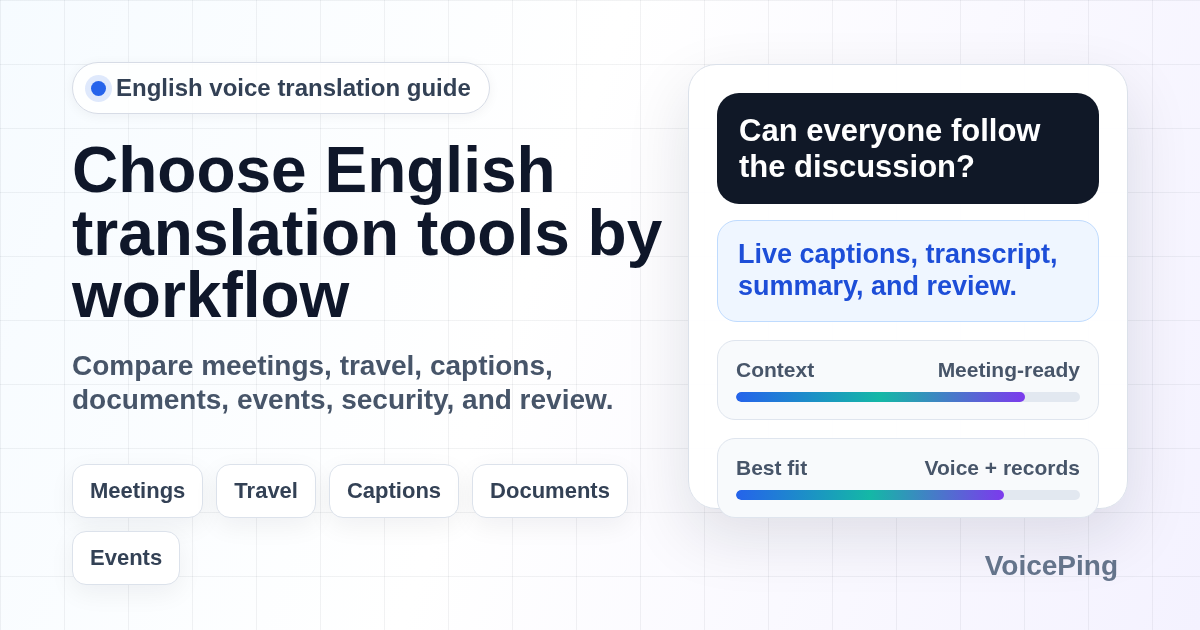
Compare English voice translation tools for meetings, travel, captions, documents, videos, events, and high-risk human review. Covers VoicePing, Google Translate, Microsoft Translator, DeepL Voice, Apple Translate, Papago, and professional translation workflows.
Last updated: April 26, 2026.
English voice translation can mean two different jobs: translating English speech into another language, or translating another language into English. The right tool depends on where the speech happens and what must happen after the translation.
A traveler asking for directions needs a fast mobile app. A multilingual sales call needs live captions, a transcript, a summary, and glossary handling. A webinar needs attendee access and subtitle reuse. A contract, medical conversation, or HR notice needs a qualified human reviewer.
This guide replaces the old “Top 25” list with a practical 2026 workflow guide. For the broader market-wide list, see our Best Voice Translation Apps in 2026 . This page focuses on English-specific choices and separates researched vendor facts from VoicePing product-fit opinion.
Quick Recommendations
| Job to be done | Start with | Why |
|---|---|---|
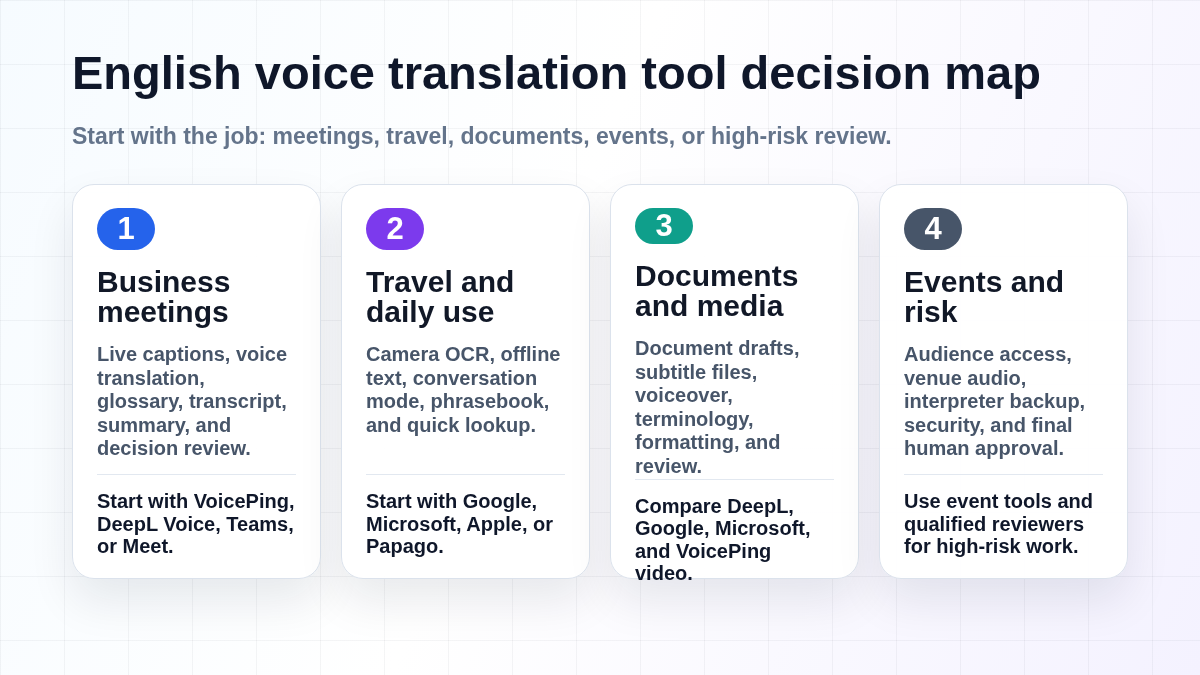
| English business meetings | VoicePing , DeepL Voice, Microsoft Teams, or Google Meet | Live captions, transcript, glossary, summary, and follow-up review matter more than one translated sentence. |
| Travel and daily lookup | Google Translate , Microsoft Translator , Apple Translate, or Papago | Conversation mode, camera OCR, offline text, phrasebooks, and quick speech lookup are the practical travel features. |
| English documents and writing | DeepL Translator , Google Translate, Microsoft Translator, and human review | Written English often needs tone, terminology, formatting, localization, and approval before publication. |
| Videos, captions, and subtitles | VoicePing video workflows, Happy Scribe, Maestra, or platform captions | Media workflows need transcript editing, timing, subtitle export, translation, and review. |
| Events and webinars | VoicePing Event Translation , Wordly, Interprefy, KUDO, or human interpreters | Audience access, venue audio, QR flow, interpreter backup, and post-event records matter. |
| Legal, medical, HR, contracts | Qualified translator or interpreter | AI can support preparation, but final wording should be approved by a qualified human. |
What Changed Since Older English Translation App Lists
Old English voice translation articles often mix desktop apps, hardware devices, smartphone apps, and translation companies into one ranking. That is weak buying advice because the workflows are not interchangeable.
Three current realities matter:
- Meeting translation is now a meeting-record workflow. A useful business tool should help with live captions, transcript, summary, action items, glossary terms, and review.
- Mobile translation apps cover more modes. Google Translate highlights camera translation, offline downloads, conversation, transcribe, document translation, and website translation. Microsoft lists English support across text, speech, image, text-to-speech, multi-device conversation, and Android offline packs. Apple Translate supports text, voice, and conversation workflows on iPhone with downloaded-language offline options.
- Voice and document support differ by vendor. DeepL Translator lists English among supported text translation languages, and DeepL Voice documentation lists English as both a spoken transcription language and a caption translation language. Always check the exact product mode before rollout.
The practical takeaway: do not buy an “English translation app.” Buy the tool that fits the workflow, security level, review process, and source audio quality.
How to Evaluate English Voice Translation Tools
Use this checklist before choosing a tool for work.
| Area | What to check |
|---|---|
| Direction | English to another language, another language to English, or bidirectional conversation. |
| Input mode | Microphone speech, meeting audio, phone calls, uploaded video, text, document, image, or website. |
| Output | Live captions, translated audio, transcript, subtitle file, meeting summary, or polished document. |
| Review workflow | Can humans edit transcripts, captions, summaries, and final translations before sharing? |
| Terminology | Glossary support for product names, customer names, acronyms, technical terms, and proper nouns. |
| Audio quality | Background noise, accents, speaker overlap, microphones, venue audio, and network conditions. |
| Privacy and governance | Consent, recording notices, retention, deletion, admin controls, SSO, and training-data policy. |
| Offline behavior | Whether offline mode covers text, camera, phrasebooks, speech, or only downloaded language packs. |
Best English Voice Translation Tools by Use Case
1. VoicePing for English Business Meetings
VoicePing fits English translation workflows where the output must become a usable business record: real-time interpretation, transcript, meeting summary, and follow-up review. VoicePing’s site describes real-time voice translation, transcription, and AI meeting summarization.
Use VoicePing for:
- English-Japanese, English-Korean, English-Spanish, and other recurring multilingual meetings.
- Sales calls where the transcript and summary must be reviewed after the call.
- Supplier, offshore development, customer support, and partner meetings.
- Events or seminars where attendees need captions and the team also needs post-event records.
Product opinion: VoicePing is strongest when translation, meeting notes, and follow-up accountability belong in one workflow. For casual travel phrases, a mobile app is usually faster.
2. Google Translate for Travel and Fast Lookup
Google Translate remains the default first download for English travel translation because it combines camera translation, conversation mode, transcribe, handwriting, saved phrases, document translation, and website translation. Google’s offline help also says downloaded languages can be used without internet, and downloaded languages may support camera translation.
Use it for:
- Travel phrases, restaurant menus, signs, kiosks, forms, and transit instructions.
- Quick speech lookup into or out of English.
- Camera OCR when typing from a sign or printed form is slow.
- Webpage and document translation when the content is low risk.
Limitations: offline behavior differs by language, device, and mode. Test text, camera, and speech separately before relying on the app in a clinic, airport, event venue, or remote site.
3. Microsoft Translator for Microsoft-Centric Teams
Microsoft Translator is useful when a team wants text, speech, image translation, text-to-speech, multi-device conversation, and Android offline packs inside a Microsoft-friendly workflow. Microsoft’s language page lists English support across those feature columns.
Use it for:
- Multi-device conversations where participants join from their own phones.
- English image translation and speech lookup.
- Microsoft-centric organizations that prefer Microsoft account and security controls.
- A backup app when another translation app is unavailable.
Limitations: Microsoft’s Android FAQ says offline packs can support text translation, camera translation, phrasebooks, and pinned translations, but live conversation and microphone-based speech translation are not available offline.
4. DeepL Translator and DeepL Voice for Writing and Captions
DeepL Translator lists English among supported languages for text translation. DeepL Voice lists English as a spoken language and as a translation caption language.
Use DeepL for:
- Polished English email drafts, proposals, support articles, and website copy.
- Comparing English document output against Google or Microsoft.
- Teams already using DeepL for multilingual written workflows.
- Meeting-caption comparisons when procurement, security, and language support fit.
Limitations: verify the exact DeepL product and plan. Web translation, document translation, API, glossary, and voice features do not always have identical language or governance support.
5. Apple Translate for iPhone Users
Apple Translate is convenient because it is built into iPhone workflows. Apple’s support pages describe translation for text, voice, and conversations, plus downloaded-language offline options and on-device mode where supported.
Use it for:
- iPhone users who want quick English text or voice translation without another app.
- Simple one-to-one conversations.
- Privacy-sensitive situations where on-device translation is available for the language pair.
- A backup option alongside Google or Microsoft.
Limitations: Apple Translate is convenient, but it is not a complete business meeting translation workflow. Compare it with VoicePing, DeepL Voice, Microsoft, or Google when you need transcripts, summaries, glossary control, or team administration.
6. Papago and Travel-Focused Apps
Papago, SayHi, iTranslate, and similar mobile apps are useful for simple low-risk conversations. They can be faster than a work tool when the job is only to ask a question and hear an answer.
Use them for:
- Ordering food, asking directions, and confirming times.
- Short one-to-one travel conversations.
- A backup interface if another app feels too slow.
- Asian-language workflows where Korean, Japanese, Chinese, Vietnamese, Thai, Indonesian, or English appear together.
Limitations: travel apps usually lack glossary control, admin governance, transcript review, and meeting summaries. Do not use them as the sole source for legal, medical, HR, or contract decisions.
7. Meeting Platforms: Teams, Meet, Zoom, and Webex
Platform-native captions and translation can be a good fit when all participants already use the same meeting stack. The benefit is convenience: the translation layer lives where the meeting already happens.
Use platform-native translation when:
- Your organization is standardized on one suite.
- The meeting does not need a separate cross-platform transcript workflow.
- Admins can configure language, recording, retention, and AI policy settings.
- Participants are comfortable with the platform’s caption and language controls.
Limitations: platform-native features often depend on plan, region, admin policy, meeting type, and language pair. For multilingual teams that work across many conferencing tools, compare with a dedicated workflow such as VoicePing or another meeting translation product.
8. Video, Subtitle, and Media Translation Tools
Video translation is not the same as live meeting translation. Media workflows need transcript cleanup, timing, subtitle export, speaker labels, voiceover decisions, and review before publication.
Use media-focused tools for:
- Translating training videos, webinars, YouTube clips, and product demos.
- Creating SRT, VTT, or burned-in subtitles.
- Reusing English webinars in Japanese, Korean, Spanish, Thai, Indonesian, or Chinese.
- Editing the source transcript before translation.
Product opinion: if the video came from a live meeting or event, capture the meeting cleanly first. Better source audio and a clean transcript improve every later subtitle or translation step.
9. Hardware Translators
Hardware devices such as Pocketalk, Vasco, Timekettle, or dedicated reception-desk translators can still be useful when staff cannot install apps, phones cannot be shared, or a single managed device is easier to support.
Use hardware for:
- Reception desks, site visits, tours, clinics, retail counters, and field operations.
- Shared devices managed by an operations team.
- Travel where battery, cellular setup, or app permissions are a problem.
Limitations: check the language pair, online/offline behavior, data plan, privacy terms, battery life, and whether camera translation is included. Do not rely on a hardware device for final legal, medical, or safety wording.
10. Human Translators and Interpreters
Human review remains the best option when misunderstanding has legal, financial, medical, safety, or employment consequences. AI translation can reduce preparation time, but it should not own the final decision.
Use human review for:
- Contracts, employment documents, and compliance notices.
- Medical instructions, consent forms, and patient conversations.
- Safety training, emergency procedures, and technical specifications.
- Public marketing claims, investor documents, and government filings.
English-Specific Translation Risks
“English” Is Not One Register
Business English, legal English, technical English, plain English, sales English, and casual chat English have different expectations. Ask whether the output should be formal, friendly, localized, or literal before choosing a tool.
Accents and Audio Quality Matter
English speech can include many accents, non-native pronunciation, code-switching, idioms, and domain terms. Translation quality depends heavily on microphone quality, speaker overlap, room noise, and whether the tool has the right glossary.
English as the Source vs. English as the Target
When English is the source, simplify the source speech: avoid idioms, slow down, state names clearly, and define acronyms. When English is the target, check whether the output needs US, UK, or neutral international English.
Names, Numbers, and Acronyms
Translation tools are weakest when a single character or digit matters. Confirm names, phone numbers, prices, dates, room numbers, bank details, addresses, SKUs, and product codes manually.
Best Tool Stacks
Business Meeting Stack
Use VoicePing for live interpretation, transcript, and summary. Prepare a glossary for company names, product names, customer names, and acronyms. Use a bilingual reviewer for external follow-up.
Travel Stack
Download Google Translate and one backup app before departure. Save hotel addresses, allergy notes, emergency phrases, and screenshots. Test camera translation and offline text while you still have connectivity.
Document Stack
Use DeepL, Google, or Microsoft for a draft. Review terminology, tone, formatting, and localization. Use a qualified human reviewer for customer-facing, legal, HR, medical, or regulated content.
Event Stack
Use an event-focused workflow such as VoicePing Event Translation, Wordly, Interprefy, KUDO, or human interpreters. Test venue audio, attendee access, QR flow, Wi-Fi, caption screens, and post-event transcript export before event day.
FAQ
What is the best English voice translation tool?
There is no single best tool for every English workflow. Use VoicePing for multilingual meetings and meeting records, Google Translate for travel, Microsoft Translator for Microsoft-friendly multi-device conversations, DeepL for written English drafts and captions, and human reviewers for high-risk work.
Are free English voice translation apps enough for business?
Free apps can be enough for travel, low-risk drafting, and basic understanding. For recurring business meetings, customer calls, contracts, HR, medical, or safety content, use a workflow with glossary control, transcript review, and human approval.
Can apps translate English accents accurately?
Many tools handle a wide range of English accents, but accuracy still depends on microphone quality, room noise, speaker overlap, speed, and terminology. Test with your actual speakers before relying on live captions in a customer meeting or event.
Should I use a translation device instead of an app?
Use a hardware device when shared-device management is more important than app flexibility. For meetings, documents, videos, or post-event records, software workflows are usually easier to review, export, and govern.
When do I need a human translator?
Use a human translator or interpreter whenever the final wording affects legal rights, medical care, employment, safety, compliance, money, or public claims. AI can help draft and compare, but it should not be the final approver.
Related Guides
- Best Voice Translation Apps in 2026
- Best Automatic Meeting Transcription Tools
- AI Event Translation Tools
- Best Japanese to English Translation Apps
- Best Korean to English Translation Apps
- Best Spanish Translation Tools
Sources Checked for This Refresh
- Google Translate overview and Google offline language help
- Microsoft Translator language support and Microsoft Translator Android FAQ
- DeepL Translator language support and DeepL Voice languages
- Apple Translate for iPhone and Apple Translate settings
- VoicePing real-time translation, transcription, and summarization