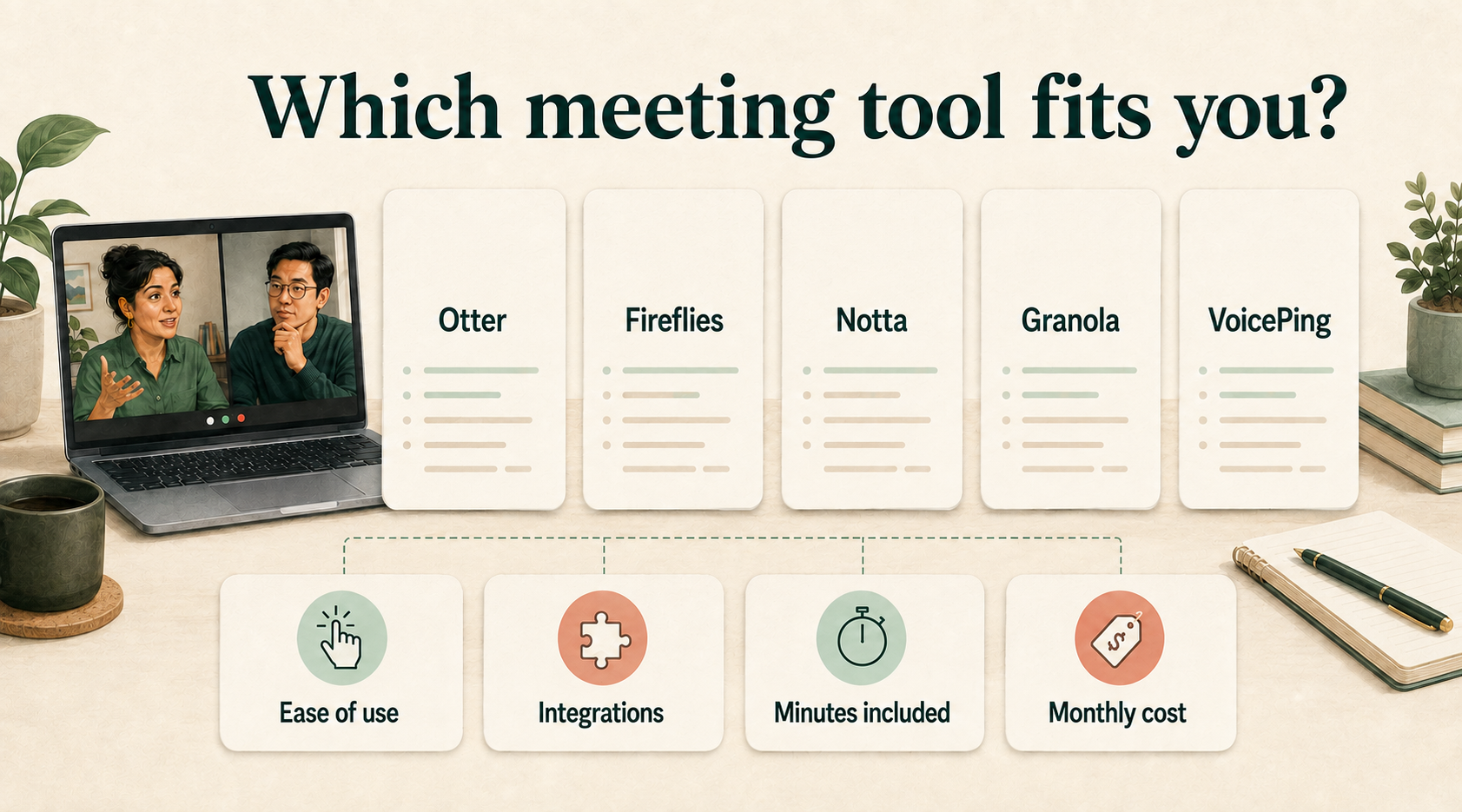
Compare 11 meeting transcription and AI summary tools by their live features, app integrations and entry-level paid prices. Use the accuracy evidence and privacy comparison to check what you can expect from the transcripts—and how your meeting data is handled.
Jump to the decision you need
Compare meeting transcription and summary tools
Turn your meetings into searchable transcripts and clear action summaries. The example below shows this workflow with live text; the table identifies which tools provide it during the call and connect to your existing apps.
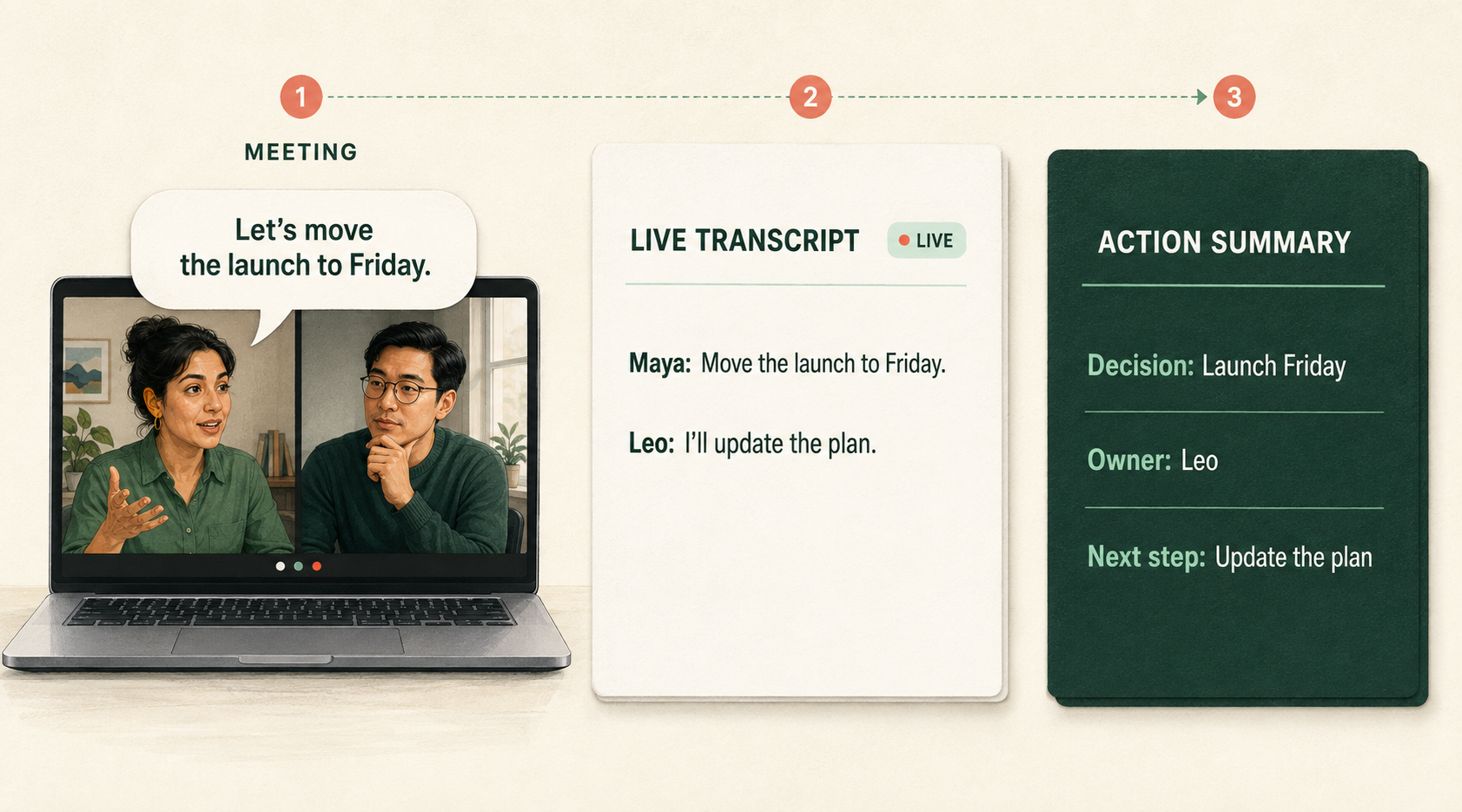
Compare each tool’s live output, capture route and integrations below. Expand the integrations to check the setup and plan requirements for your existing apps.
| Tool | During the meeting | Platforms & integrations |
|---|---|---|
Readable live transcript | Zoom, Meet, Teams; Slack, CRM and workflow apps. View integrationsCapture: Meeting bot, Mac/Windows system audio, Chrome, iOS and Android. Recorded-call routes include Outreach, RingCentral, Salesloft and Zoom Phone. Calendars: Google Calendar and Outlook; Apple device calendars through iOS. Only each connected account’s primary cloud calendar syncs. Work apps: Slack; HubSpot, Salesforce, Microsoft Dynamics and Zoho; Airtable, Asana, ClickUp, Google Docs, Jira, monday.com and Notion; Dropbox, Amazon S3, Egnyte, Glean, Google Drive, OneDrive, SharePoint and Snowflake. Official directory Automation: Zapier on Pro+; MCP for Claude, ChatGPT, Cursor, Perplexity and compatible clients. Public API/webhooks require Enterprise. MCP · API Plan gates: Slack is on all plans. Pro lists limited HubSpot/Salesforce connections; workspace-wide CRM setup needs Enterprise. Many directory connections require sales-assisted setup. Plan details | |
Live transcript and notes | Zoom, Meet, Teams and more; broad CRM, task and storage connections. View integrationsCapture: Bots for Zoom, Meet, Teams, Webex, GoToMeeting, Dialpad, Lifesize, Jitsi and Discord; separate Meet SDK, desktop and Chrome routes. Desktop audio also works with Slack Huddles, WhatsApp, Aircall, FaceTime and phone audio. Platforms Calendars: Google Calendar and Outlook/Office 365. CRM: Affinity, Attio, Close, Copper, Freshsales, HubSpot, Dynamics 365, Pipedrive, Salesflare, Salesforce, Zendesk Sell, StartDeliver, Zoho, Supersales, ActiveCampaign, GoHighLevel, Redtail, Wealthbox, Folk and Monday CRM. CRM guide Tasks and hiring: Airtable, Asana, ClickUp, Jira, Linear, Microsoft To Do, monday.com, Trello, Any.do, Todoist, Wrike, Planner, Shortcut, Zoho Projects, Smartsheet and TickTick; BambooHR, Greenhouse, Lever, Workable and Ashby. Notes and storage: Google Docs, Notion, OneNote, Confluence, Teams, SharePoint, Slack, Box, Dropbox, Google Drive, OneDrive and email. WhatsApp/Telegram messaging have separate routes. Collaboration guide Recorded-call imports: Aircall, JustCall, Outreach, Quo/OpenPhone, RingCentral, Salesloft, Zoom Phone and HubSpot Dialer; these use separate import allowances. Automation: Zapier, Make, n8n, Pabbly Connect, Relay.app, Pylon, Skyvia, Latenode, MindStudio and Keragon; API and MCP. MCP clients include ChatGPT, Claude, Figma, Lovable, Bolt, Magic Patterns, Poke, Replit, Manus and Devin. MCP Plan gates: Notion/OneNote full-transcript export needs Pro+; integration rules need Business+. Additional apps and setup requirements are in the current directory and setup guides. | |
Live transcript panel | Bot-free desktop capture; Slack, Notion, CRM and automation. View integrationsCapture: Mac/Windows microphone and system audio. Meet speaker tags require the extension; Zoom tags currently require macOS. Otherwise labels may remain “Me”/“Them”. Speaker tags Calendars: Google Calendar and Outlook. Work apps: Slack; Notion, Attio, HubSpot and Affinity. Chat workflows can draft Gmail messages, post to Slack and create Google Calendar events with confirmation. Integration guide Automation: Zapier; MCP for Claude, ChatGPT, Claude Code and compatible clients; API/webhooks. Salesforce, Greenhouse, BambooHR, Ashby, Teams, Asana, Trello, Monday and Linear are documented Zapier destinations. Zapier Plan gates: Basic includes Slack and limited MCP history. Notion, CRM, Zapier and API/webhooks need Business/Enterprise. Direct Notion export is manual, one note at a time. Plan details | |
Live transcript through Notta Bot | Zoom, Meet, Teams, Webex; notes, storage and CRM apps. View integrationsCapture and calendars: Scheduled bot via Google/Outlook calendars; desktop, web and mobile recording offer additional routes. Webex requires the password-bearing invitation link. Notes: Slack, Notion, Google Docs, OneNote and ClickUp. These connections can be available on Free; automation is a separate entitlement. Storage: Box, Dropbox, Google Drive, OneDrive and SharePoint require Pro+. CRM and work systems: Freshsales, HubSpot, Pipedrive, Salesflare, Salesforce, Zendesk Sell, Zoho CRM, Kintone and Autodesk Construction Cloud. Business/Enterprise gates apply. Directory · Setup guides Automation: Zapier and automated workflows require Business/Enterprise. ClickUp sends document content; Kintone’s documented payload is AI notes and a public link. Plan details | |
Vendor documents live transcripts | Desktop audio or Zoom/Meet/Teams bot; CRM, Slack, Teams and automation. View integrationsCapture: Mac/Windows virtual microphone and speaker capture compatible app audio; both devices must be selected. This is audio compatibility. The optional meeting bot supports Zoom, Meet and Teams on Core+. Audio setup · Bot platforms Calendars: Google or Microsoft calendar; one connected calendar at a time. Calendar setup Native work apps: HubSpot, Pipedrive, Affinity, Slack and Teams. Teams notes can be sent manually; automatic sending is for recurring meetings. Salesforce and ConnectWise need Advanced; ConnectWise sends notes to tickets manually. Directory · Teams · ConnectWise Zapier destinations: Notion, Asana, Trello, ClickUp, Confluence, Airtable, Motion; SugarCRM, Bullhorn CRM, Linear, JustCall, Gainsight, Keap, Google Tasks, Ezekia, Canopy, Odoo, Gorgias, Taskade; TickTick, Wealthbox, Ringover, Ashby, Fellow, Outreach, monday.com, Jira, Crelate, Attio, Discord, Aloware; Outlook, Teams, Google Drive, Todoist, Google Calendar, Google Docs, OneNote and RingCentral. These are vendor-listed automation routes. Directory 1 · 2 · 3 · 4 Automation and gates: Core includes Zapier, outgoing webhooks and MCP for Claude, ChatGPT, Cursor, VS Code and compatible clients. Notion is listed on current pricing, but its separate native route is unconfirmed; Zapier is documented. Current Core/Advanced gates supersede old directory tier names. Plans · Webhooks · MCP | |
Live browser transcript | Meet, Zoom and Teams extension; Mac capture, work apps and automation. View integrationsCapture: Chrome/Edge extension for Meet, Zoom and Teams. The Mac app captures Teams desktop, Zoom desktop and Slack Huddles through microphone/system audio; its help describes post-meeting processing. Windows Teams desktop is not supported by this Mac route. Mac route · Teams browser route Calendar: Google Calendar add-on. Calendar setup Work apps: Documented connections for Confluence, Google Drive/Docs, HubSpot, Notion, OneDrive, Pipedrive, Quip, Slack, Linear, Salesforce and Dropbox; Workable exports transcripts to candidate profiles. Export and automation behavior varies by destination. Setup guides · Workable Other directory entries: Asana, monday.com, ClickUp, Jira, Whereby, Intercom, Evernote, Zoho and Jitsi are also listed, but their connection routes were not established from the linked setup pages. Whereby/Jitsi listings do not establish supported live capture. Directory Automation and gates: Zapier; MCP for Claude, Cursor and compatible clients. Free/Pro can list/search meetings through MCP; Team+ can fetch full summaries, transcripts and AI artifacts. Workflows are available across plans, with plan-specific AI credits. Zapier · MCP · Plan limits | |
Live dashboard with transcript and rolling summary | Zoom, Meet and Teams; desktop audio, CRM, notes/tasks and automation. View integrationsCapture: Native meeting apps/bot for Zoom, Meet and Teams. Mac/Windows microphone and system audio also capture Webex, Slack Huddles, Teams calls and dialer apps; these are audio-compatible routes. The browser extension supports Chrome, Edge, Opera and Brave. Platforms · Desktop · Extension Calendars: Google Calendar, Outlook/Microsoft 365 and Zoom Calendar; the Microsoft connection does not cover Exchange. Calendar requirements Meeting output: HubSpot and Salesforce; Asana action items; manual Confluence/Notion reports and Jira/Linear action items; Slack/Teams recaps; Google Docs/OneNote live notes and transcription. Notion creates a child page, not a database entry. Directory · Notion limits Search context: Google Drive and OneDrive documents; Gmail/Outlook email and Slack/Teams messages. These are context inputs, distinct from meeting-note delivery. Connection roles Automation: Zapier and webhooks; OAuth REST API and MCP in public beta for all plans, subject to permissions and workspace Downloads settings. MCP clients include ChatGPT/Codex, Claude and Microsoft Copilot Studio. Live API access needs the live Dashboard open. API/MCP · MCP clients Plan gates: Pro+ adds premium connections including Notion, HubSpot, Salesforce, Jira, Confluence, Zapier and webhooks. Email/Slack/Teams post-meeting recaps are on all plans within report limits. Zapier may need a separate subscription. Plans · Recaps · Zapier | |
Transcript during capture; summary after stopping | Desktop audio; Notion Calendar and pages, agent workflows, API/MCP. View integrationsCapture: Desktop microphone/system audio captures Zoom, Meet, Teams and other app audio; this is audio compatibility. Browser/mobile capture is microphone-only. A Google Meet add-on provides speaker attribution. Meeting Notes guide Calendars and notes: Notion Calendar connects Google, Apple iCloud and Outlook/Microsoft 365 calendars and links events to Notion pages/a meeting-notes database. Conferencing options include Meet, Zoom and Teams. Calendar accounts · Conferencing setup Other conference links: Calendar documentation also lists Around, BlueJeans, Doxy.me, Skype, Webex and Whereby link detection. These include legacy names and are link formats, not dedicated transcription integrations. Link detection Meeting-triggered workflows: Configured Custom Agents can update trackers, post Slack recaps and send email when a meeting note is summarized. Email connections include Gmail, Notion Mail and Outlook. Business/Enterprise, permissions and separately metered Notion credits apply. Meeting trigger · Mail connections · Agent requirements API and MCP: Permitted meeting notes, summaries and transcript sections can be retrieved through the API; meeting-note blocks are read-only. MCP supports clients such as Claude, Cursor and ChatGPT, including meeting-note retrieval. Meeting-notes API · Block limits · MCP · Meeting-note support Connection scope: Notion’s broader AI-search connectors provide context rather than automatic meeting-note delivery. Generic Zapier/Make workflows need their meeting-note payload support checked; they are not verified transcript-export routes here. | |
Live summary in eligible Mac/English beta | Zoom, Meet, Teams; CRM, Slack, Asana and automation. View integrationsCapture and calendars: Zoom, Meet and Teams; Google or Outlook primary calendar. New bot-free audio/transcript capture is a Mac/English rollout. Capture modes Work apps: HubSpot, Salesforce, Close, Asana and Slack. Notion is connected through Zapier or Make. Slack’s documented clip/highlight route supports public channels. Setup guides · Notion route Partners: Superhuman Go, Dust, Twine, GetAccept, Maton, Attive, BuildBetter.ai, Distribute, Edgedive, Unified.to and Pylon are publicly listed; partner setup and entitlements vary. Directory Automation: Zapier, Make, API, webhooks and MCP for ChatGPT, Claude/Claude Code and compatible clients. MCP Plan gates: Free/Premium CRM access is limited to three users per email domain. Business adds team CRM connection and mapping. Salesforce also requires an API-enabled Salesforce edition. Plan details | |
Captures now; transcript/notes after stopping | Zoom, Meet, Teams; Notion, CRM, project and storage apps. View integrationsCapture and calendars: Meeting bots plus Mac/Windows system-audio recording; Google and Outlook calendars. Slack, WhatsApp and Discord can be audio sources, rather than native meeting connectors. Work apps: HubSpot, Salesforce, Pipedrive, Salesloft, Zoho, monday.com, Confluence, Slack and native Notion. Directory options also include ClickUp, Asana, Jira, Dropbox, Google Drive, Miro, Box, Greenhouse, Airtable and OneDrive. Directory · Team setup Automation: Zapier; paid API/webhooks and MCP for Claude/ChatGPT. Make listings are community-maintained paid connectors. Trello uses Zapier or Paragon. MCP · Trello route Plan gates: API/MCP access needs a paid plan and eligible meeting-organizer access. Aircall and Zoom Phone imports are private betas, enabled separately. API eligibility | |
Live transcription and translated text | Zoom, Meet, Teams; Google/Outlook calendars, Slack and Meeting Logs API/MCP. View integrationsCapture: Desktop mic/system audio or a visible meeting bot. Bot listeners open a separate browser page for live transcription/translation. Other app audio is compatible capture, rather than native synchronization. Meeting Bot Calendars and Slack: Google Calendar, Outlook Calendar and Slack account linking. Calendar events support bot scheduling. Slack linking alone does not establish automatic summary delivery. App integrations Meeting Logs MCP: ChatGPT, Claude, Claude Code, Codex CLI, Gemini CLI, Cursor and compatible clients can access permitted meeting records. MCP setup Custom workflows: Meeting Logs API can supply transcripts and AI output to customer-built CRM, reporting and archive workflows. Salesforce, HubSpot and Slack examples use API integration. API setup Plan gates: Published release notes require a paid workspace for API keys/MCP. Release notes |
Entry-level paid plans
Starting monthly price
USD for one user, billed monthly.
Transcription accuracy
Word error rate (WER) counts missed, added or incorrectly transcribed words; lower is better. Fewer transcript errors give meeting translations and summaries a more reliable starting point. WER does not measure translation or summary accuracy.

Privacy and security of your meeting data
Plan-specific terms and sources are under Policy details.
| Tool | Model-training use | Storage and deletion | Security and access |
|---|---|---|---|
Otter |
|
|
Policy detailsOtter uses de-identified recordings/transcripts for its own models; its AI providers cannot train on API customer data. Enterprise excludes training by default. Non-Enterprise users can disable feedback sharing, but whether that setting also excludes all automatic de-identified training remains unclear. Cloud audio and transcripts remain stored. Enterprise can remove audio while retaining transcripts and configure retention; some controls require support. Regional guarantees and backup-purge timing were not established. Administrators can also restrict permanent deletion. Privacy and security · Enterprise controls · Feedback and training settings · Privacy policy |
Fireflies |
|
|
Policy detailsFireflies says meeting content does not train internal or external models. Processor zero retention means third-party processing copies are discarded; it does not erase saved Fireflies meetings. Account-associated personal information is deleted within 30 days after account closure; other information may remain for necessary purposes. International processing applies. Enterprise offers private storage and SAML SSO. The auto-delete guide says Enterprise-only, while newer Business/Enterprise group settings include retention choices; confirm Business scope. Metadata/configuration backups are separate from meeting content, with purge timing unspecified. Privacy policy · Security · Auto-delete limits · Group retention settings · Data safeguards |
Granola |
|
|
Policy detailsBasic and Business permit anonymized data use for Granola's model improvements by default; each user can opt out. Enterprise defaults off and supports organization-wide control. Providers cannot train. Opting out does not undo prior training. Audio is discarded after transcription, while notes/transcripts and daily backups remain on US AWS. Transcript auto-deletion is available individually and through Enterprise policy, but leaves notes intact; backup-purge timing is unspecified. Basic's 30-day accessible history is not a deletion guarantee. MFA depends on your identity provider. Enterprise SSO is documented for 50+ seats. |
Notta |
|
|
Policy detailsJapanese help describes sampled audio and recognition results used by a domestic speech-recognition partner for training. It offers no-training environments on Enterprise and Japanese Business Plus; Business Plus must not be confused with English Business. Generative-AI training is separately excluded. English Pro/Business defaults and opt-out scope remain unconfirmed. Records are stored on AWS Tokyo; Trash lasts 30 days unless permanently deleted sooner. Backups exist without a verified purge schedule. Enterprise adds SAML SSO and automatic deletion. Workspace administrators may access content. Special on-device Privacy Mode is not the ordinary cloud workflow. Training policy (Japanese) · Security · Plan controls · Storage location · Deletion and Trash · Privacy policy |
Krisp |
|
|
Policy detailsKrisp says customer data is not used for model training, including by AI providers. Transcript-only audio may be processed locally or in the cloud depending on language and settings, then discarded; this does not mean saved meeting recordings are discarded. US cloud notes and recordings remain until deletion. On-device noise cancellation has a different data flow from meeting transcription and summarization. Current pricing lists BAA signing for teams with 100+ seats; confirm the contract terms before relying on it. Privacy policy · Meeting-assistant security · Cloud processing details · Current plan requirements |
Tactiq |
|
|
Policy detailsTactiq says AI-provider API data is excluded from model training; a separate commitment about Tactiq's own-model use was not confirmed. AI features can be disabled. Browser capture does not imply purely local storage: transcripts use Google Cloud. Business/Enterprise administrators can set retention from 6 to 60 months, measured from last modification rather than meeting date. Archived transcripts have a 30-day recovery window. A selectable storage region was not established. These statements do not establish that every Tactiq capture route records audio. |
Read AI |
|
|
Policy detailsGeneral model training requires explicit opt-in; contribution to product improvement is off by default. Personalization within your account is a separate use. AWS US hosting is the default. When recording retention is disabled, audio/video is kept only as needed to generate the report; saved reports are separate and need their own deletion. A universal saved-transcript retention period was not established. Read documents AES-256 at rest and TLS 1.2 in transit. Connected services process shared data under their own terms. |
Notion |
|
|
Policy detailsNotion and its AI providers do not train on customer data by default. Live audio is temporary; a local session copy is removed after success or within 24 hours, while retry uploads can remain up to three days. Uploaded media and mobile routes follow separate rules. Saved transcripts follow workspace retention. AI-provider retention is separate: Enterprise has zero retention, while other plans allow up to 30 days. Notes are private by default unless internal sharing is enabled. Enterprise adds transcript auto-deletion; exact AI-processing residency coverage was not established. AI meeting notes · AI security practices · Security controls |
Fathom |
|
|
Policy detailsFathom uses de-identified customer data to improve its own models unless you opt out in My Settings; Team organizations can opt out all users. AI providers are contractually prohibited from training. Free/Premium recordings remain until manually deleted. Account deletion removes recordings and metadata, with backups deleted seven days later. Enterprise adds SSO, restrictions on anonymous links and automatic retention for recordings/transcripts/summaries. Setting that retention policy currently requires support. Ordinary Team sharing controls do not provide all Enterprise restrictions. Data and training policy · Organization controls · Recording storage · Retention setup |
tl;dv |
|
|
Policy detailsThe privacy policy prohibits tl;dv and its providers from using customer content to train or improve general-purpose foundation, language and generative models. Primary storage is in the EEA, but selected AI processing can use EU or US hosting. The policy gives Free recordings/transcripts three months and retains paid content until account deletion; Free help separately describes retained archived text, so confirm the actual text-deletion lifecycle. Backup-purge timing is unspecified. SSO is advertised, but ordinary provider login versus SAML governance and its plan gate were not resolved. Privacy policy · Security commitments · Free-plan retention limits |
VoicePing |
|
|
Policy detailsVoicePing states that customer data is not used for AI training. OpenAI summary processing is listed with zero retention; that is a processor commitment, not deletion of saved VoicePing records or a guarantee covering every user-enabled integration. Tokyo cloud storage can involve overseas processors. Paid audio is retained up to three months and bot video up to one month. Transcript terms conflict: Meeting Minutes says up to one year; the privacy policy says agreement duration. Valid deletion requests are fulfilled within 30 days, subject to stated exceptions; backup-purge timing is unspecified. IP restrictions are available on paid plans. Enterprise adds SSO and audit logs; 2FA uses email tokens. These paid retention terms do not establish Free-plan storage. Product data commitments · Privacy policy · Security controls · Meeting Minutes retention |