Transcription
#1 of 12 systems19.3
%
Average WER across 5 languages
5 languages · 5,000 clips · about 41 hours
 VoicePing
19.3%
 ElevenLabs
23.4%
 Qwen3-ASR
24.4%
Get live captions in 60 languages from 46 speech-recognition locales. Automatically save transcripts, summaries, decisions, and action items.
Trusted by multilingual organizations and teams


Compare our results for transcription, English-to-Japanese translation, and identifying who spoke. Each benchmark explains the test conditions.
Average WER across 5 languages
5 languages · 5,000 clips · about 41 hours
VoicePing
19.3%
ElevenLabs
23.4%
Qwen3-ASR
24.4%Overall translation score
100 English sentences evaluated across 8 models
 DeepL
89.4
 Sakana AI
88.0
VoicePing
87.2
Diarization error rate
5 languages + multilingual audio · 42 files · about 10.5 hours
VoicePing
4.01% NVIDIA NeMo
6.64%
 pyannoteAI
8.55%
Note: VoicePing benchmark results. Accuracy may vary by audio quality, speakers, language, and environment.
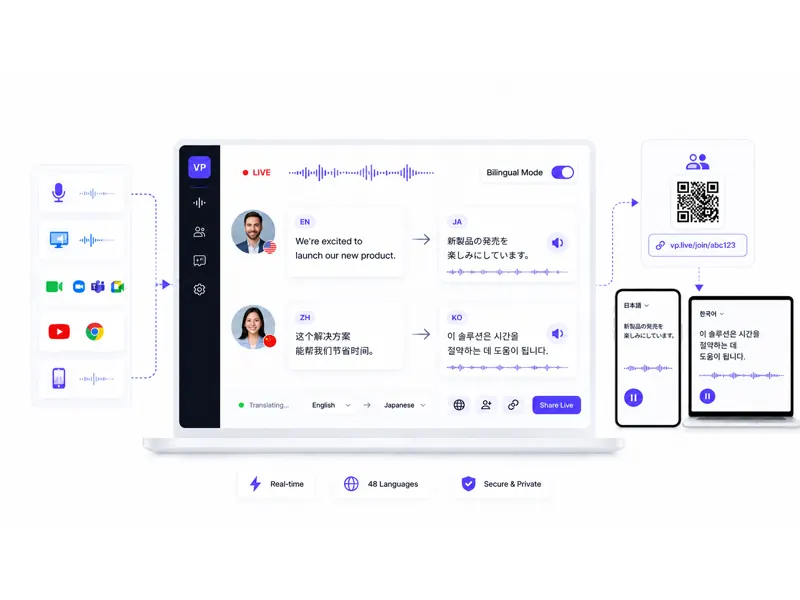
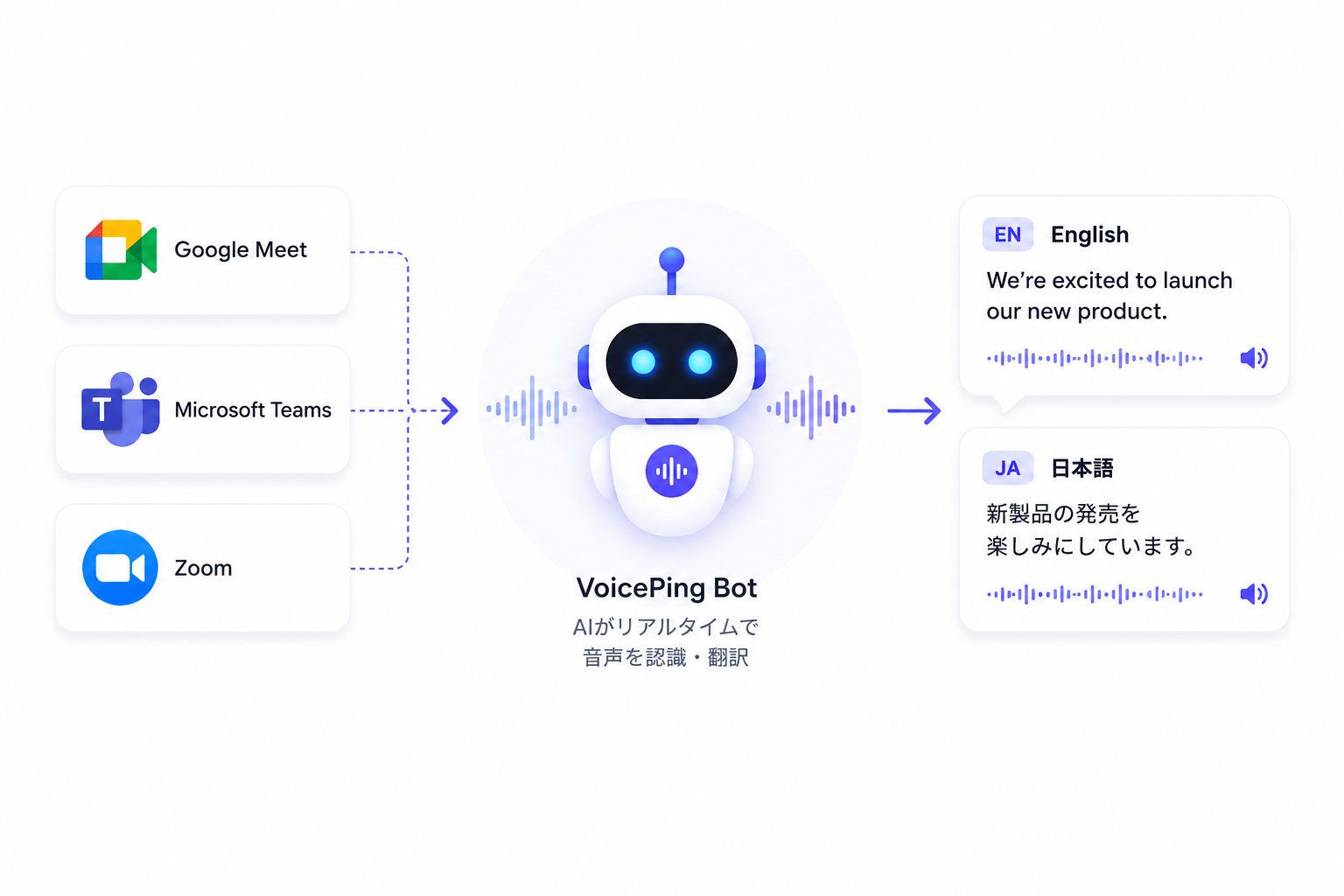
Invite VoicePing to Zoom, Google Meet, or Microsoft Teams for live translation and meeting notes you can search later.
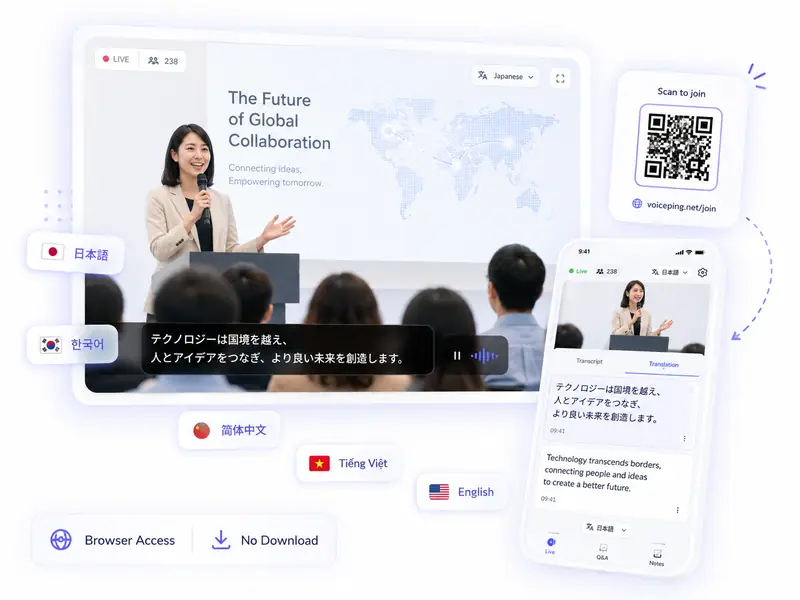
Attendees scan a QR code or open a link to follow the event in their language. No account or app required.
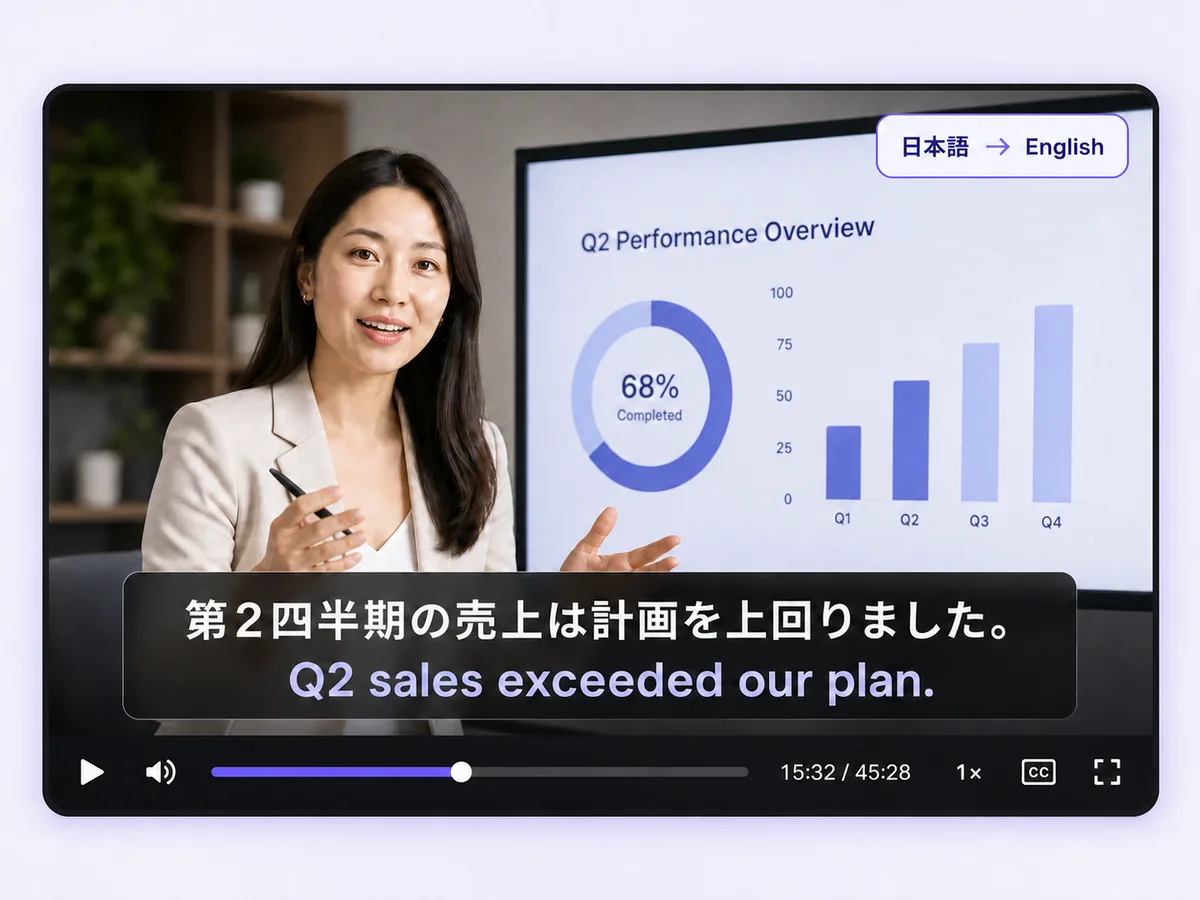
Turn audio and video files into transcripts, translations, subtitles, and dubbed recordings.
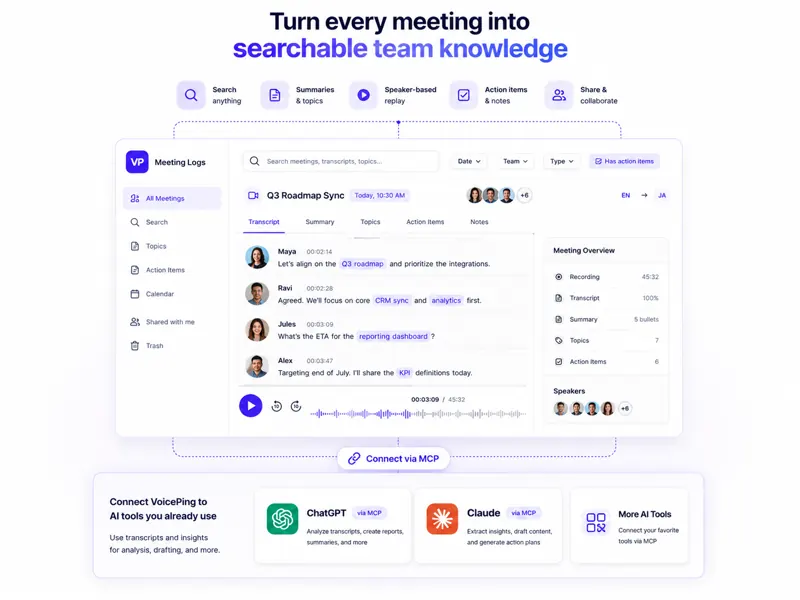
Find what was said, check the original conversation, and share decisions and next steps.
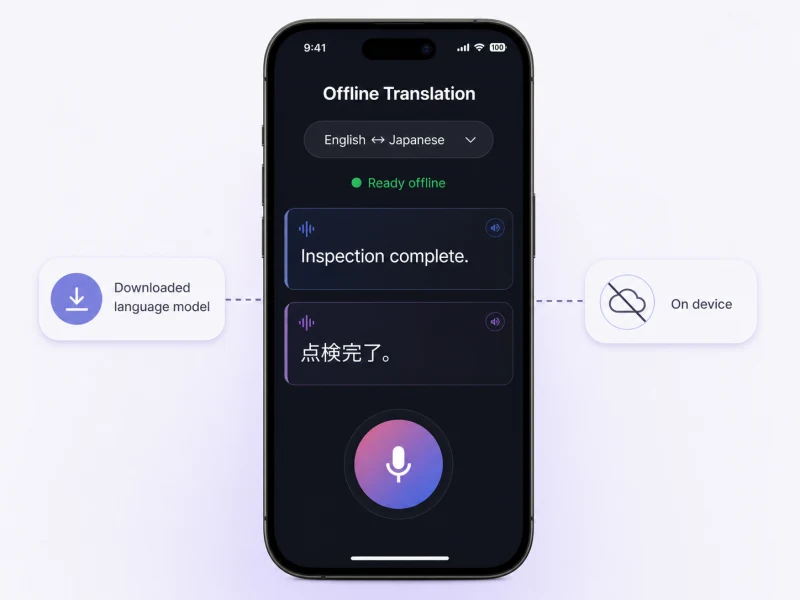
Translate spoken conversations on iOS or Android without Wi-Fi or mobile data, with processing kept on the device.
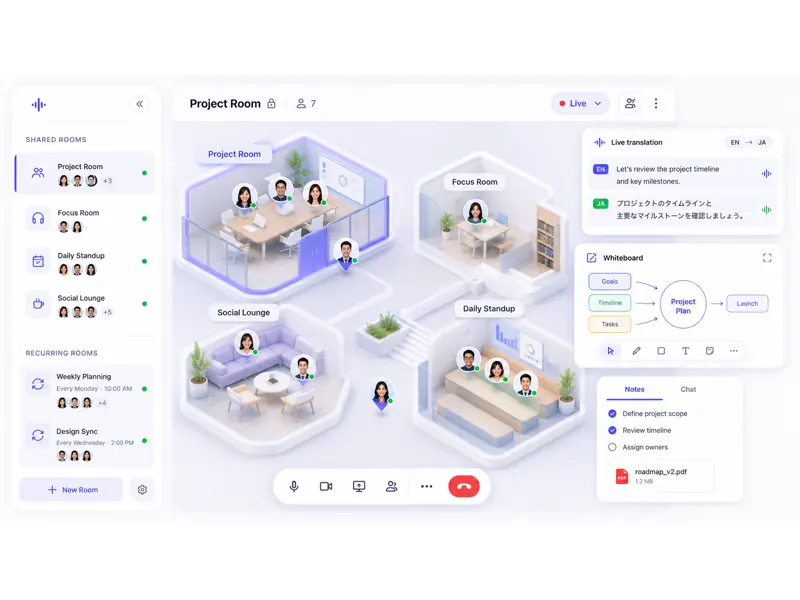
See who's available, start a quick call, and work together with live translation in a shared online office.

Expanded company-wide through word of mouth. Meeting minutes now take seconds, and communication with overseas staff increased.
Read the story
Reduced the burden on interpreters and made international meetings easier for employees to join.
Read the story
Used for the second year at Japan Summit 2025, supporting a 2,200-person event while reducing preparation and operational workload.
Read the storyMeetings
Help participants follow the conversation in their language. After the meeting, review and share the transcript, summary, decisions, and action items.
Recognize speech across 46 locales and translate captions into 60 target languages.
Automatically join Zoom, Google Meet, or Microsoft Teams and start recording.
Generate transcripts, summaries, decisions, and action items automatically.
Find past decisions and who agreed to do what without replaying the whole meeting.
Improve consistency for company names, products, people, and specialist terminology.
Events
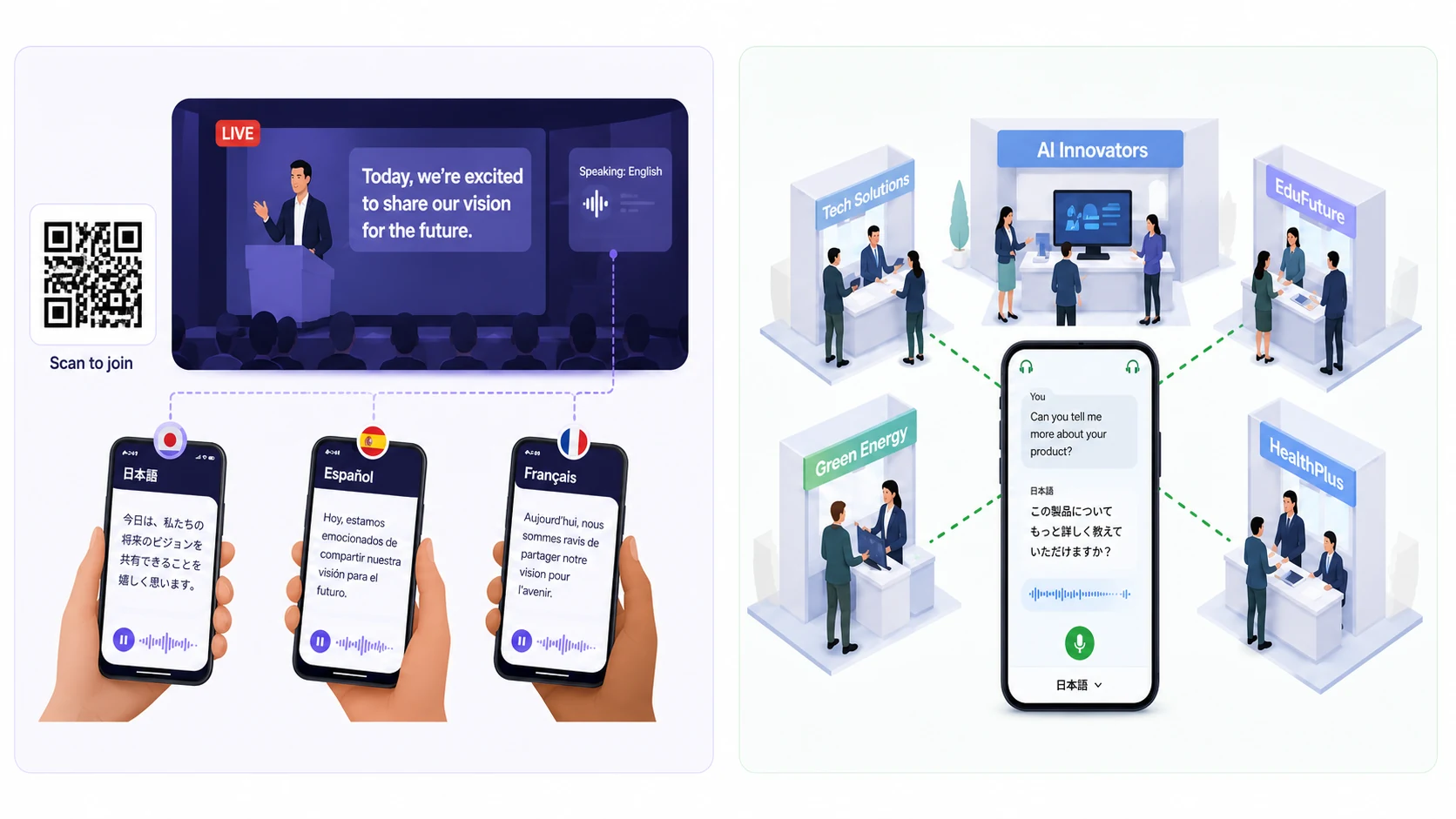
Offer live translation at seminars, exhibitions, and conferences. Attendees use their own phones, with no receivers to collect or accounts to create.
Attendees open one link to see the translation immediately.
No advance registration, receiver, or dedicated app is required.
Each listener selects from the languages available for your event.
Register speaker names, product names, and industry terms before the event.
Review the event record and usage after each session.
Video and audio
Upload training videos, webinars, interviews, or audio. Create transcripts, translated subtitles, or dubbed recordings for the people you need to reach.
Transcribe uploaded audio or video and translate it into the languages you need.
Export subtitle files for editing, publishing, and distribution.
Create a video with translated subtitles built in.
Create an audio or video version in the translated language.
Find and share completed transcripts and recordings in Meeting Logs.
Control access to your team's conversations and meeting records.

Explore the controls behind the product, infrastructure and day-to-day operations.
Review our certification, data-handling policies and security questionnaire for your procurement process.
See how we check identity, workspace permissions and API access, and handle untrusted input.
Understand encryption, restricted administrative access, traffic controls and recovery procedures.
See how monitoring, maintenance, software reviews and security updates support daily operations.
Security updates and review materials
Read our recent security measures and download the 143-question security questionnaire. Controls and applicability vary by product, feature and contract.
The four security guides cover selected controls and their scope, including work still in development. Available in English and Japanese.
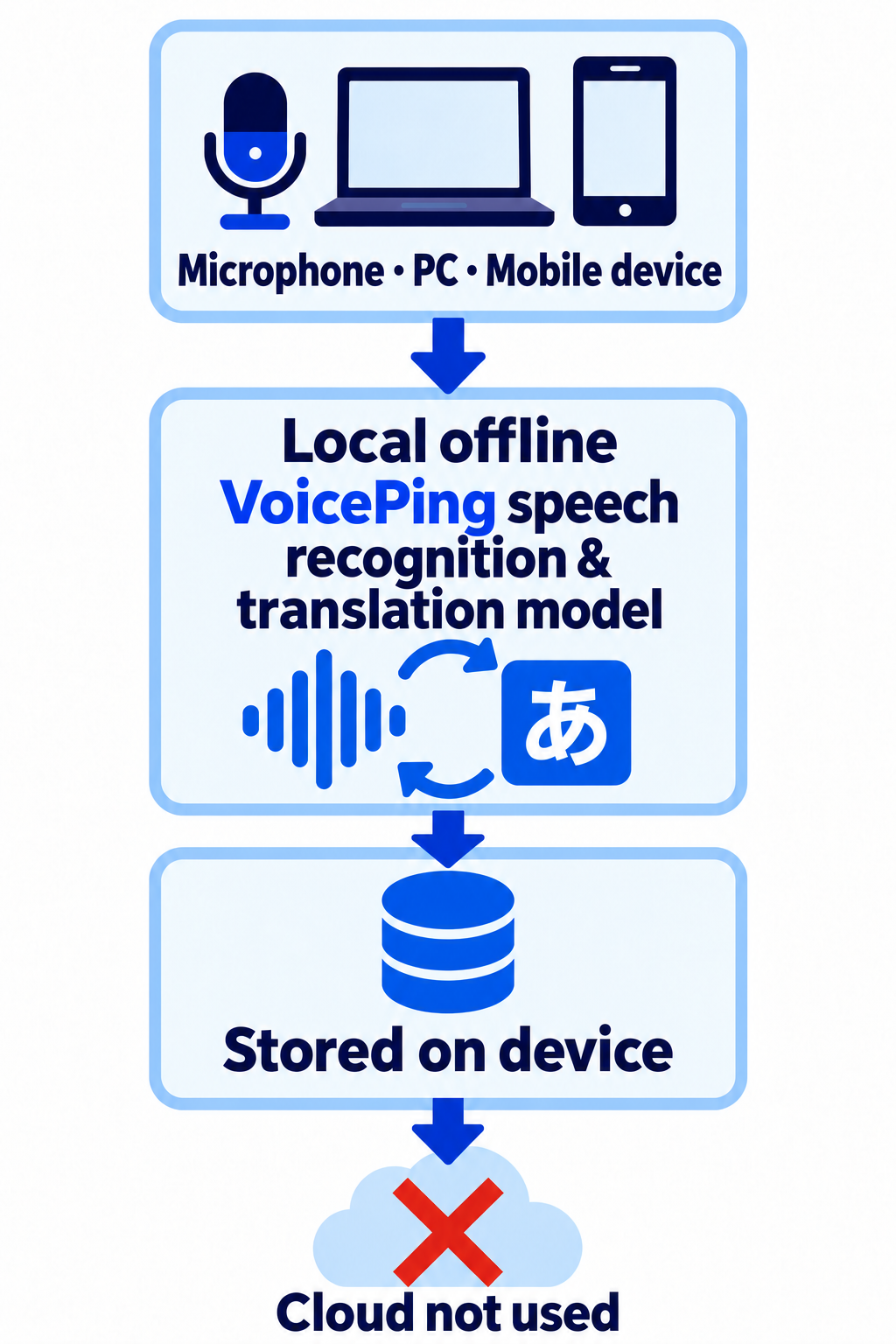
Choose how data from microphones, PCs, and mobile devices is processed and stored in the cloud or on the device.
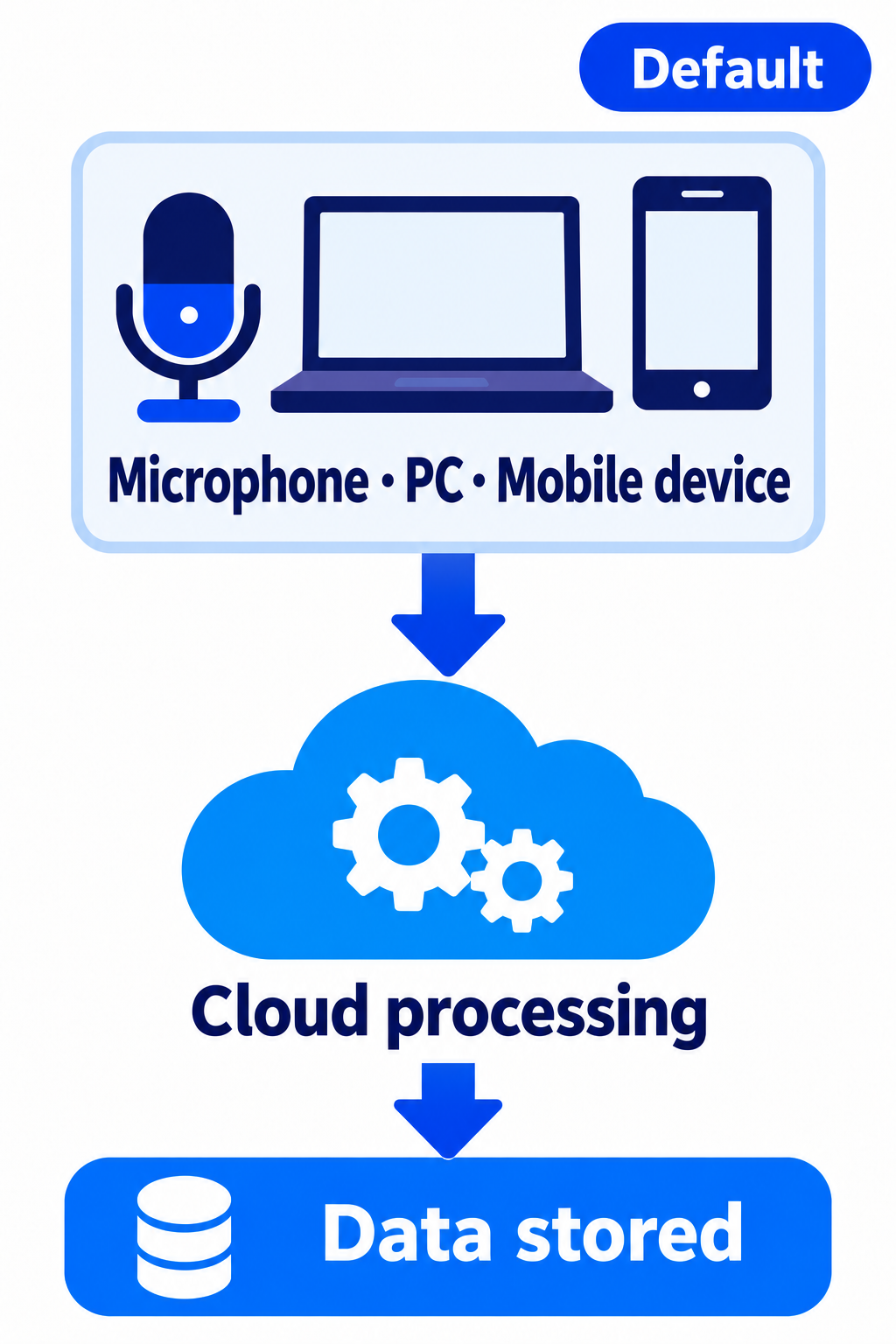
1. Cloud processing (data stored · default)
Audio and video sent from microphones, PCs, and mobile devices are processed in the cloud and stored.
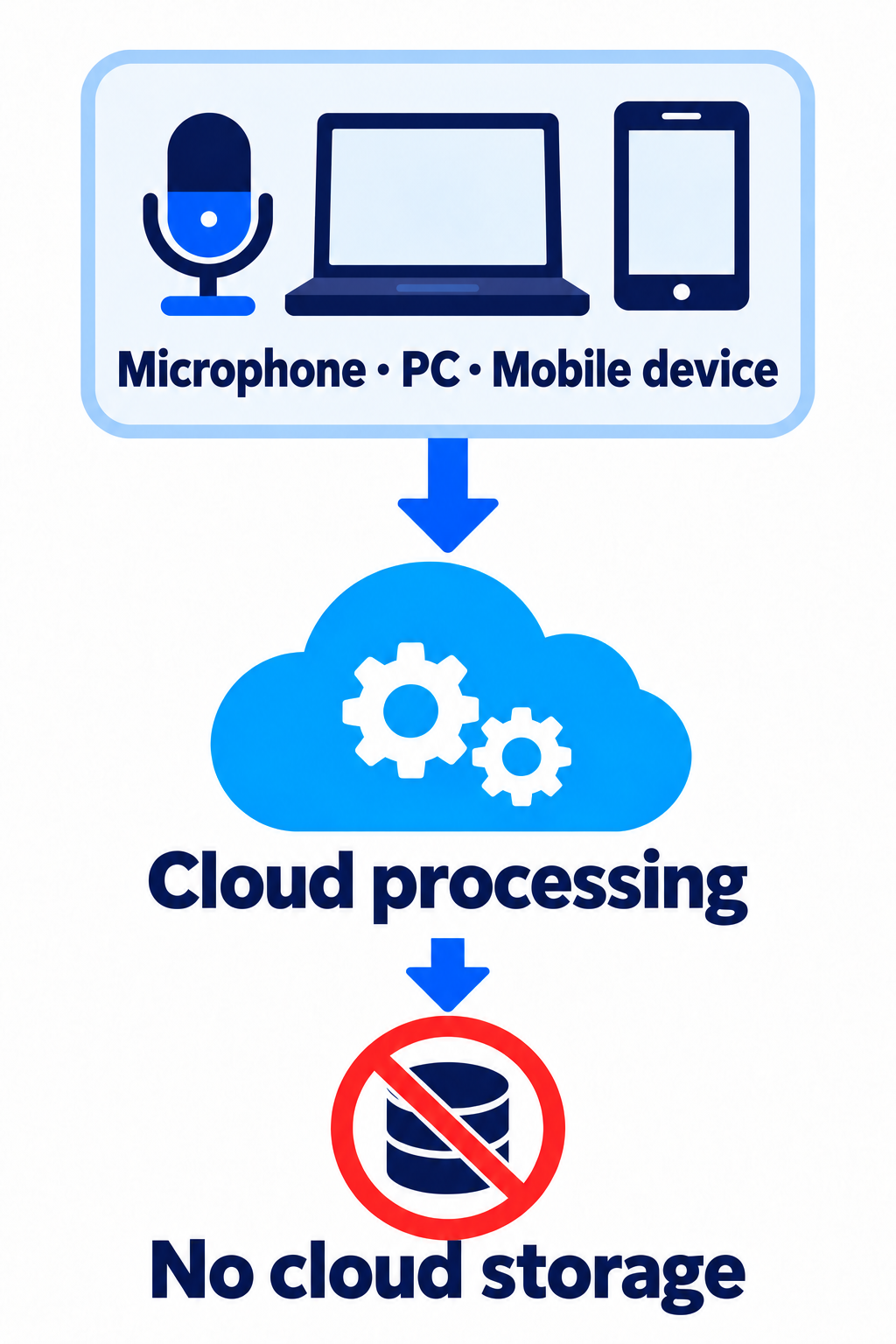
2. Cloud processing (no cloud storage)
Audio is transcribed and translated in the cloud, but the processed data is not stored in the cloud.
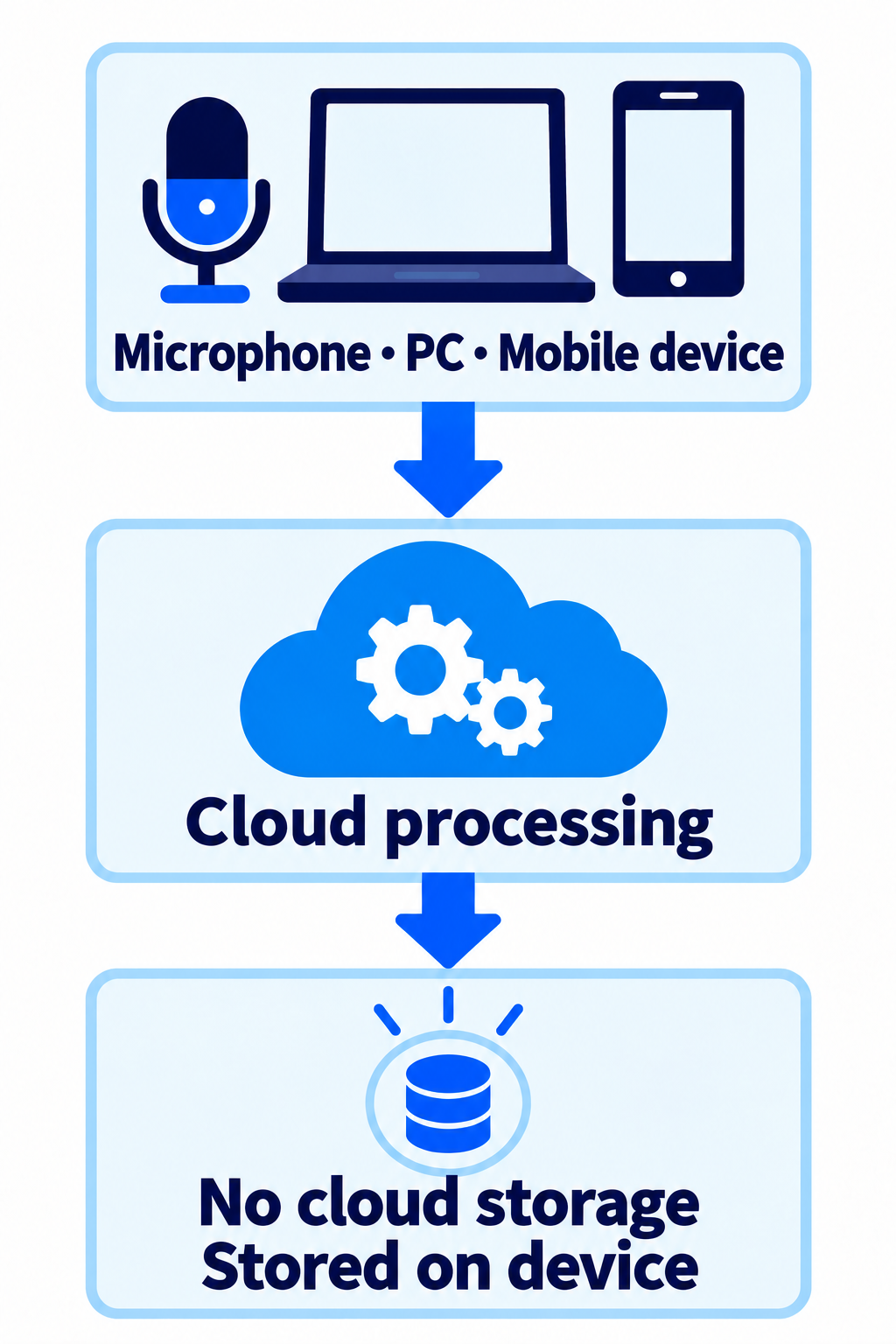
3. Cloud processing + device storage (no cloud storage)
Audio is transcribed and translated in the cloud, but the processed data is not stored in the cloud; it is saved on the PC or mobile device.
4. Local offline processing
VoicePing's speech recognition and translation model runs on the device without using the cloud, and data is saved on the device.
Start free, then choose the number of users and translation minutes you need.
For trying VoicePing
Free Forever
Free Forever
For people who use VoicePing regularly
$31.5/month
For small teams and shared workspaces
$63/month
$41.25/month billed yearly
For growing teams with higher usage
$473/month
$330/month billed yearly
Work with our team on contracts, security requirements, administration, and rollout across your organization.
VoicePing 3.0 product guide
Share the guide with your team to compare features, use cases, security, and plans for multilingual meetings and events.